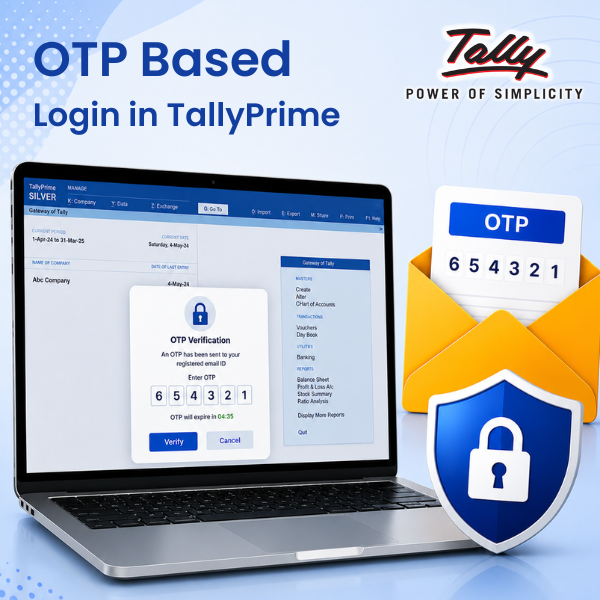


TDL for OTP Based Login in Tally
Original price was: Rs. 4,999.Rs. 2,999Current price is: Rs. 2,999. + GST
Add an Extra Layer of Security to Your TallyPrime Data.
Protect your valuable accounting data with Email + WhatsApp OTP Based Login in TallyPrime, an advanced security module designed to prevent unauthorized access to your TallyPrime data. This TDL add-on introduces One-Time Password (OTP) verification during login, ensuring that only authorized users can access your TallyPrime data.
Whether you are a business owner, accountant, auditor, or enterprise user, this solution helps strengthen access control and improve data security without modifying the core functionality of TallyPrime.
Works with Email + WhatsApp based OTP generation.
Download 3 Days Free Trial
Note
- SMS based OTP verification will be added soon and it will be available as an free update to all our users.
- Sending OTP over WhatsApp requires No-META WhatsApp API subscription.
| Supported Version | TallyPrime |
|---|---|
| Mode of Support | Anydesk, Email, Ultra Viewer |
| Updates | Free |
| User Type | Multi User, Single User |
| TDL Validity | Lifetime |
Get 10% extra off on purchase of TDL's worth Rs. 4,500 and above | Coupon Code : "EXTRA10"
OTP Based Login in TallyPrime
Key Features
✅ OTP Verification During Login : Require users to enter a valid One-Time Password before accessing TallyPrime.
✅ Enhanced Security : Prevent unauthorized users from opening company data even if they know the Tally username and password.
✅ Session-Based Authentication : Generate unique 6 digit OTPs for every login session for improved protection.
✅ User Access Control : Ensure that only verified and authorized users can access sensitive accounting information.
✅ Easy Integration : 100% TDL-based solution with quick installation and seamless integration into TallyPrime.
✅ No Changes to Existing Data : Works alongside your existing Tally setup without affecting company data or transactions.
Benefits
- Protect confidential financial information
- Reduce the risk of unauthorized access
- Improve internal security policies
- Strengthen user authentication processes
- Suitable for multi-user Tally environments
- Ideal for businesses handling sensitive accounting data
Who Should Use This Module?
- Chartered Accountants
- Accounting Firms
- SMEs and Enterprises
- Multi-User Tally Installations
- Businesses Requiring Enhanced Data Security
- Organizations with Compliance Requirements
Why Choose OTP Based Login for TallyPrime?
Traditional passwords can be shared or compromised. OTP-based authentication adds an additional verification layer, making it significantly harder for unauthorized users to gain access to your accounting system.
Secure your TallyPrime environment with OTP-based login protection and keep your business data safe from unauthorized access.
Admin Login
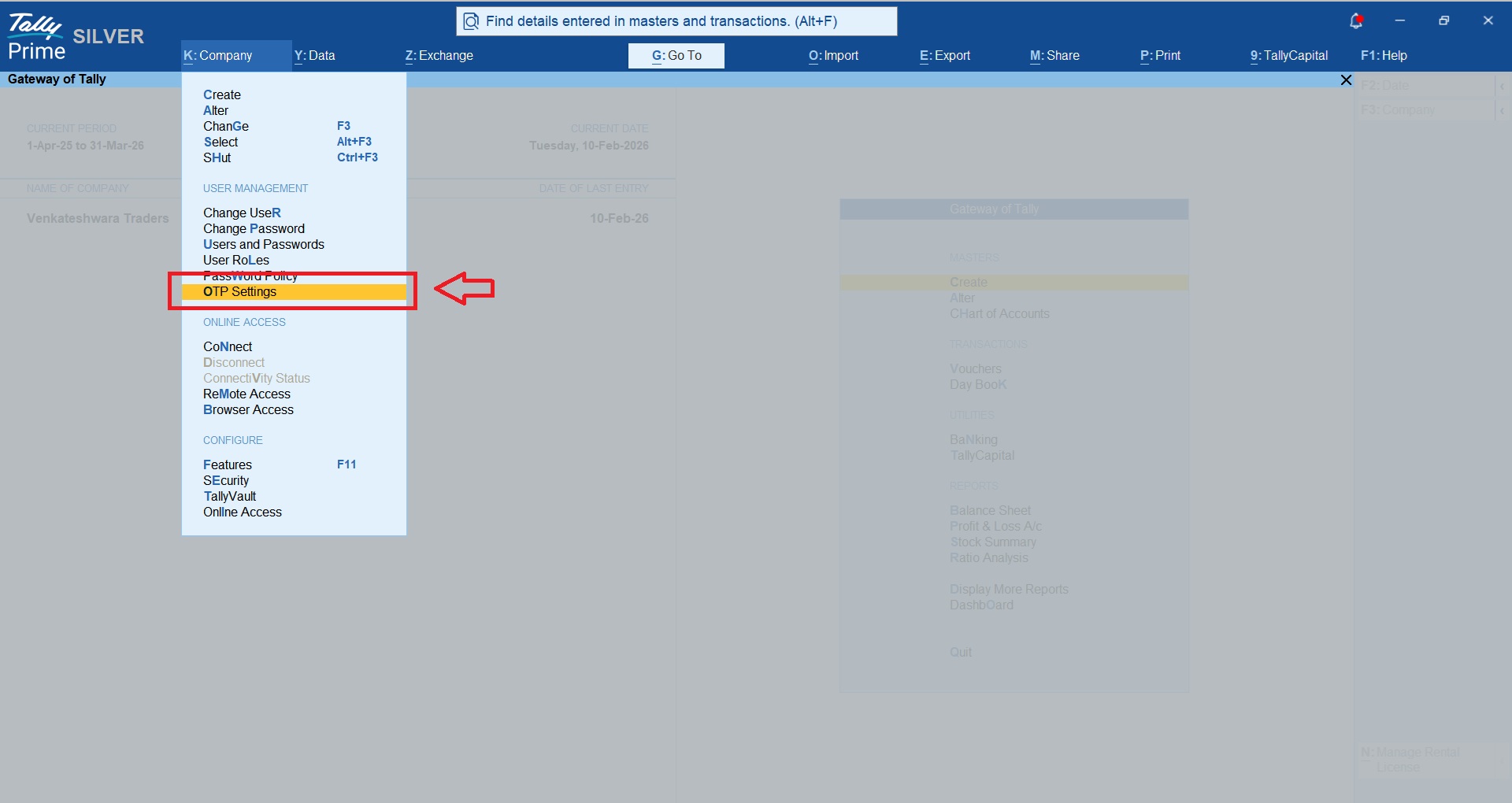
Once you activate the module, you will find new option “OTP Settings” under company menu.
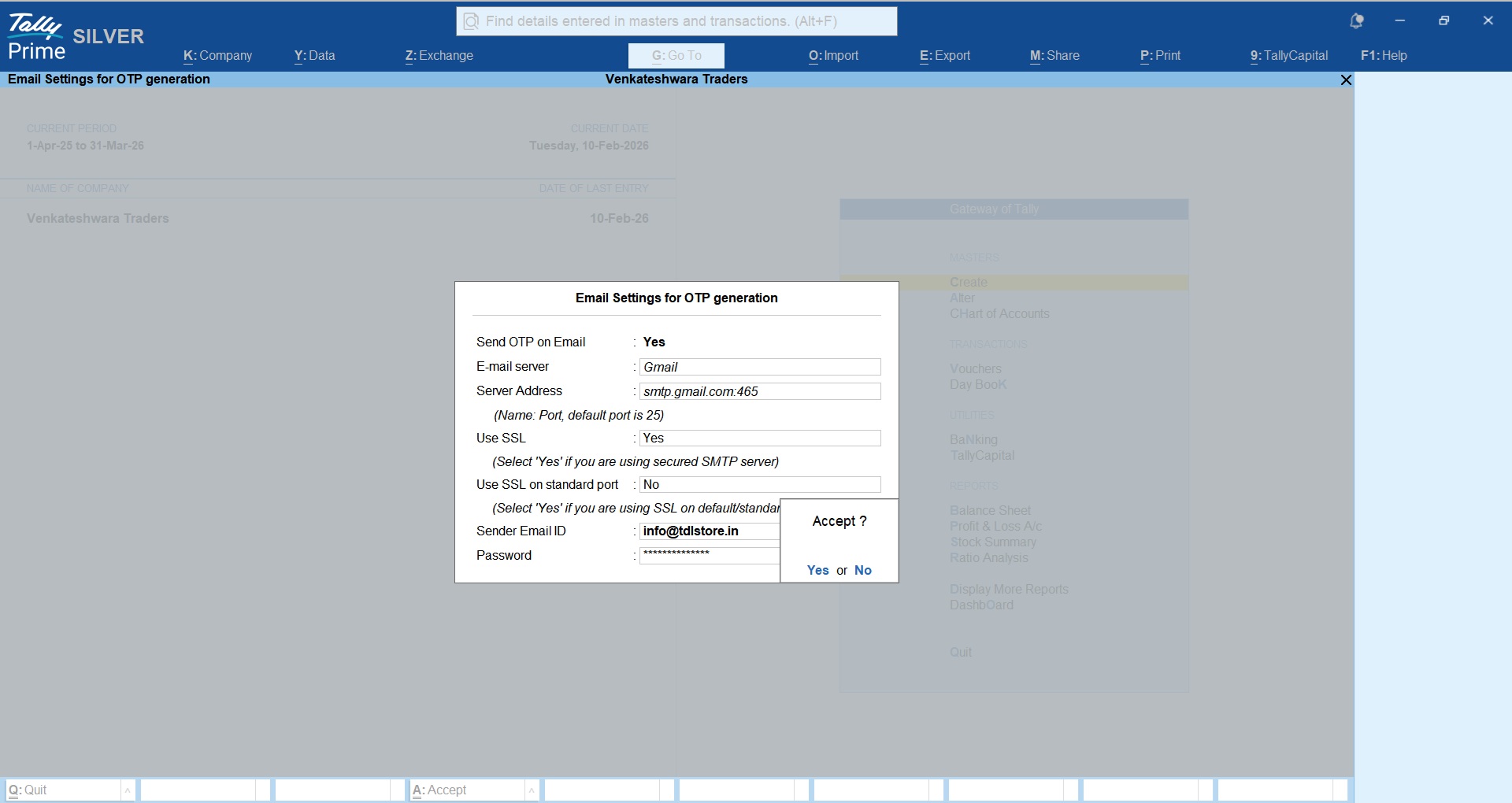
Configure your Email SMTP for sending OTP Emails.
You may define which users are restricted for the OTP based login.
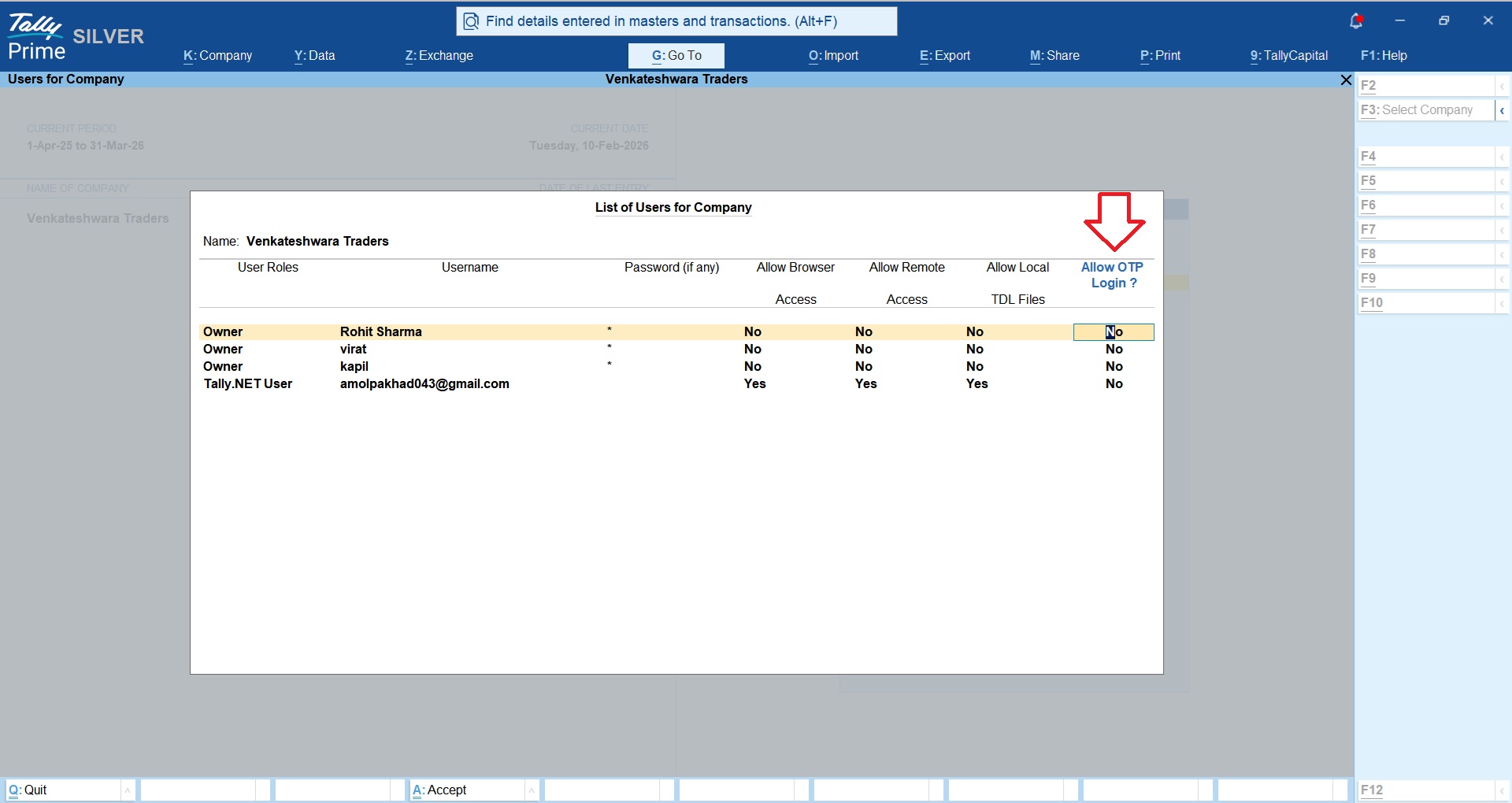
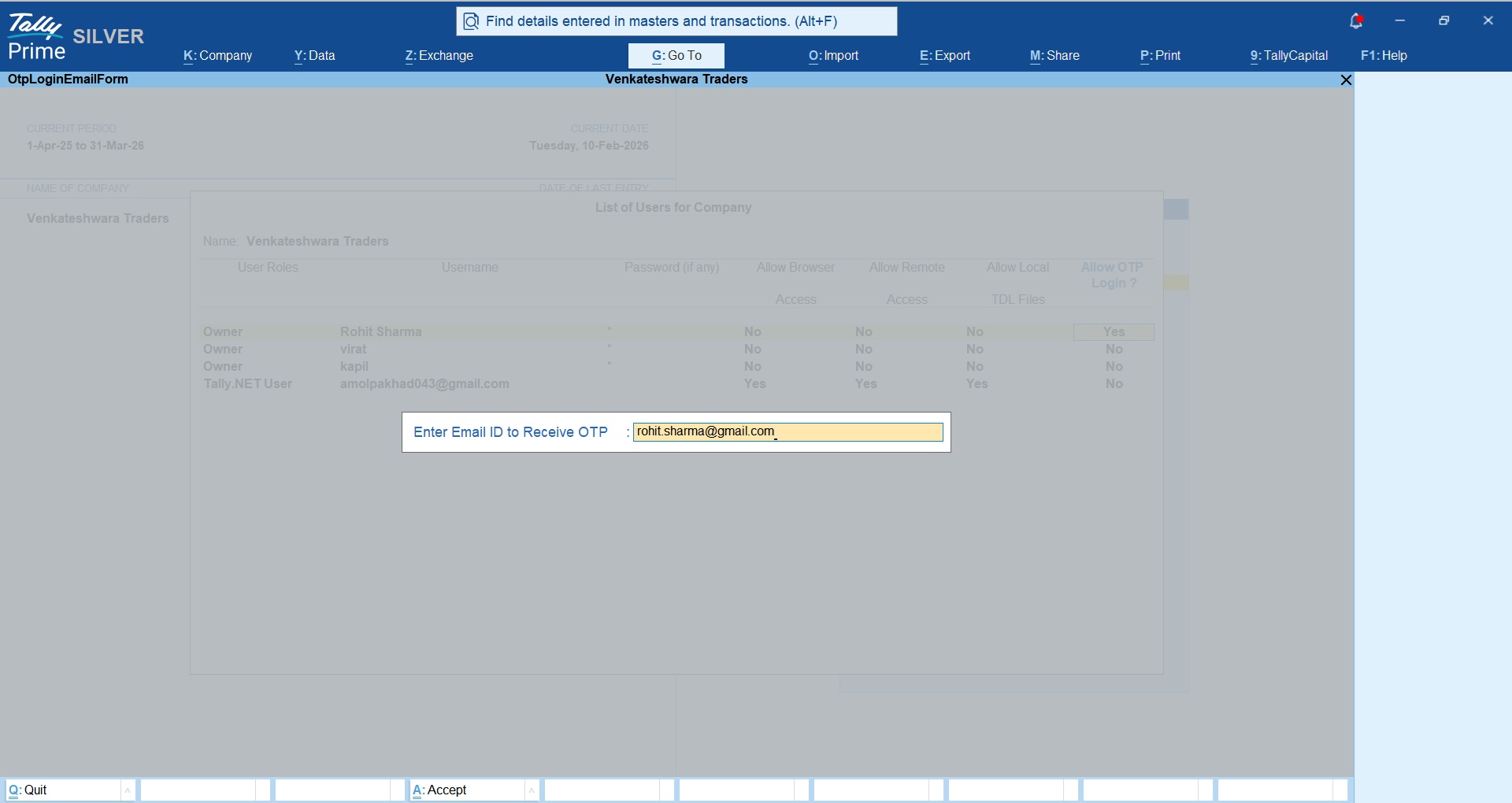
You may define user email ID on which OTP will be sent during each login.
If you don’t want to send OTP directly to the users email ID then you may define your own email ID, so whever user tries to login, you will get the OTP and then you may share the login with your user.
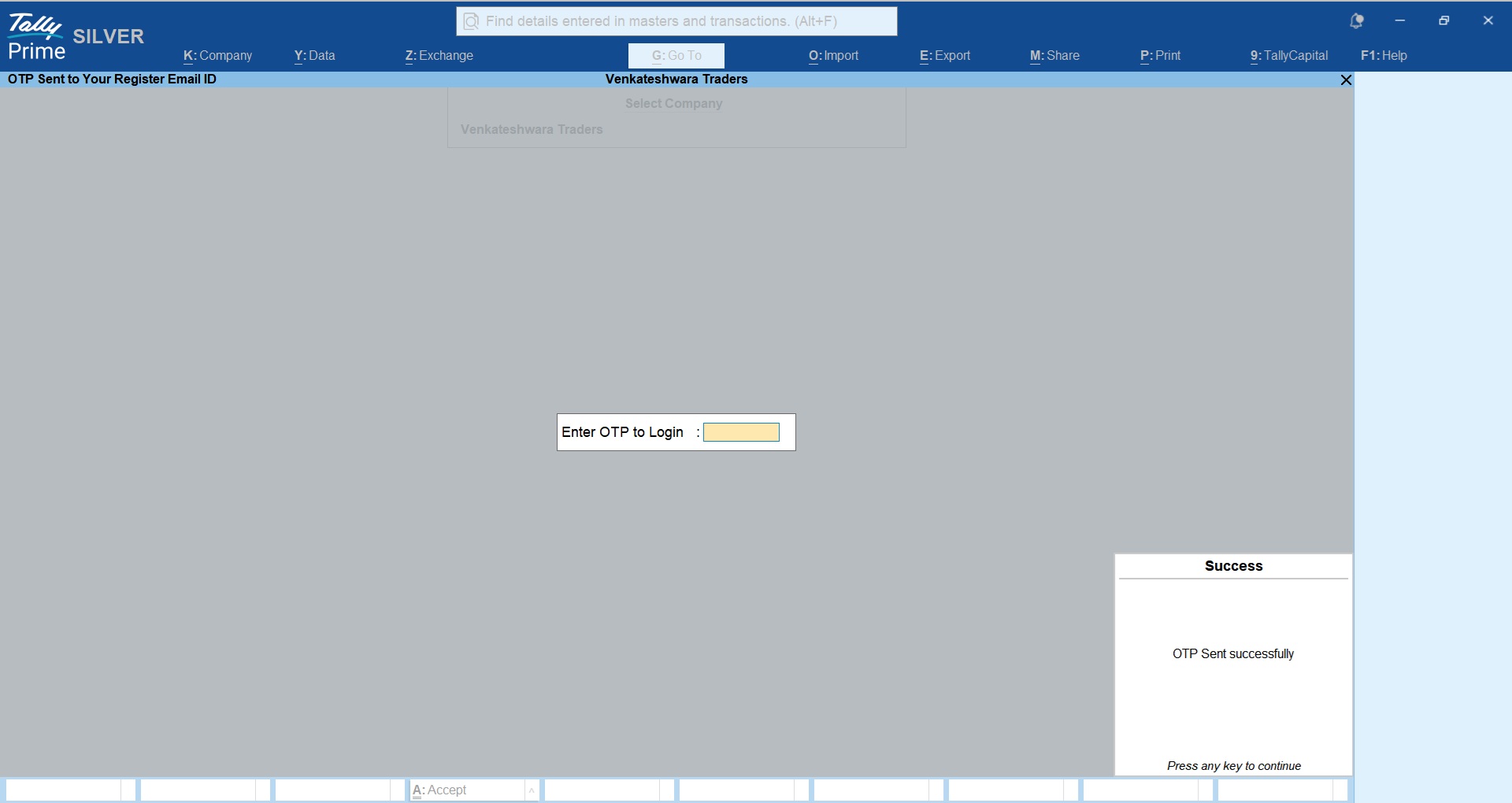
User Login
Users will get the OTP sent successfully prompt upon login.
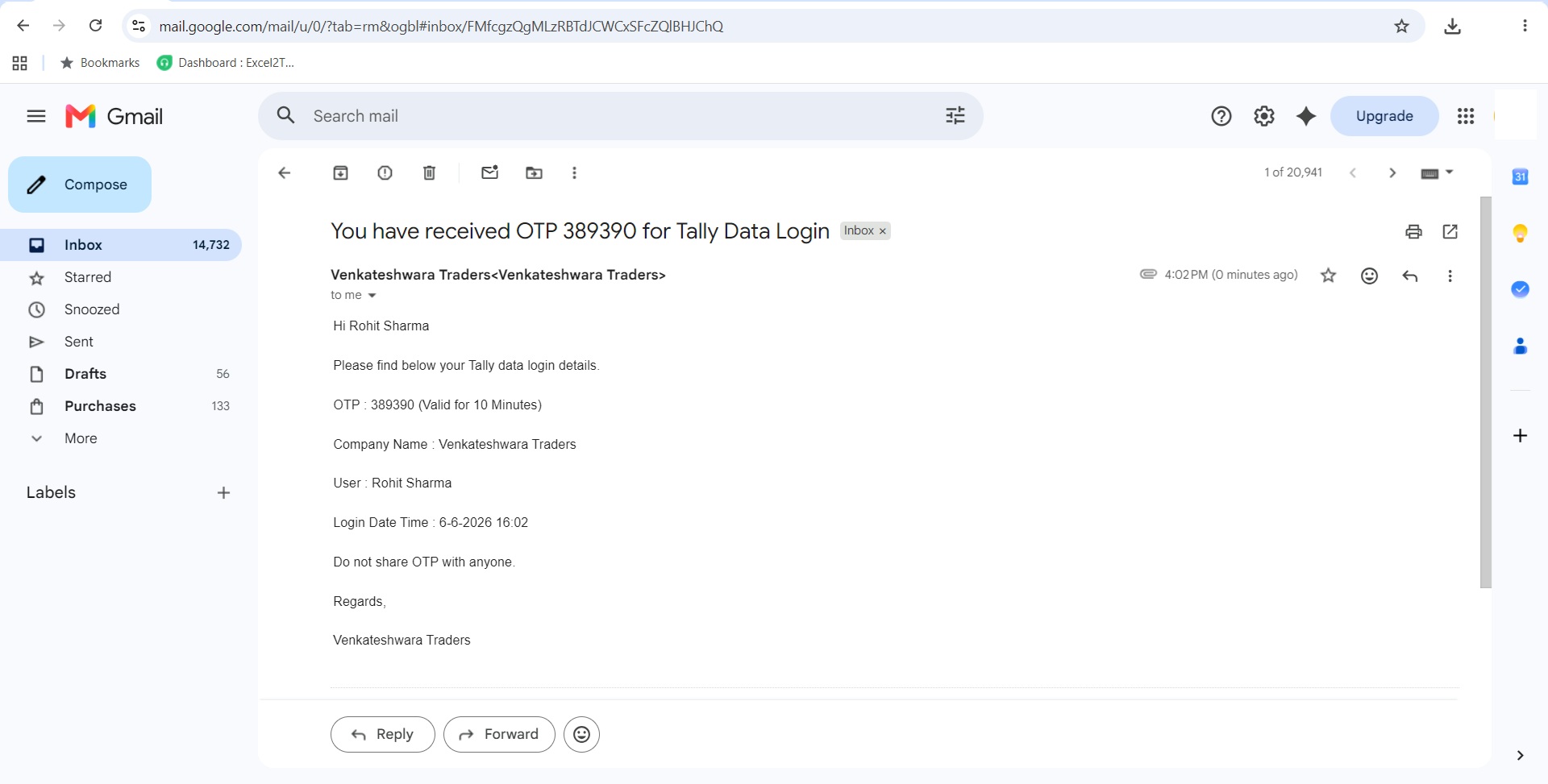
Following OTP email will be received by the user.
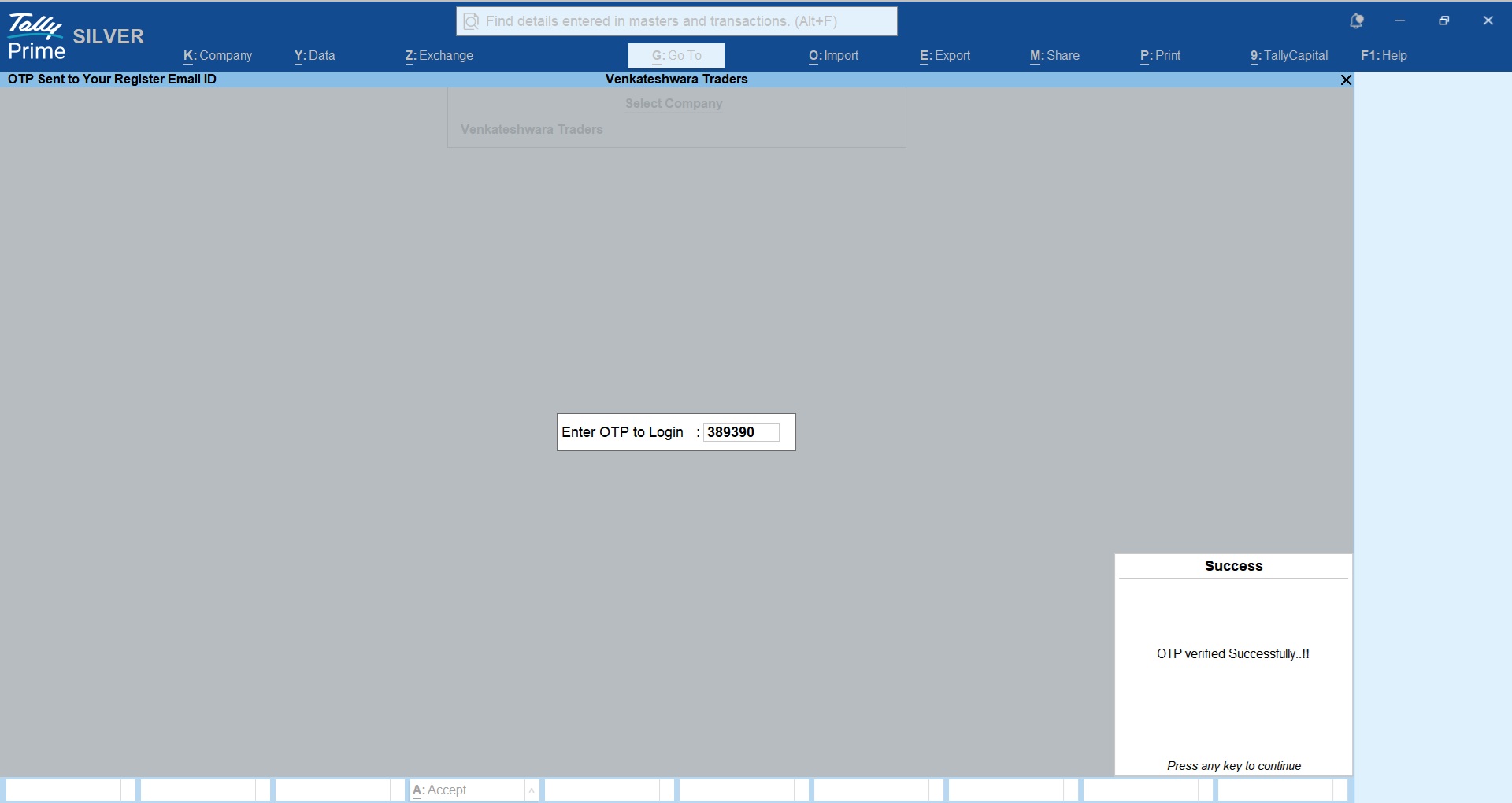
 User will get confirmation when correct OTP is entered.
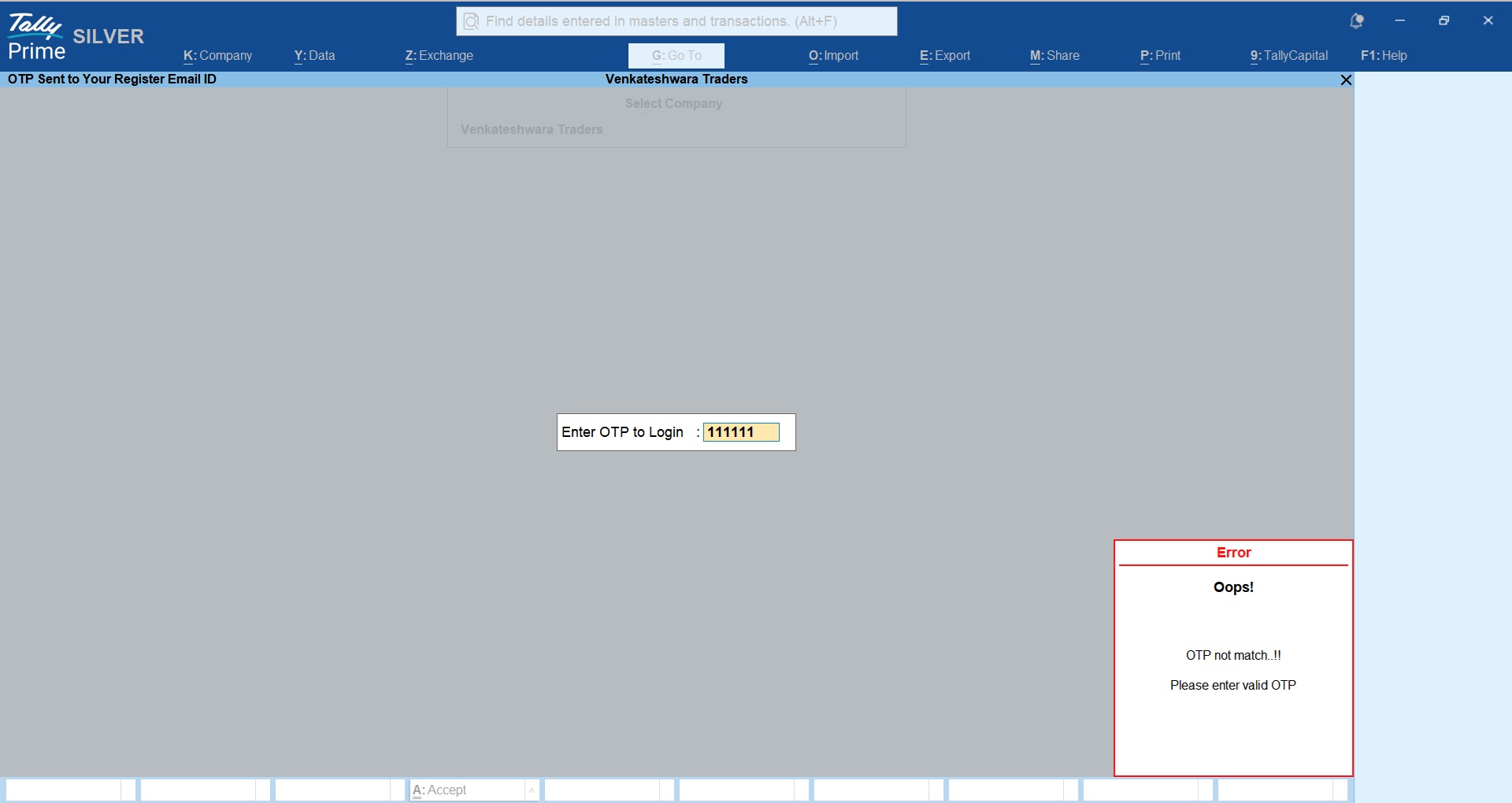
User will get error message when wrong OTP is entered.
LIFETIME VALIDITY
NO RENEWALS
7 DAYS MONEY BACK GUARANTEE
Works on Tally.ERP9 & TallyPrime
Clean & Verified Code
Here is the Quick Guide on How to Configure TDL / TCP in Tally!


Get answers to all your queries before you purchase our Tally add-ons.
Your TDL add-ons comes with Lifetime validity or Yearly Subscriptions?
All our TDL add-ons comes with truly Lifetime validity and updates
How do I purchase & get the add-ons?
It's very simple!
Simply add the required module to the cart > proceed for checkout > enter your complete billing information > place order > pay online!
On successful completion of payment, you will instantly get download link on the screen and well as in your email.
Can i get demo before purchase?
Yes, we have placed demo videos under each modules to see how exactly it works before you purchase.
We do not provide one on one demo for ready to use TDL add-ons.
Will it work on Tally.ERP9 or TallyPrime?
All our TDL add-ons are compatible with both Tally versions i.e. Tally.ERP9 and TallyPrime
How do I install TDL add-ons in my Tally?
It really very simple to configure TDL add-ons in Tally, please refer below quick video and i am sure you will be able to do it.
Will I get GST Invoice for my purchase?
Yes, you will get system generated GST invoice in your email ID immediately on successful purchase, if not found check Spam / Junk folder once.
What if your TDL add-on doesn't work in my Tally?
It works on all Tally but in case if our TDL add-on is conflict with your existing TDL's then you may either ask your existing TDL provider to correct it or simply place refund request with us by providing valid error screenshots.
Will it work on Tally multi user license?
Yes, our add-ons works on both Tally Single User and Multi User depending upon your Tally Serial number and the price will remain same for both.
Can I use add-ons on multiple Tally licenses?
If you have multiple Tally licenses, you will have to purchase it separately
Will it work on multiple companies in same Tally?
Yes, all our TDL add-ons works with any of your companies running on the same Tally license.
If you have separate Tally licenses, you will have to purchase it separately.
Will it impacts our Tally data?
No, these Tally add-ons are built securely on Tally definition language only, so it won't impact your Tally data.
However we always recommend users to take Tally backup before using any customization.
How will I get License Key for TCP activation?
License Key for your purchased TCP will be available immediately in the Email & Under My Account section on completion of your order & payment.
How can I use same TCP & License Key in multiple companies?
By default our TDL License key is permissible to use for one company only but if you have multiple companies running on the same Tally serial number then you may request for license extension request by reverting to the same purchase email.
You can even re-use or migrate the same license key by De-Activating the same key.
How much time it will take to receive the TDL after payment?
You will receive TDL instantly along with Activation License Key in your email ID as well as the same will be found under your Account section.
Related products

TDL for Advance Bank Register in Tally
Original price was: Rs. 1,999.Rs. 1,499Current price is: Rs. 1,499. + GST
TDL for Barcode Label Printing in TallyPrime
Original price was: Rs. 5,999.Rs. 3,999Current price is: Rs. 3,999. + GST
TDL for Business Dashboard in Tally
Original price was: Rs. 4,999.Rs. 2,999Current price is: Rs. 2,999. + GST
TDL for Cost Center Wise Balance Sheet and Profit & Loss in Tally
Original price was: Rs. 5,999.Rs. 3,999Current price is: Rs. 3,999. + GST
TDL for Customer Wise Rate & Discount
Original price was: Rs. 4,999.Rs. 2,999Current price is: Rs. 2,999. + GST
TDL for Display Bank Reco Date on Ledger and Voucher
Original price was: Rs. 1,499.Rs. 999Current price is: Rs. 999. + GST
TDL for Document Attachment in Tally (Multi Folders & Documents)
Original price was: Rs. 5,999.Rs. 3,999Current price is: Rs. 3,999. + GST