

TDL for Complete Salesman Module in Tally
Original price was: Rs. 6,999.Rs. 4,999Current price is: Rs. 4,999. + GST
Complete Saleman module in Tally to generate Salesman wise Sales, Collection, Outstandings, Target achievement reports within Tally, accurately & effortlessly in a click of button.
Key features of Salesman Module in Tally
- Seperate master to create Salesman
- Seperate master to assign Salesman wise Targets
- Set targets based on Turnover
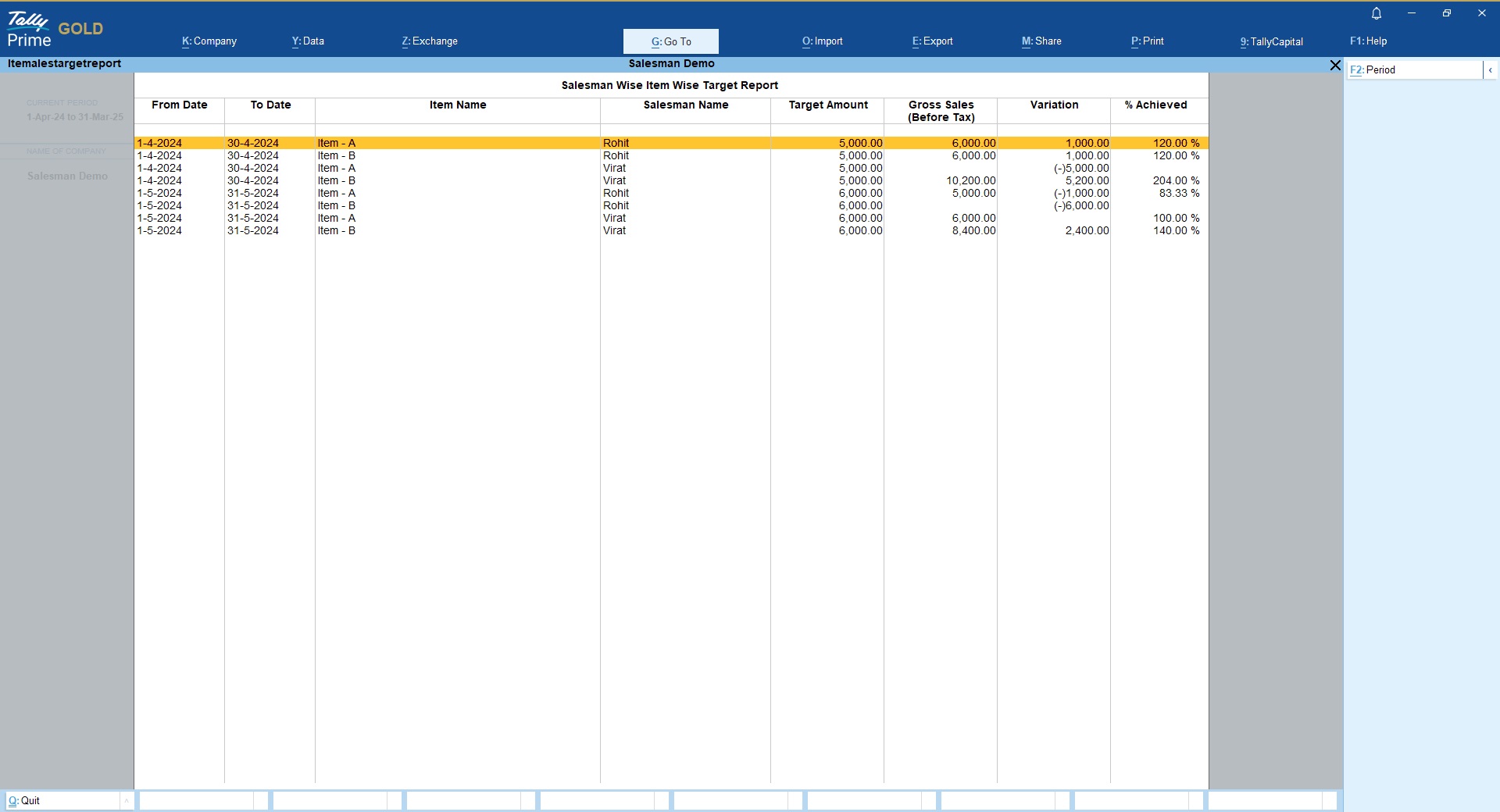
- Set targets based on Stock Items
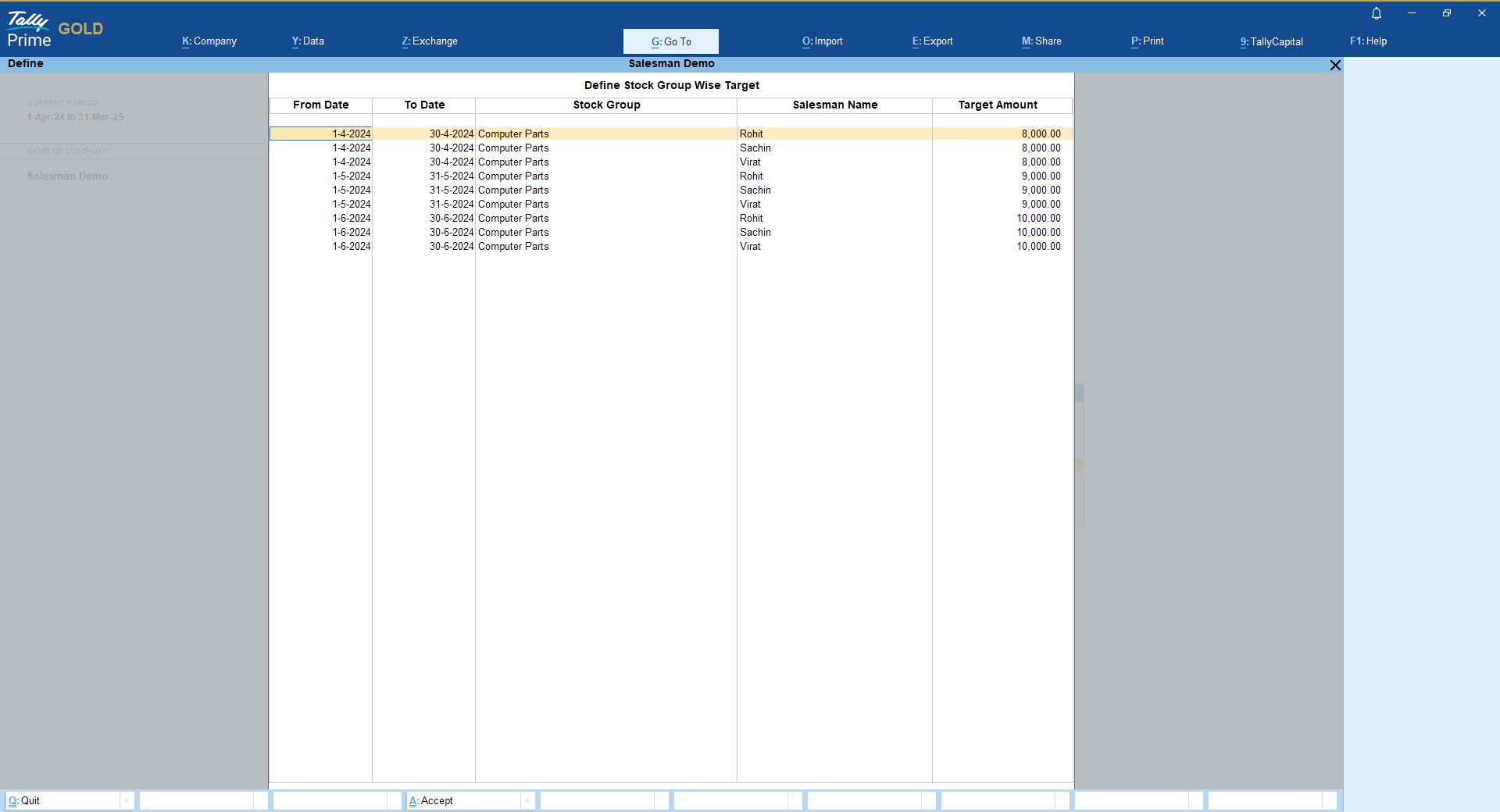
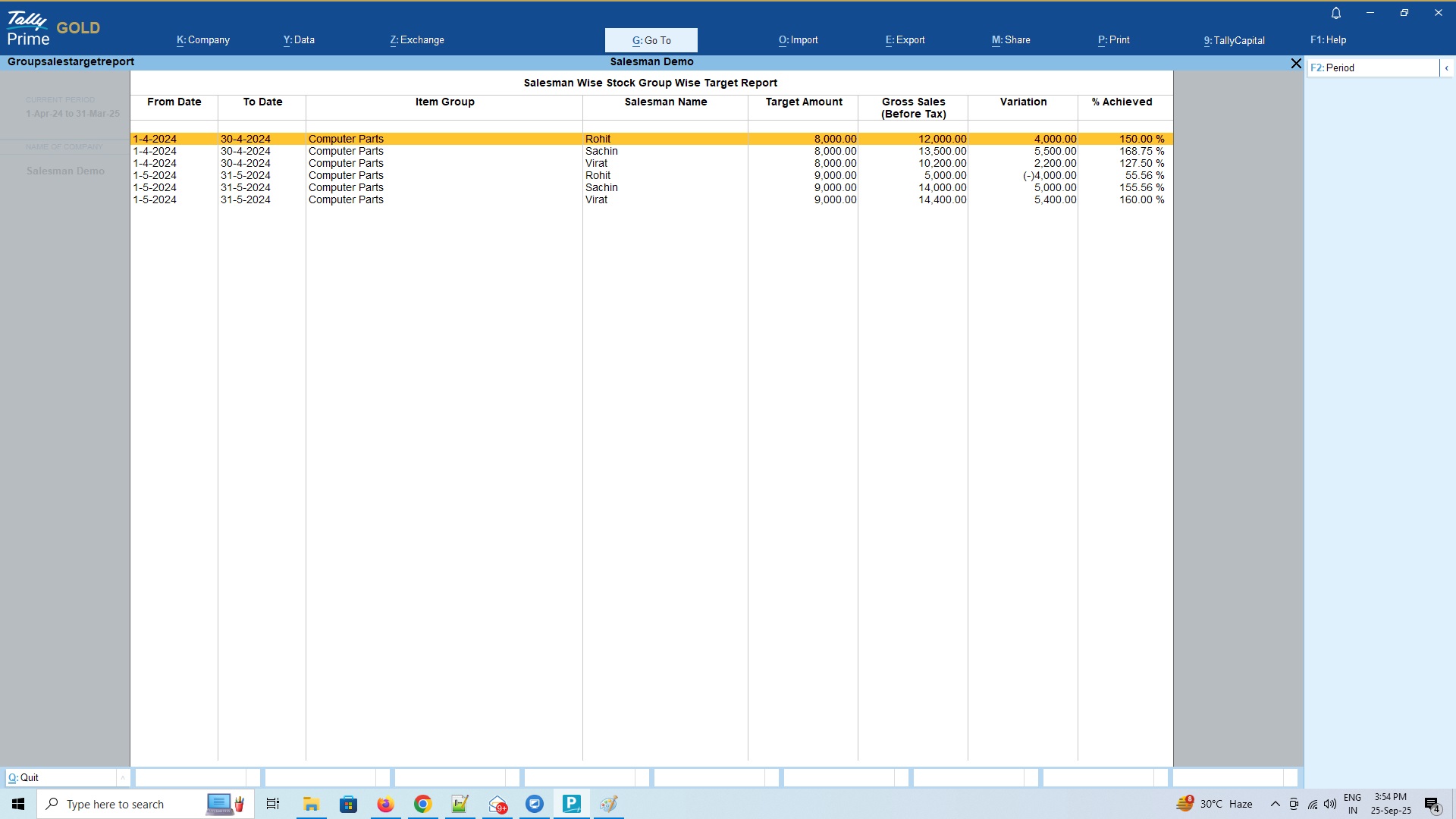
- Set targets based on Stock Groups
- Option to pre-define Salesman at customer master level or select manually for each sales bills
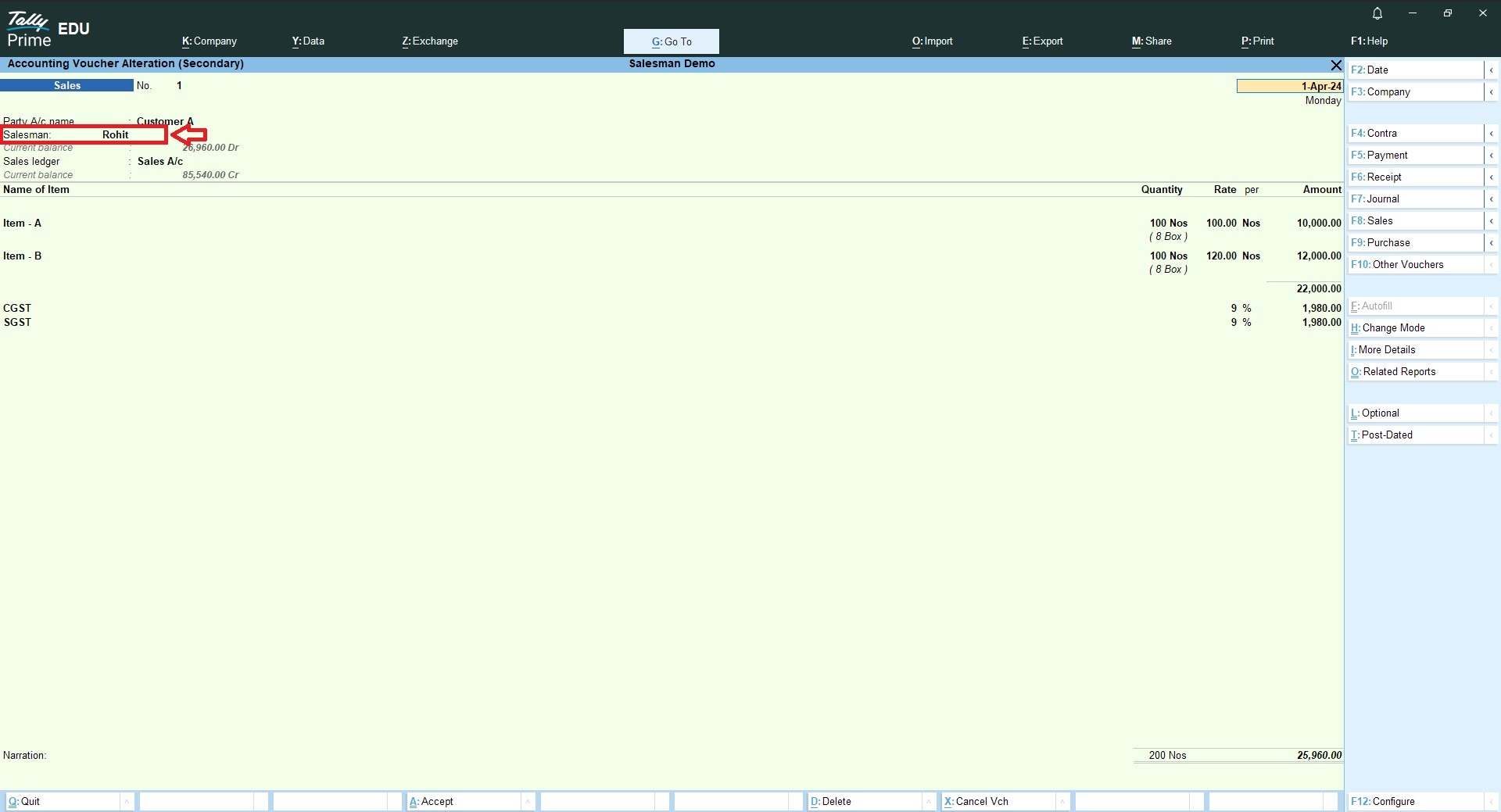
- Get Salesman selection option in Sales vouchers & Receipt vouchers
- If Salesman is assigned at party master then it will auto captured in the voucher and if not defined at party master then you can choose the salesman from the list during voucher entry.
- Generate following salesman wise reports
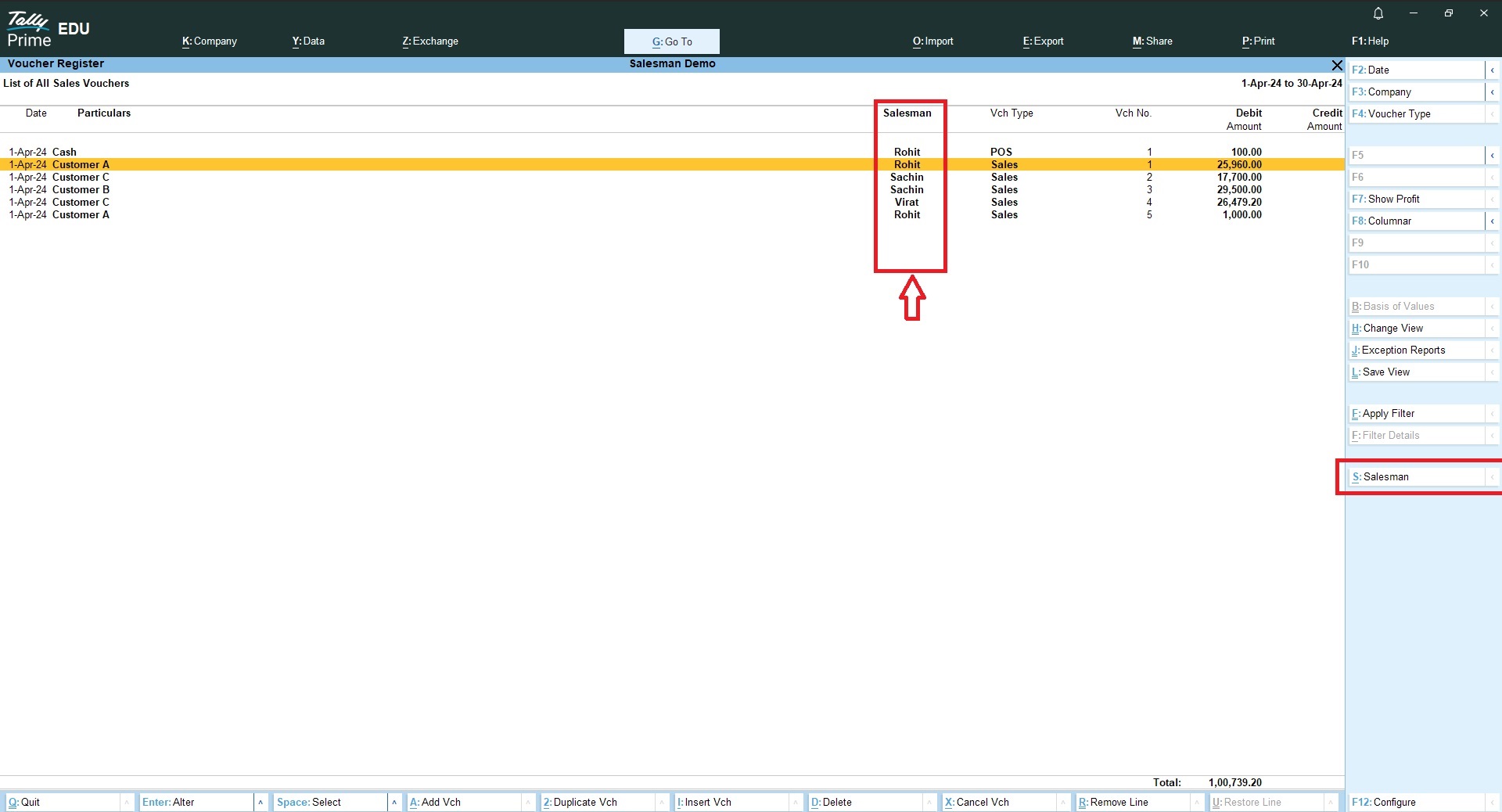
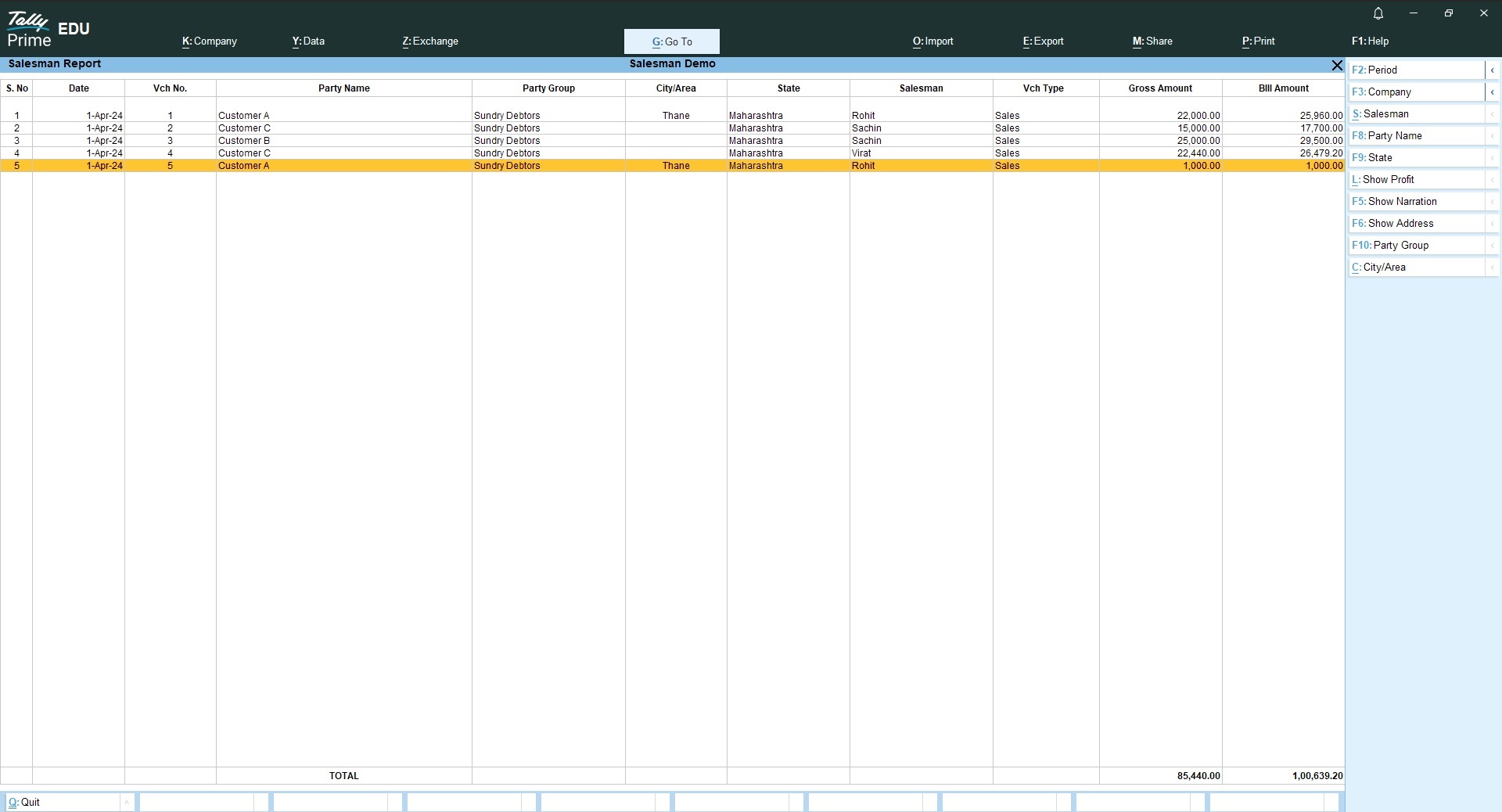
- Salesman wise bill wise sales
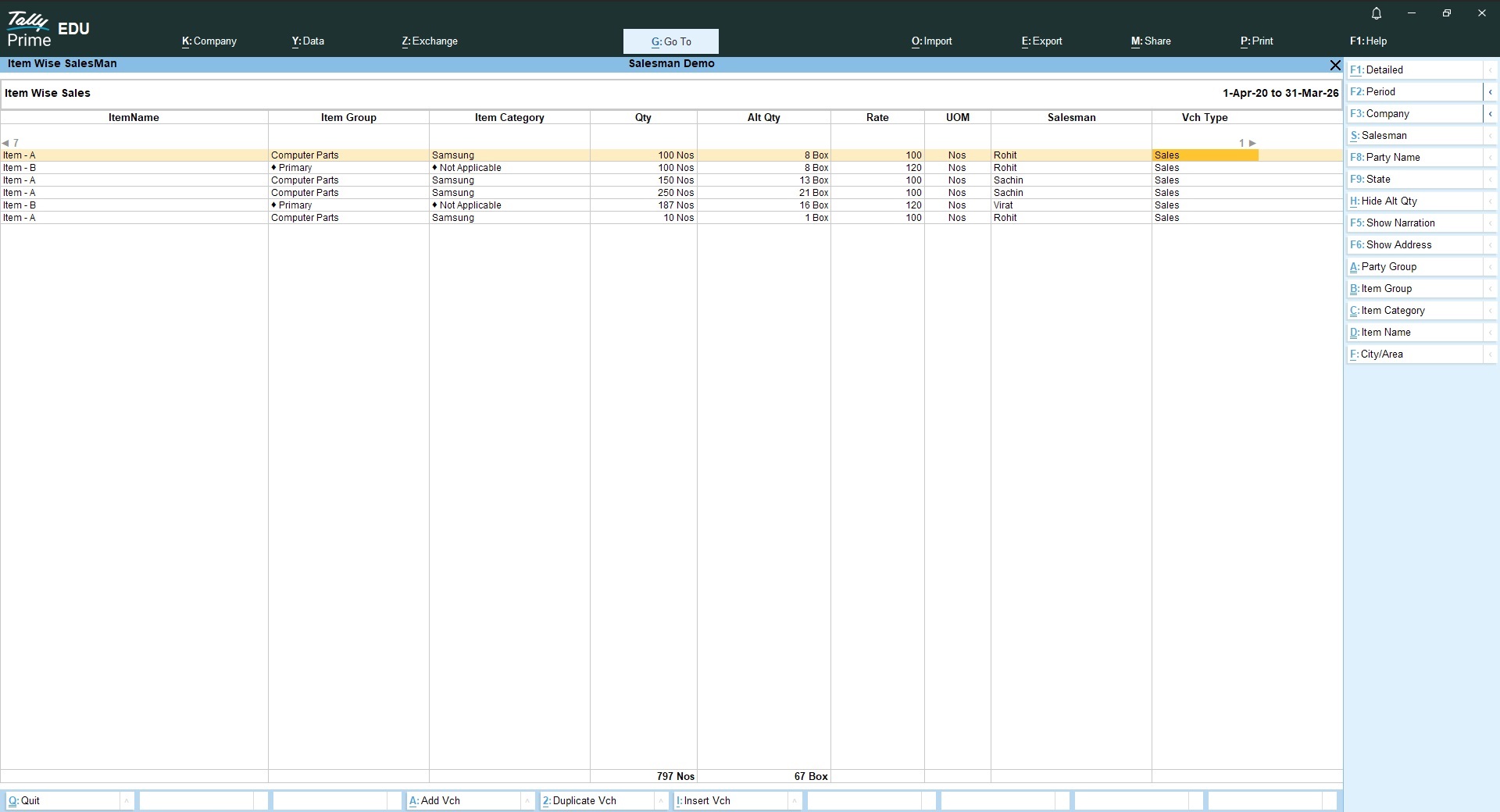
- Salesman wise item wise sales
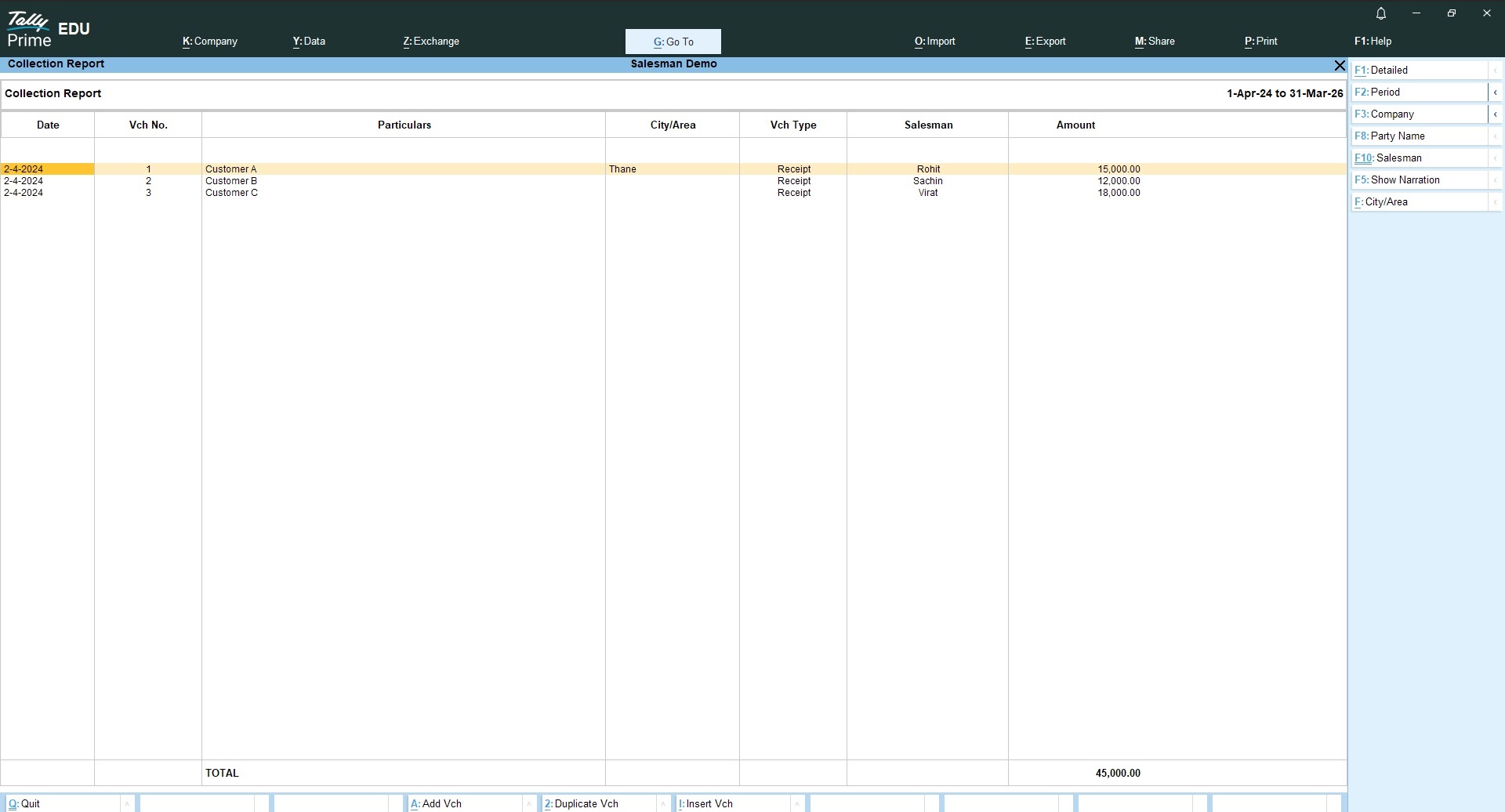
- Salesmn wise collection report
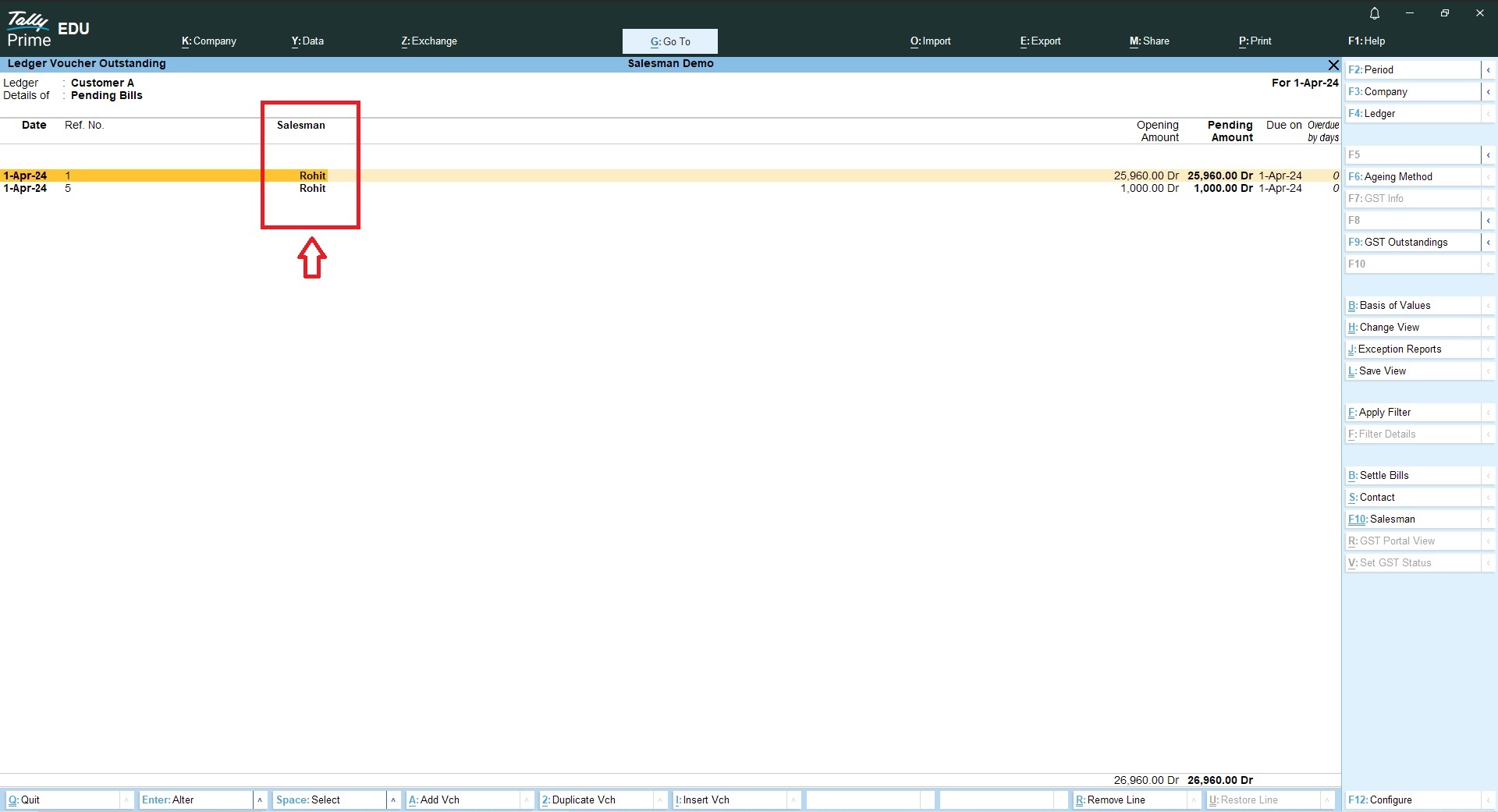
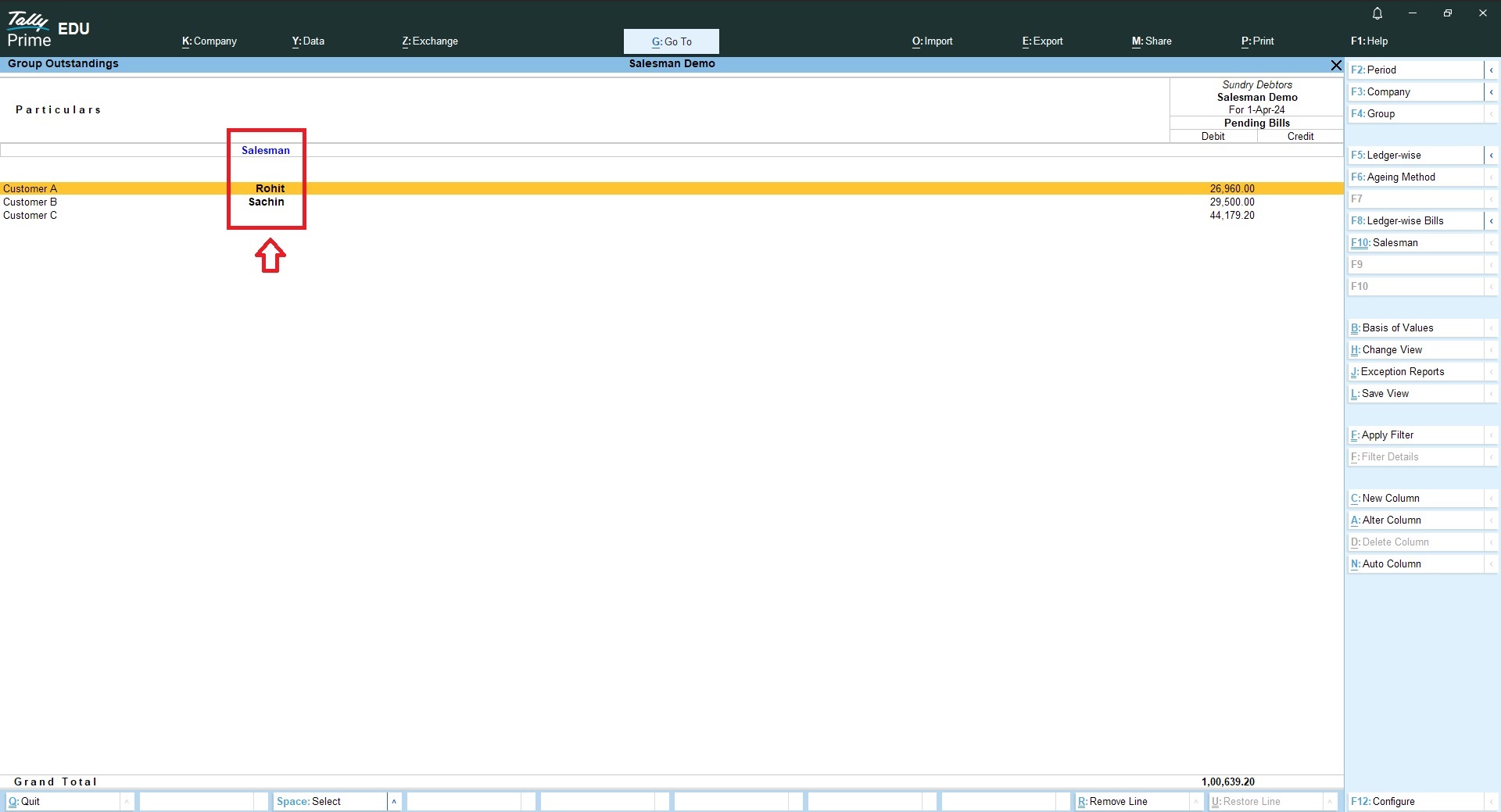
- Salesman wise outstanding report
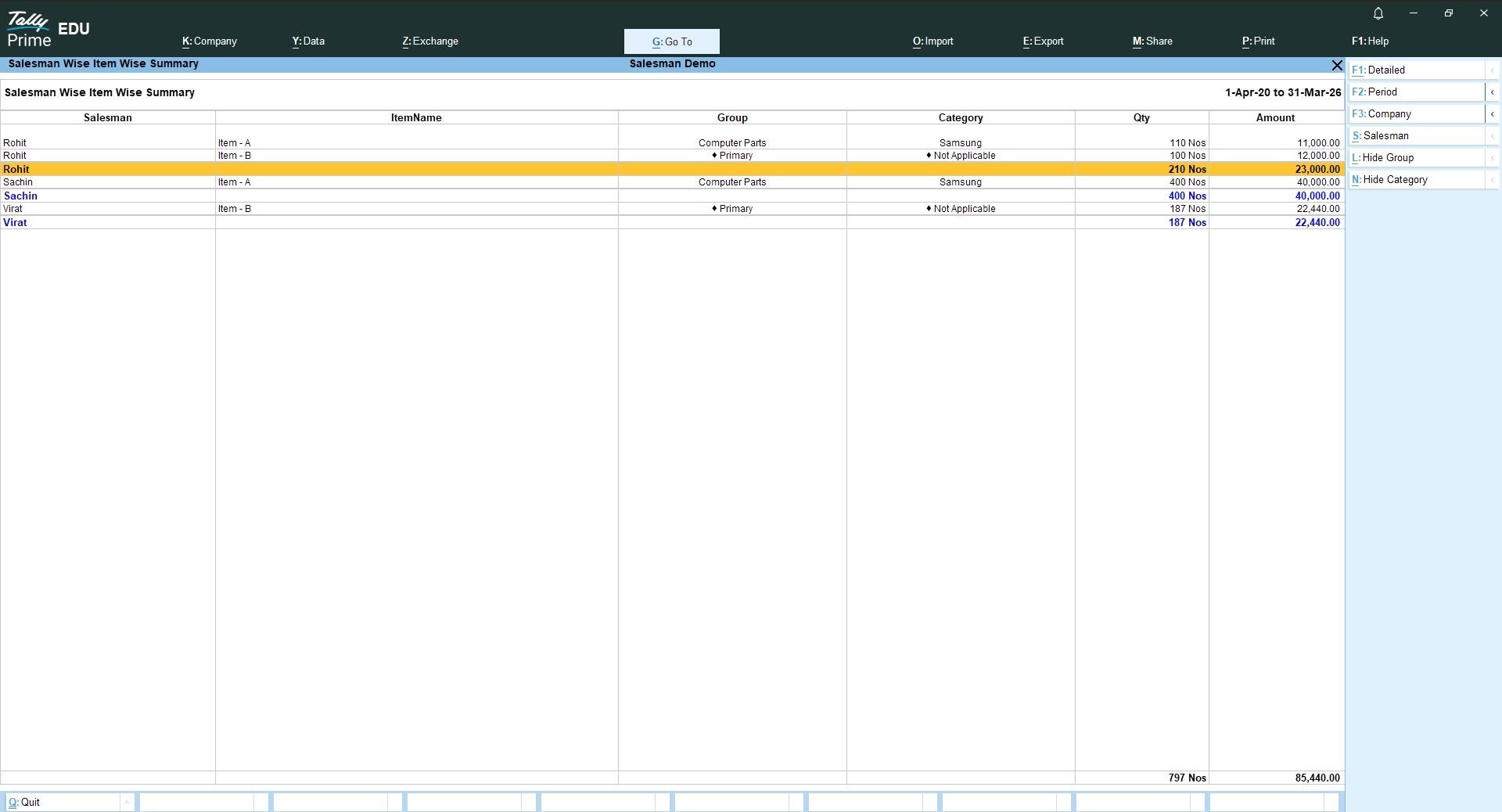
- Salesman wise items sold summary
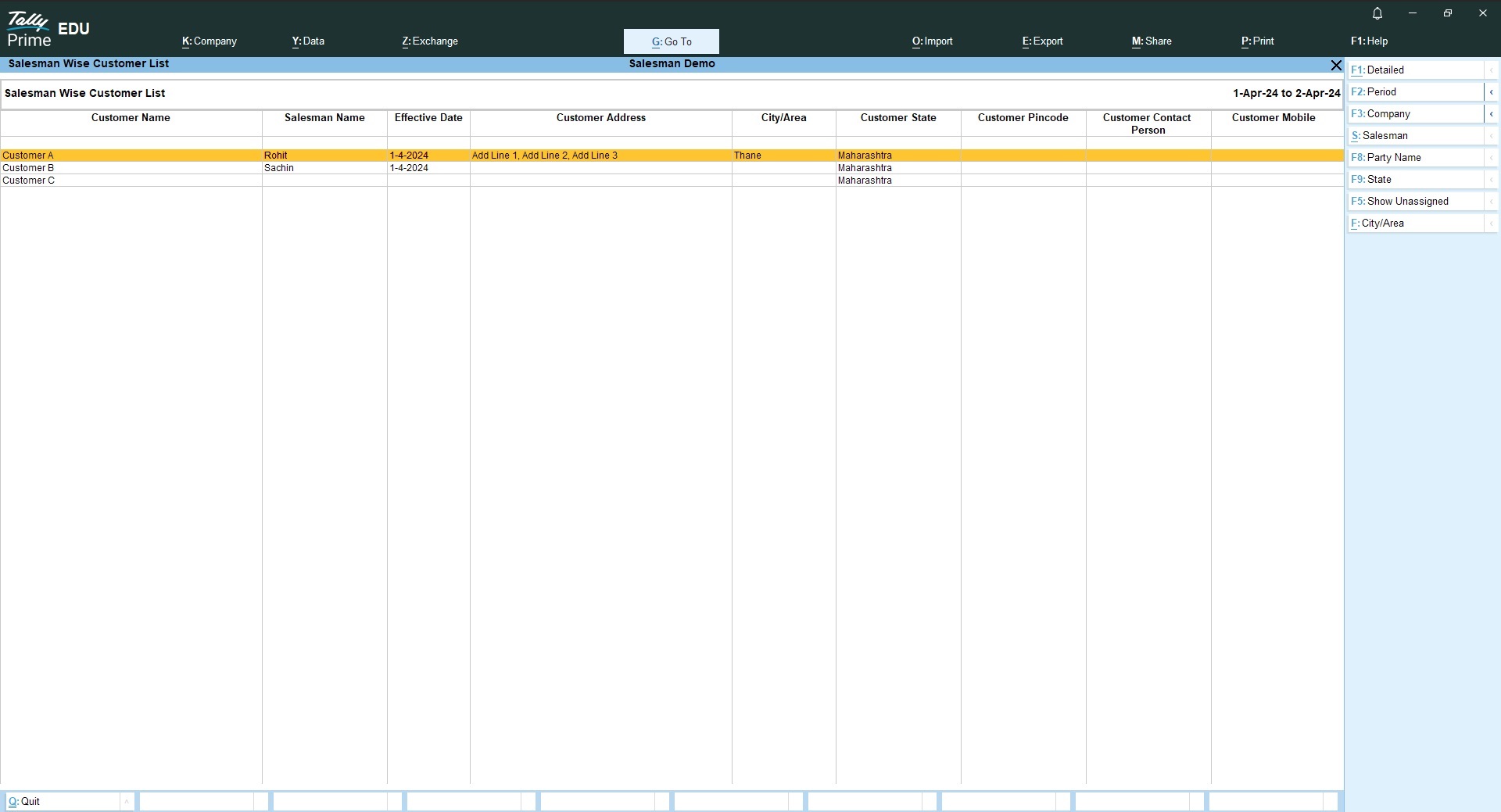
- Salesman wise customer list
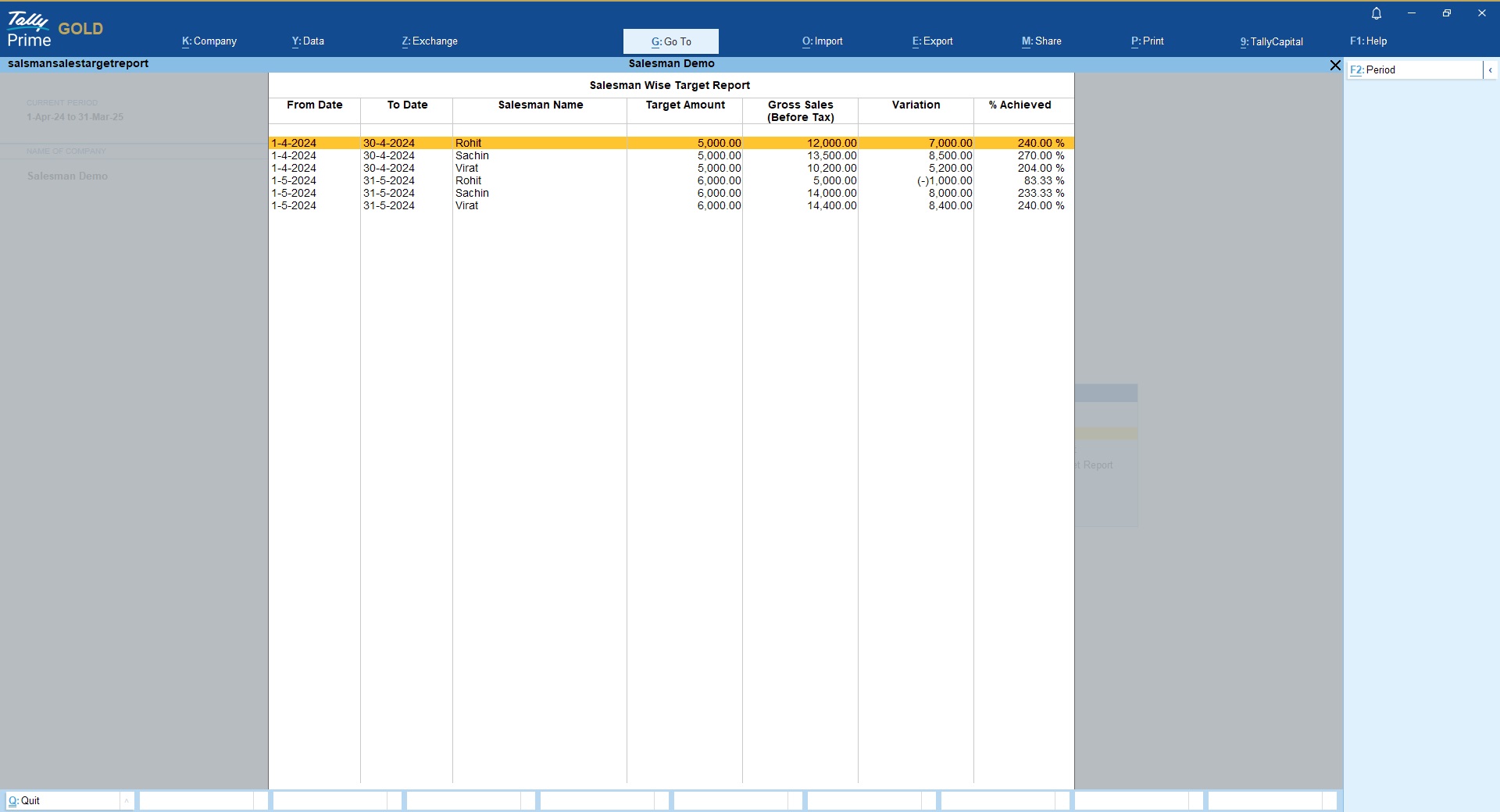
- Salesman wise Target vs Actual sales comparision with variations
- Optionally Salesman name can be printed on Tally Invoice by enabling it from F12 configuration
- User wise security controls to show/hide salesman module
- Configurable printing of Salesman name on outstanding report
- New field City/Area introduced under customer master and that will be shown as a column in report
Watch Salesman module in Tally Demo Before You Buy!
Request Free TDL Trial
| Mode of Support | Anydesk, Email, Zoom Meeting |
|---|---|
| Supported Version | Tally.ERP9, TallyPrime |
| Updates | Free |
| User Type | Multi User, Single User |
| TDL Validity | Lifetime |
Get 10% extra off on purchase of TDL's worth Rs. 4,500 and above | Coupon Code : "EXTRA10"
LIFETIME VALIDITY
NO RENEWALS
7 DAYS MONEY BACK GUARANTEE
Works on Tally.ERP9 & TallyPrime
Clean & Verified Code
Check below details of Salesman Module in Tally
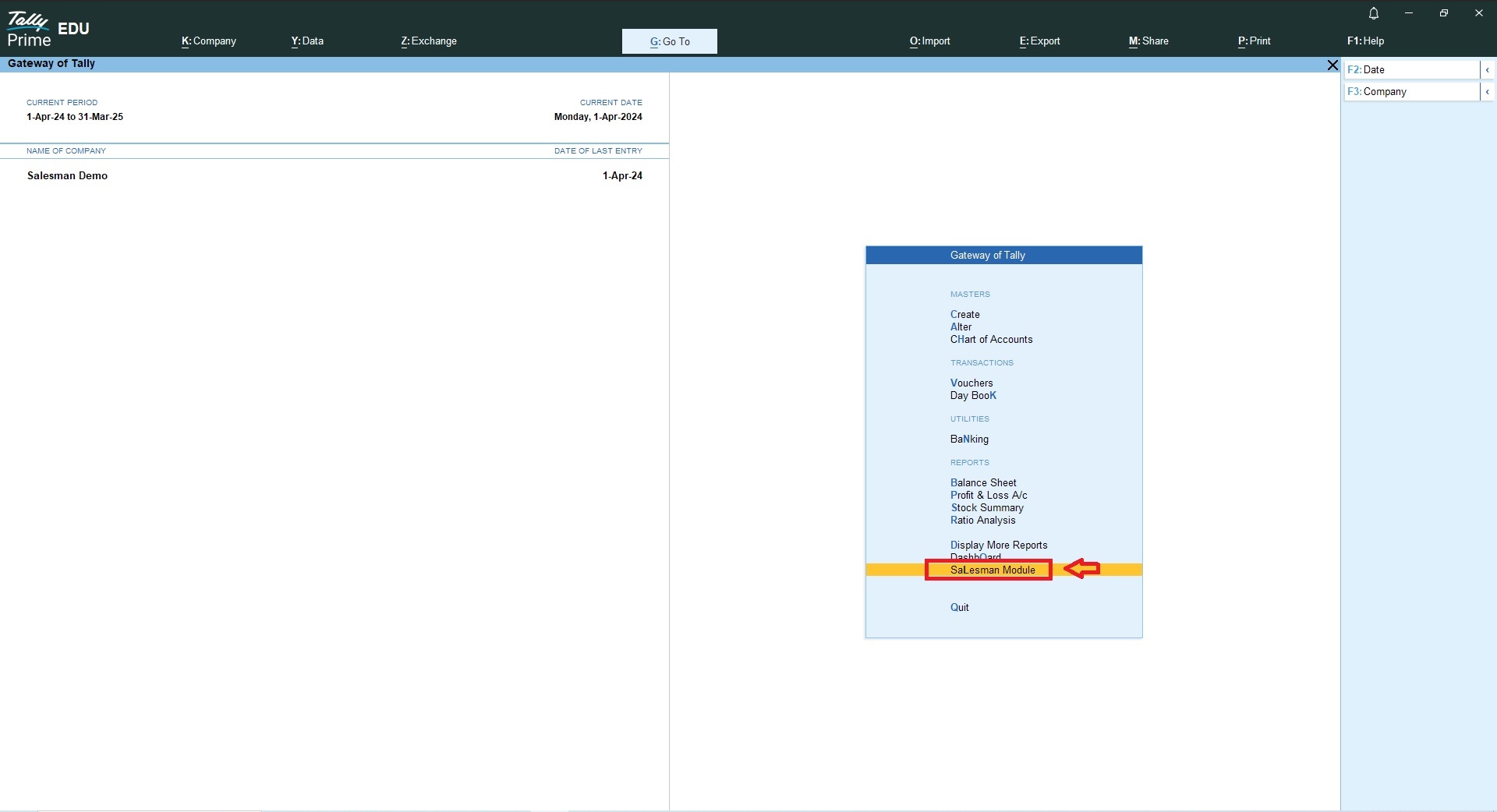
Once you have loaded the TCP file and activated the module in your required company, you will find a new menu Gateway of Tally as “Salesman Module”
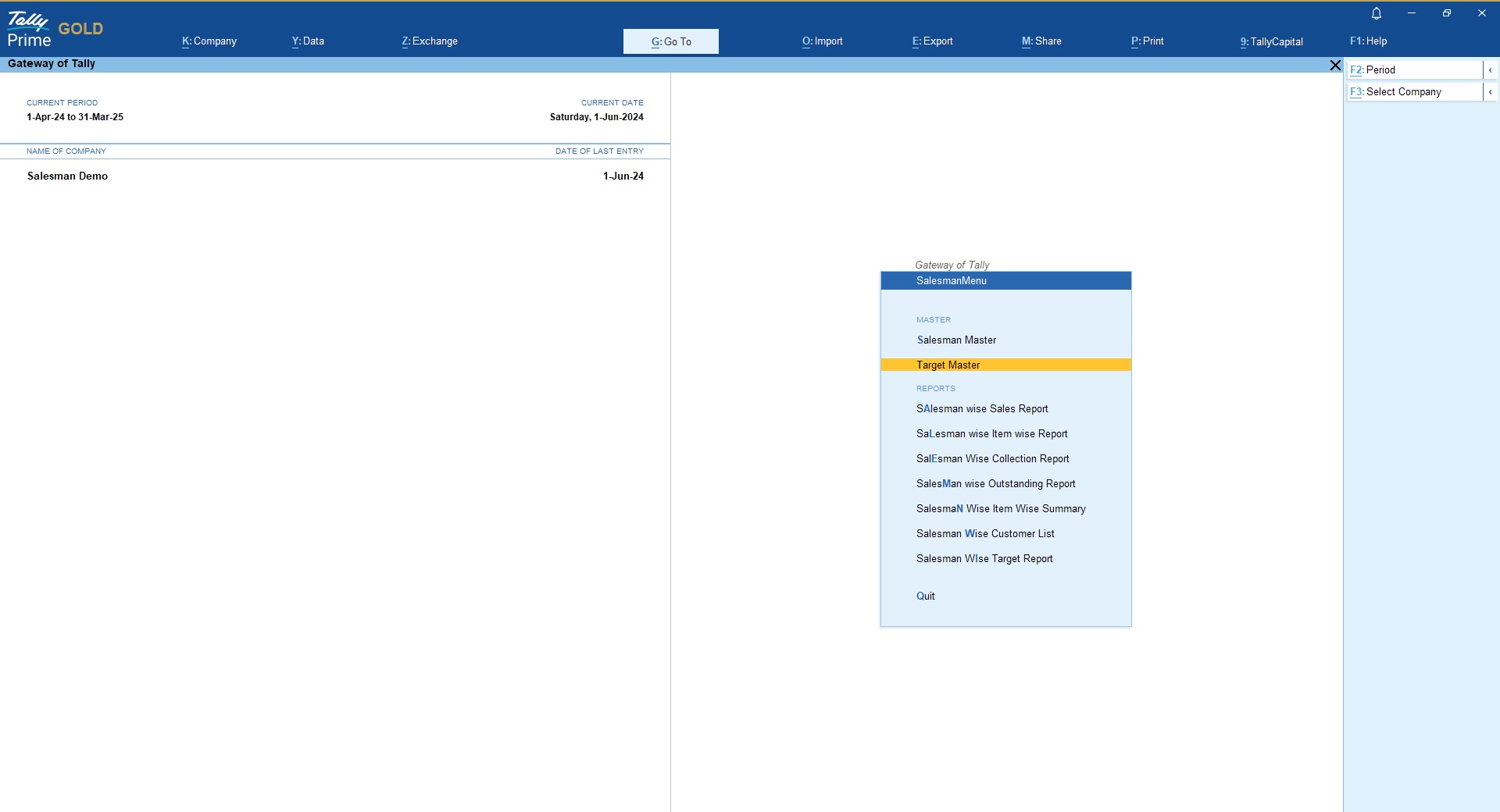
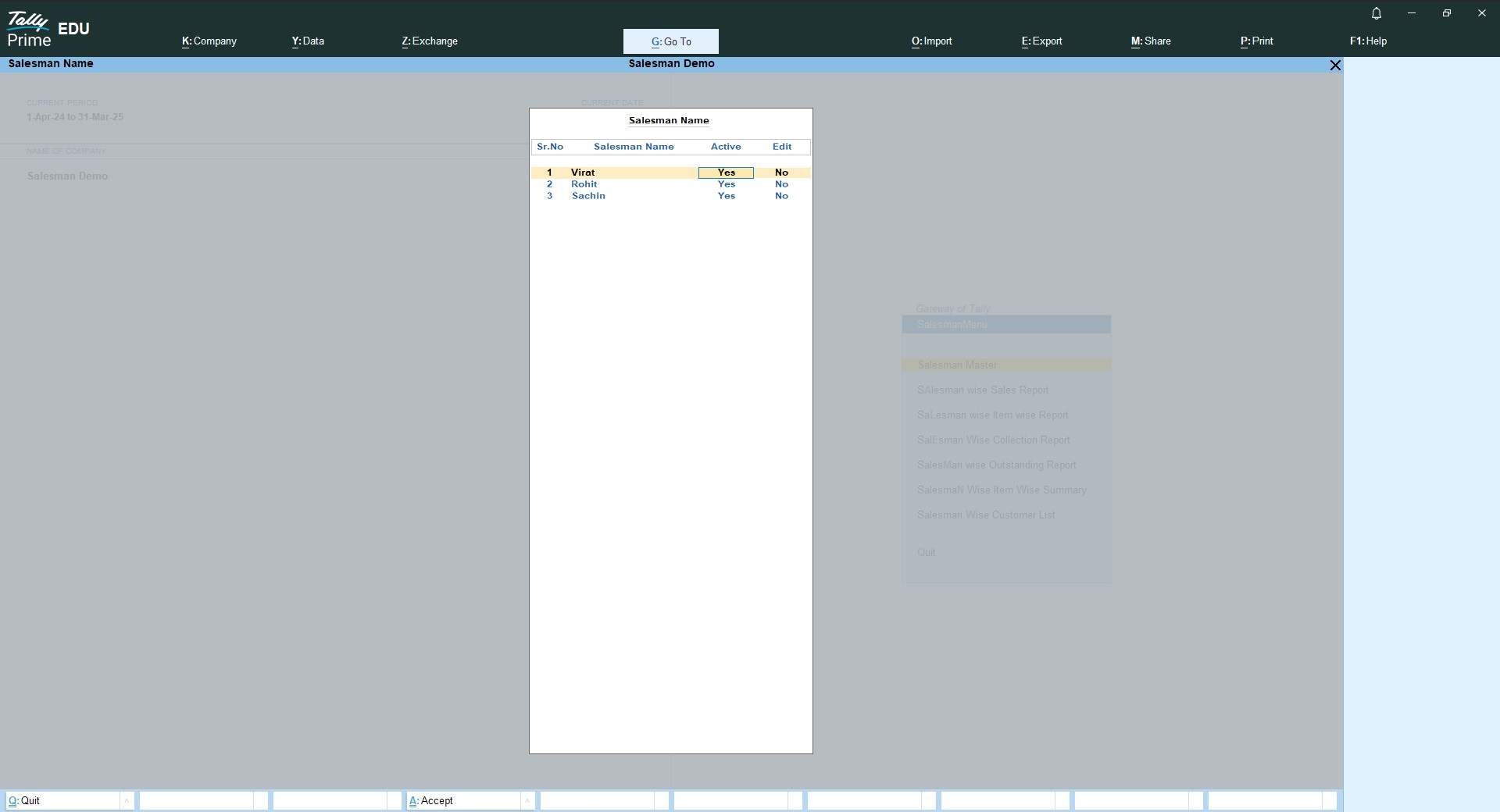
Under Salesman master you create create/alter your salesman’s.
You can set Salesman status as Active/In-active for new sales entries.
Define Salesman Wise Targets
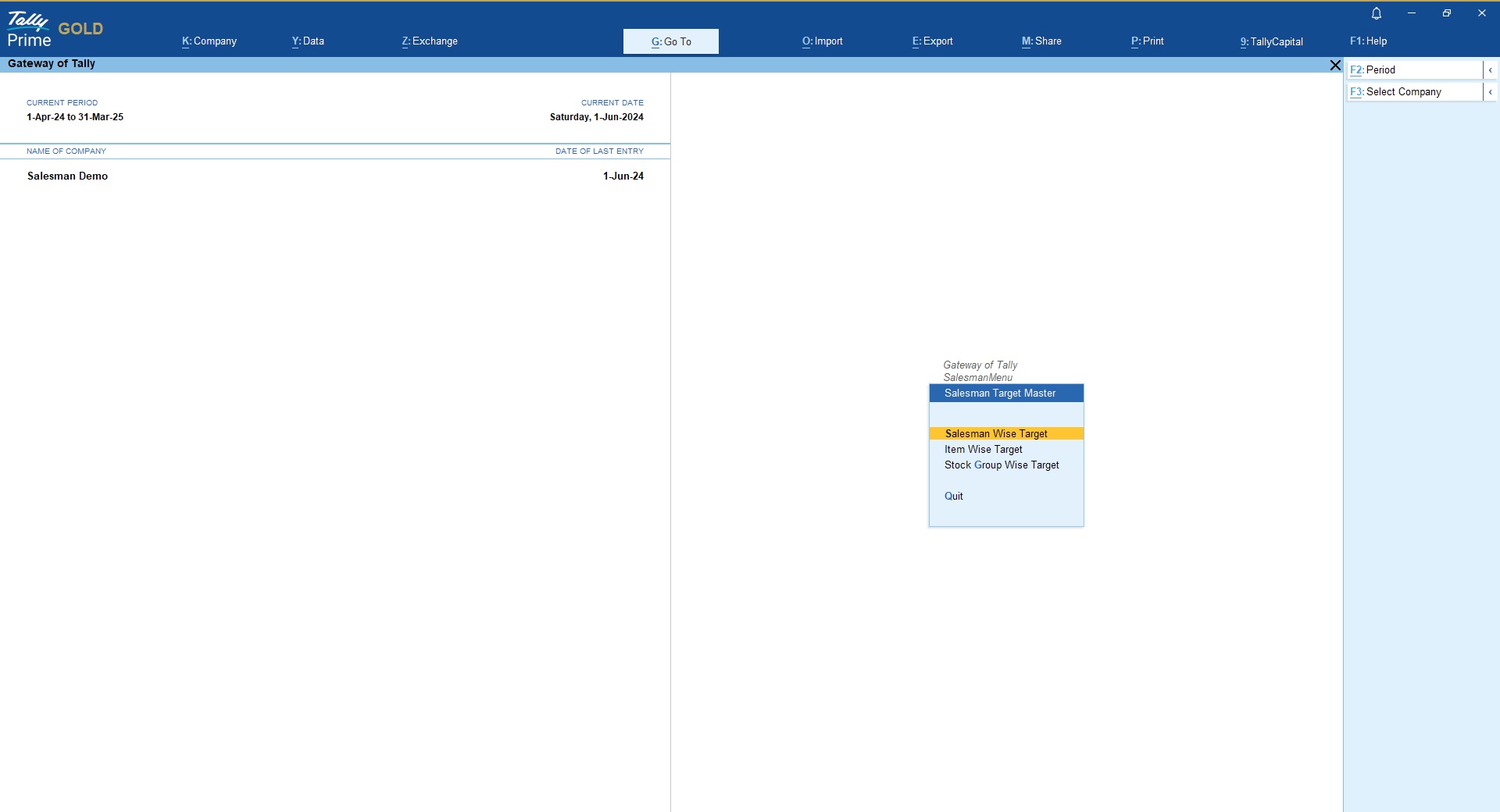
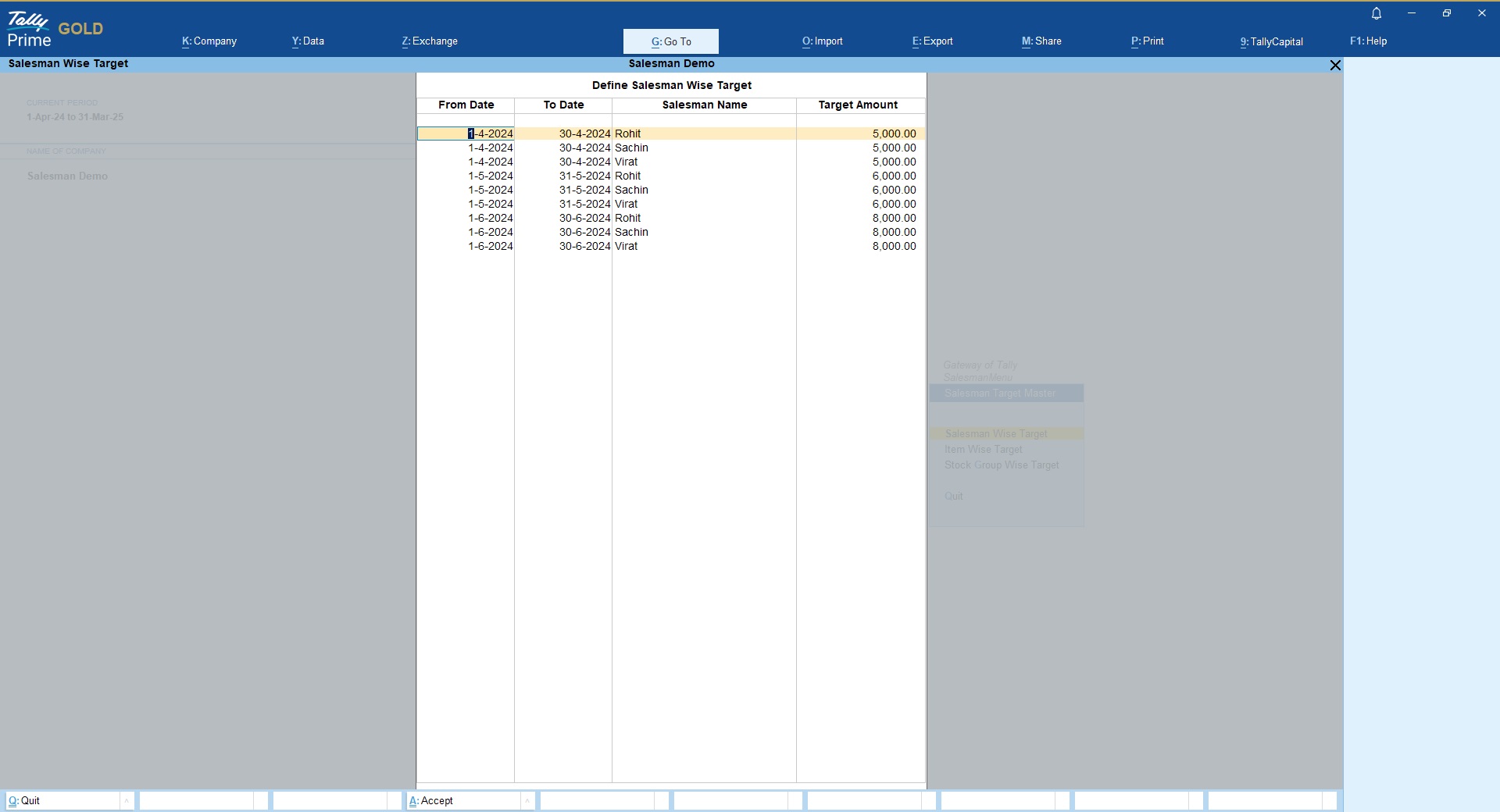
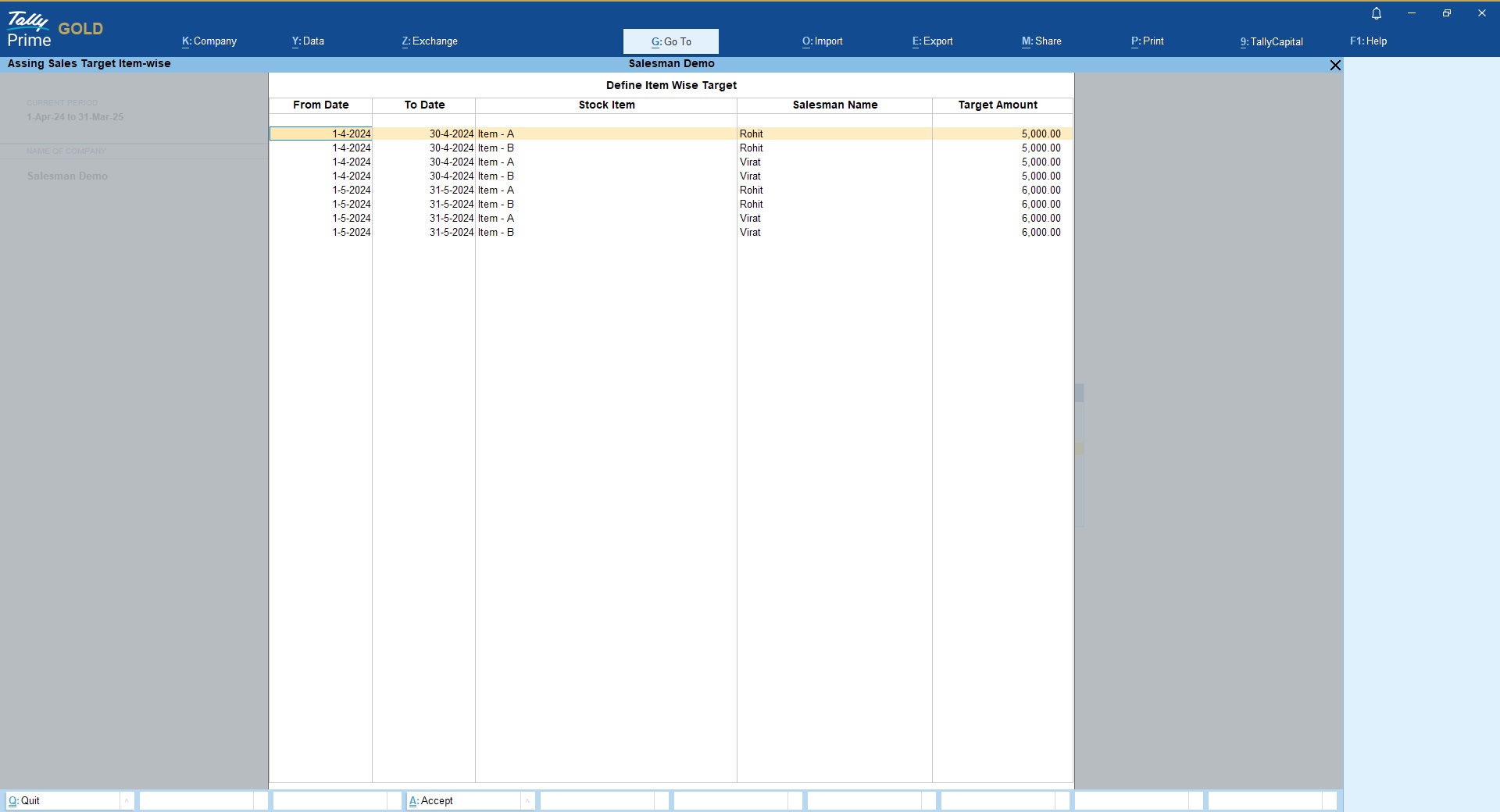
Salesman Wise Product Wise Targets
Salesman Wise Product Group Wise Targets
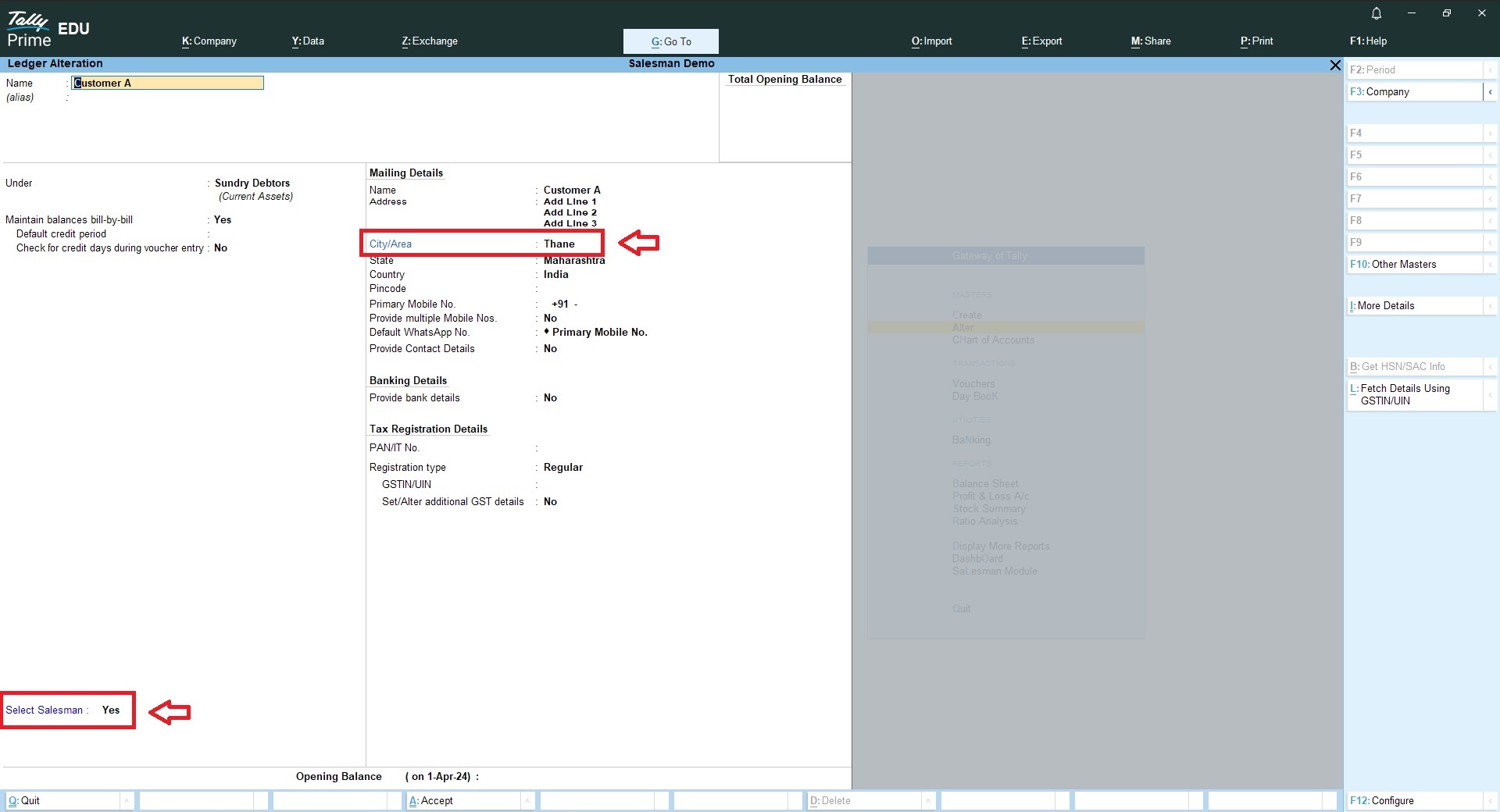
If salesman is fixed for customers then you may assign them at customer ledger level.
If your salesman’s are different for same customer then leave this option as a “No” and then you will get the salesman selection option during voucher entry.
Additionally, you will find a new field as “City/Area” to generate City/Area wise Salesman wise sales report
Now, while recording a sales or credit note voucher entry you will find a new option as a “Salesman”
In sales register you will find a new column as a “Salesman” with filter button
In ledger ourstanding report you will find a new column as “Salesman” with filter button
In Group Outstanding report you will find a new column as “Salesman” with filter button
Following new reports are available in Salesman Module in Tally
- Salesman Wise Sales Register
- Salesman Wise Item Wise Sales Register
- Salesman Wise Collection Report
- Salesman Wise Item Wise Summary Report
- Salesman Wise Customer List
- Salesman Wise Target vs Actual comparision Report
- Salesman Wise Item Wise Target Comparision Report
- Salesman Wise Product Group Wise Target vs Actual Comparision report
Here is the Quick Guide on How to Configure TDL / TCP in Tally!


Get answers to all your queries before you purchase our Tally add-ons.
Your TDL add-ons comes with Lifetime validity or Yearly Subscriptions?
All our TDL add-ons comes with truly Lifetime validity and updates
How do I purchase & get the add-ons?
It's very simple!
Simply add the required module to the cart > proceed for checkout > enter your complete billing information > place order > pay online!
On successful completion of payment, you will instantly get download link on the screen and well as in your email.
Can i get demo before purchase?
Yes, we have placed demo videos under each modules to see how exactly it works before you purchase.
We do not provide one on one demo for ready to use TDL add-ons.
Will it work on Tally.ERP9 or TallyPrime?
All our TDL add-ons are compatible with both Tally versions i.e. Tally.ERP9 and TallyPrime
How do I install TDL add-ons in my Tally?
It really very simple to configure TDL add-ons in Tally, please refer below quick video and i am sure you will be able to do it.
Will I get GST Invoice for my purchase?
Yes, you will get system generated GST invoice in your email ID immediately on successful purchase, if not found check Spam / Junk folder once.
What if your TDL add-on doesn't work in my Tally?
It works on all Tally but in case if our TDL add-on is conflict with your existing TDL's then you may either ask your existing TDL provider to correct it or simply place refund request with us by providing valid error screenshots.
Will it work on Tally multi user license?
Yes, our add-ons works on both Tally Single User and Multi User depending upon your Tally Serial number and the price will remain same for both.
Can I use add-ons on multiple Tally licenses?
If you have multiple Tally licenses, you will have to purchase it separately
Will it work on multiple companies in same Tally?
Yes, all our TDL add-ons works with any of your companies running on the same Tally license.
If you have separate Tally licenses, you will have to purchase it separately.
Will it impacts our Tally data?
No, these Tally add-ons are built securely on Tally definition language only, so it won't impact your Tally data.
However we always recommend users to take Tally backup before using any customization.
How will I get License Key for TCP activation?
License Key for your purchased TCP will be available immediately in the Email & Under My Account section on completion of your order & payment.
How can I use same TCP & License Key in multiple companies?
By default our TDL License key is permissible to use for one company only but if you have multiple companies running on the same Tally serial number then you may request for license extension request by reverting to the same purchase email.
You can even re-use or migrate the same license key by De-Activating the same key.
How much time it will take to receive the TDL after payment?
You will receive TDL instantly along with Activation License Key in your email ID as well as the same will be found under your Account section.
Related products

Print ISO Document Numbering on Tally Vouchers
Original price was: Rs. 1,499.Rs. 999Current price is: Rs. 999. + GST
TDL for Automobile Sales & Service Module in TallyPrime
Original price was: Rs. 6,999.Rs. 4,999Current price is: Rs. 4,999. + GST
TDL for Custom Invoice Format for Products Business
Original price was: Rs. 5,999.Rs. 3,999Current price is: Rs. 3,999. + GST
TDL for Custom Invoice Format for Service Business
Original price was: Rs. 5,999.Rs. 3,999Current price is: Rs. 3,999. + GST
TDL for Hotel Billing in Tally Prime
Original price was: Rs. 9,999.Rs. 4,999Current price is: Rs. 4,999. + GST
TDL for Medical Stores Billing in Tally
Original price was: Rs. 6,999.Rs. 4,999Current price is: Rs. 4,999. + GST
TDL for Professional Invoice format for CA in Tally
Original price was: Rs. 4,999.Rs. 2,999Current price is: Rs. 2,999. + GST