
Complete Guide on Automobile Service Billing in TallyPrime

Detailed Guide on How to Use
Automobile Service Billing in TallyPrime
Once you have activated the free trial or license version of this module follow the steps below to implement Automobile Service Billing module in TallyPrime.
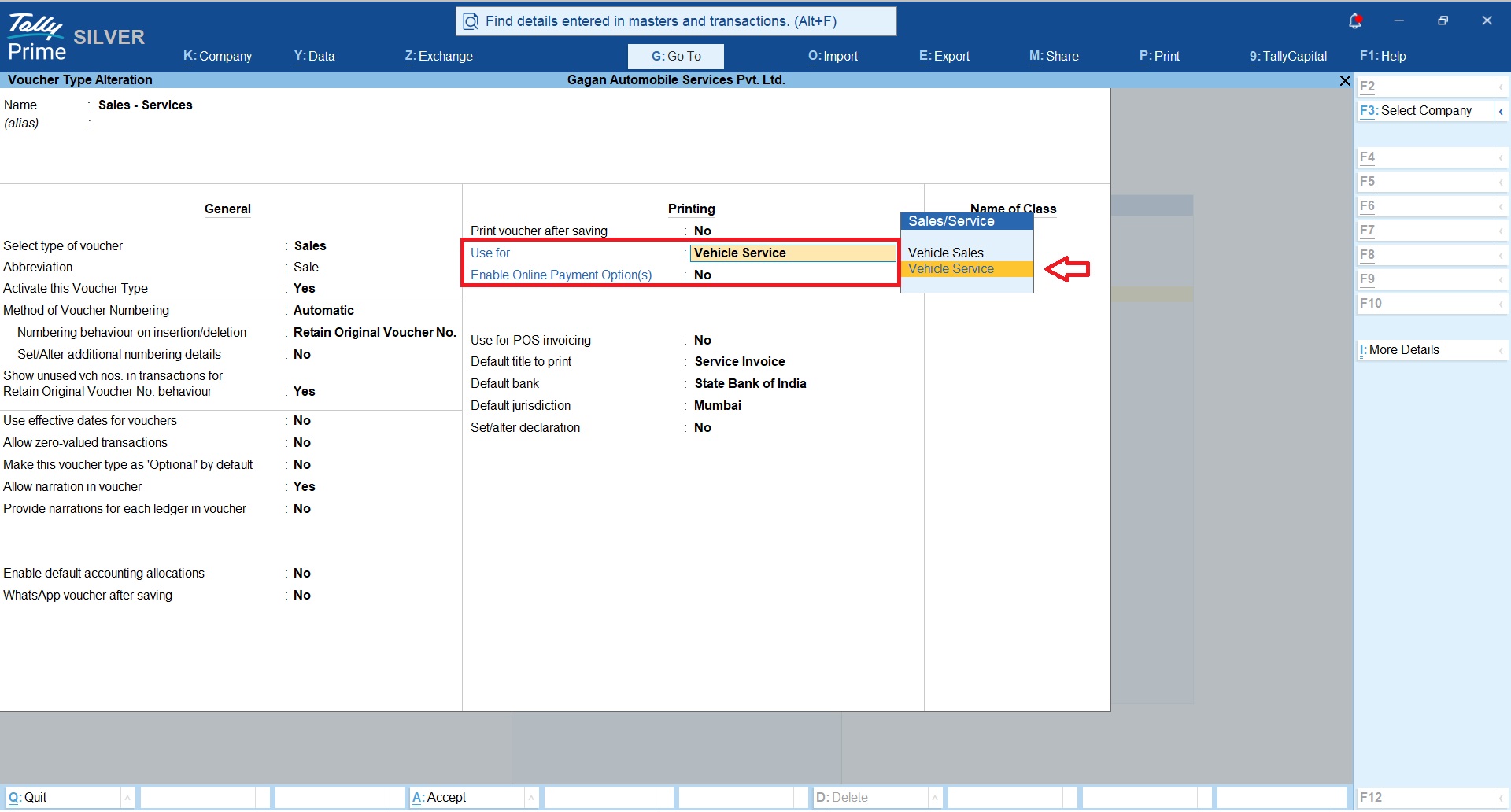
Sales Voucher Type Configuration
You may continue to use existing sales voucher type or create new sales voucher type and tag it as “Vehicle Service” as shown in below snapshot to enable the automobile service billing capabilities.
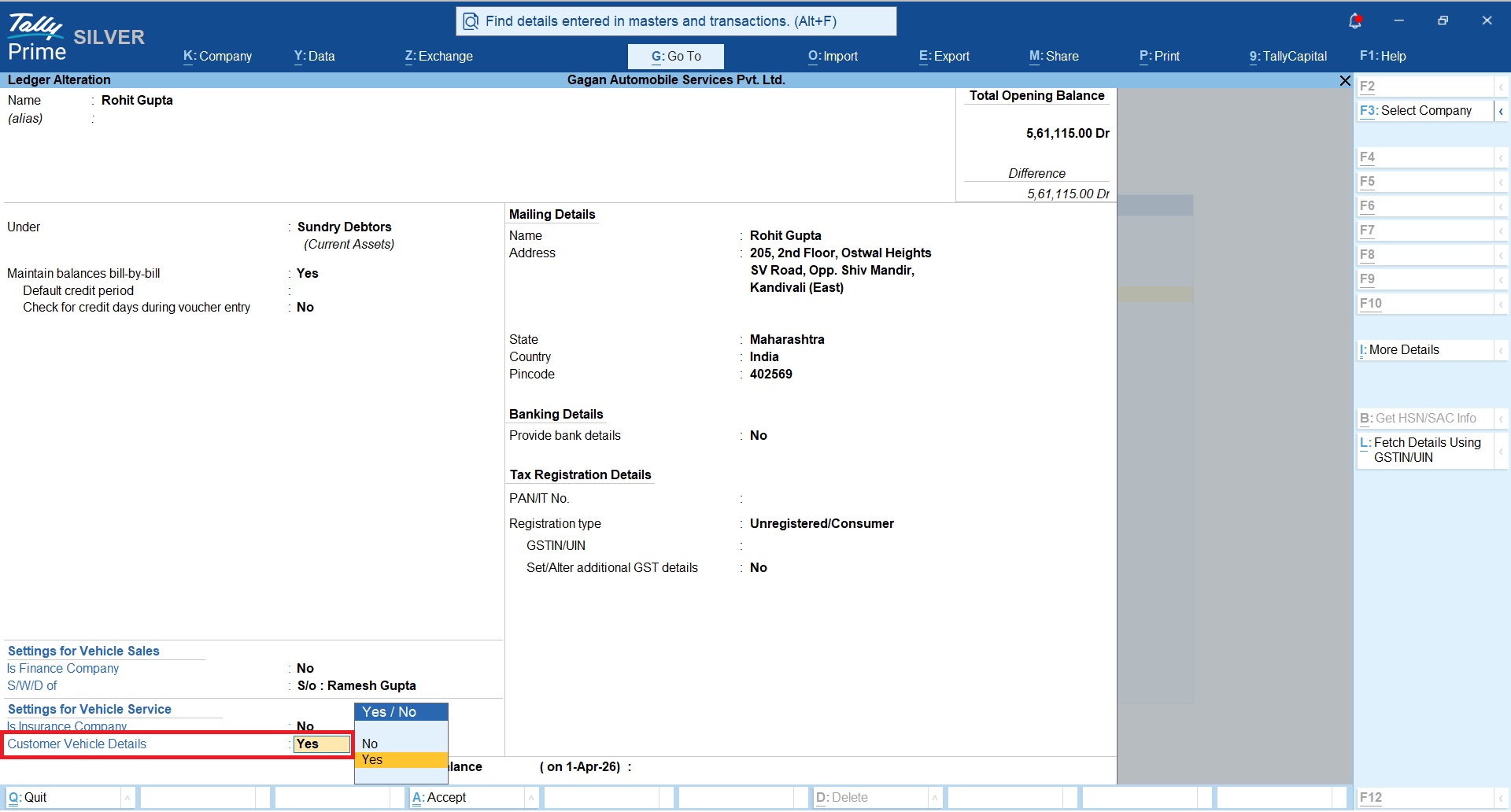
Customer Ledger
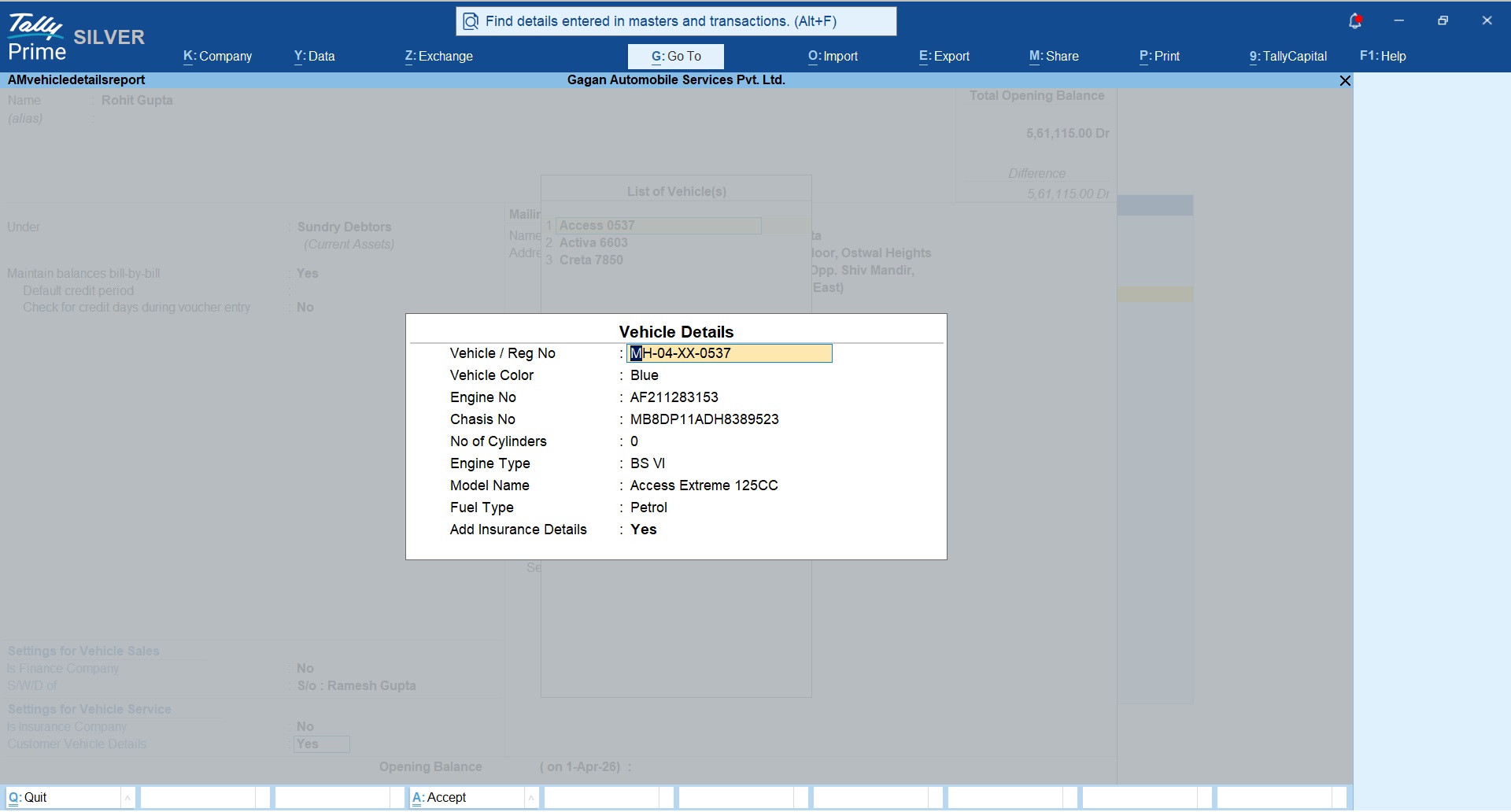
You can maintain complete customer vehicle details for your regular customers as shown in below snapshot, this will help you to auto populate vehicle details while making service bills.
You can add multiple vehicle details for the same customer.
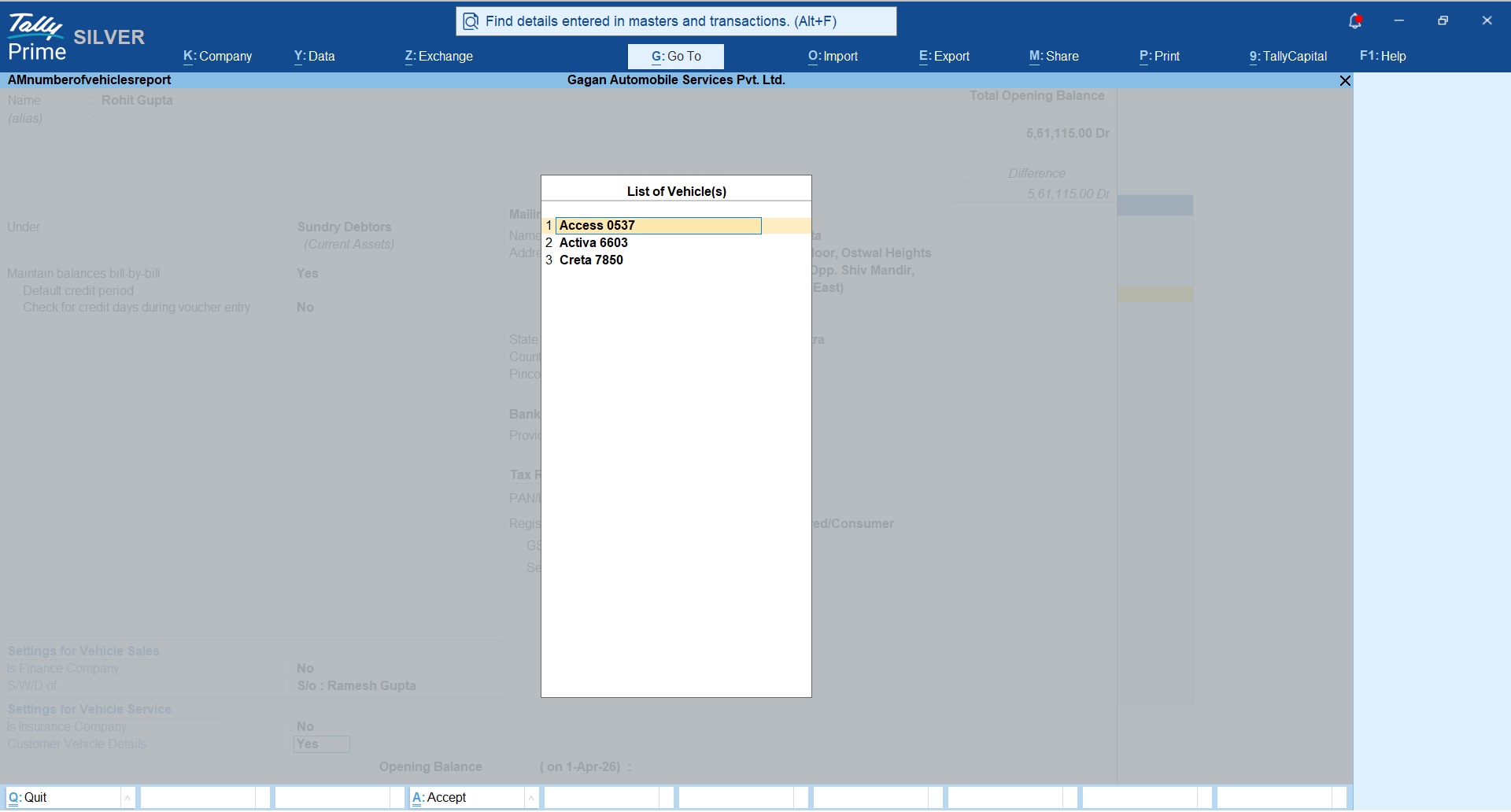
Customer Vehicle details
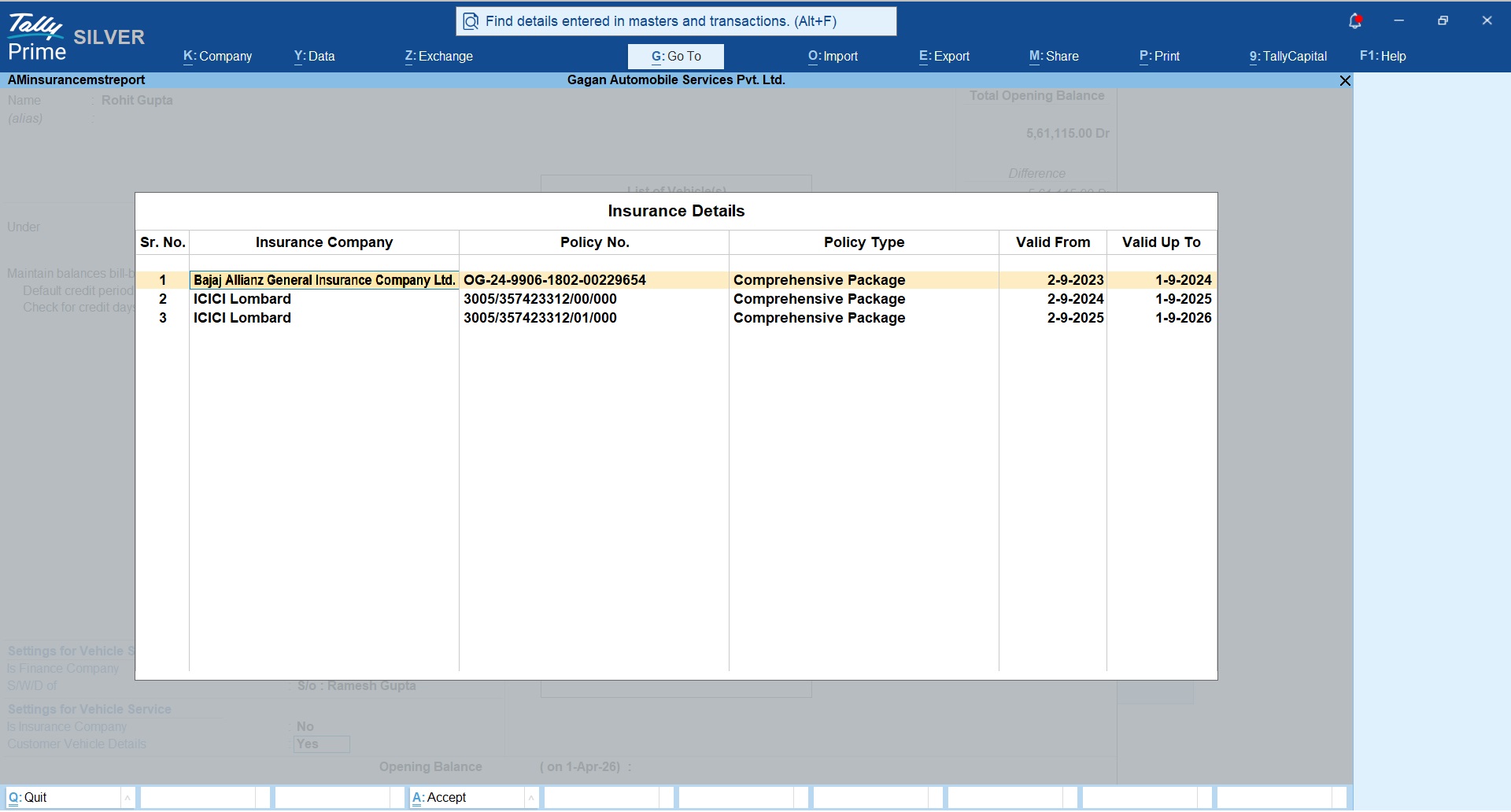
Customer Insurance details
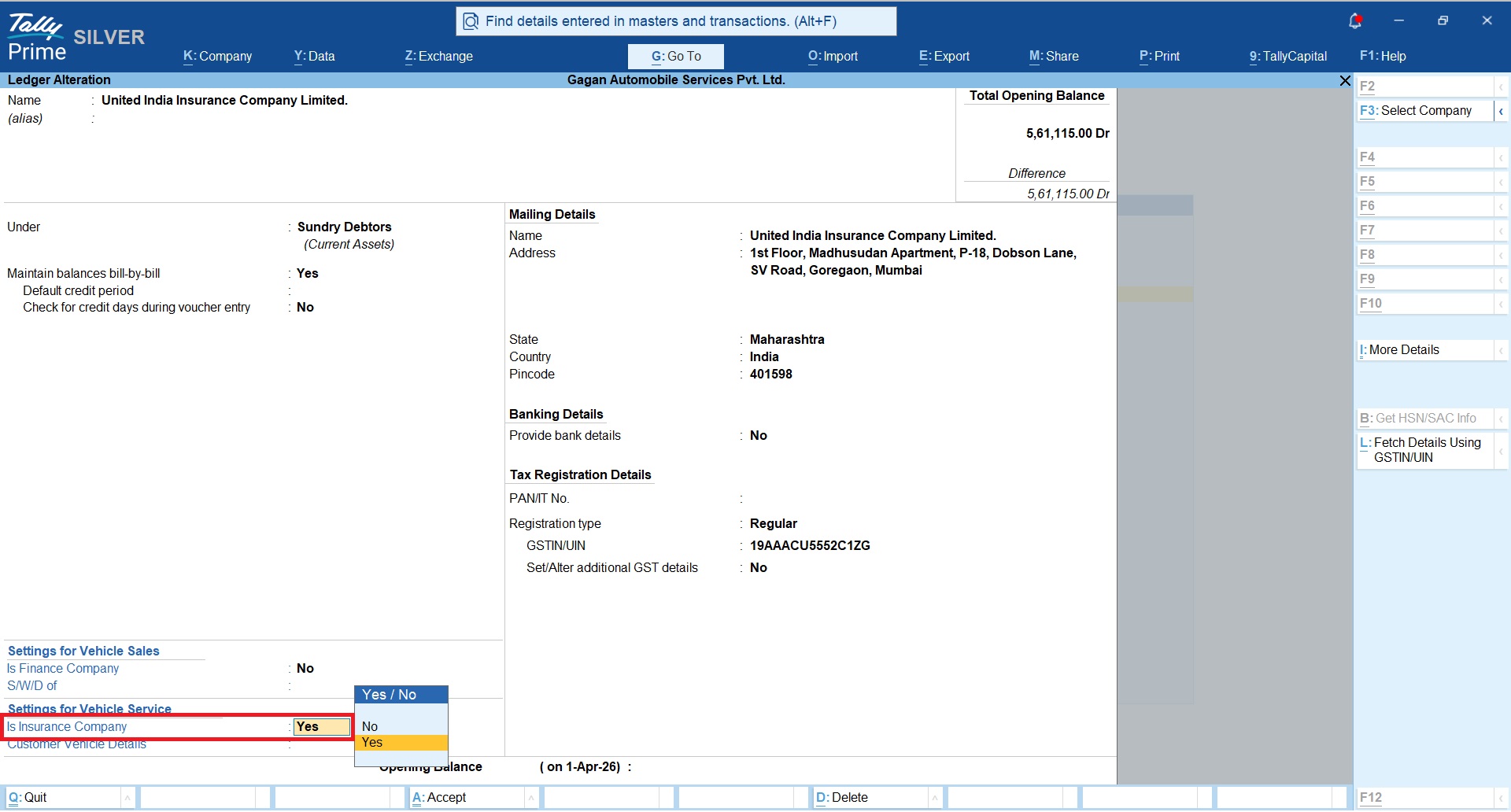
Insurance Company Ledger
Create Insurance company ledger and mark it as “Is Insurance Company = Yes”.
This will be useful when customer vehicle damage and repaire service is covered under the insurance and you will be getting your service payment from the insurance company in form of claim on behalf of your customer.
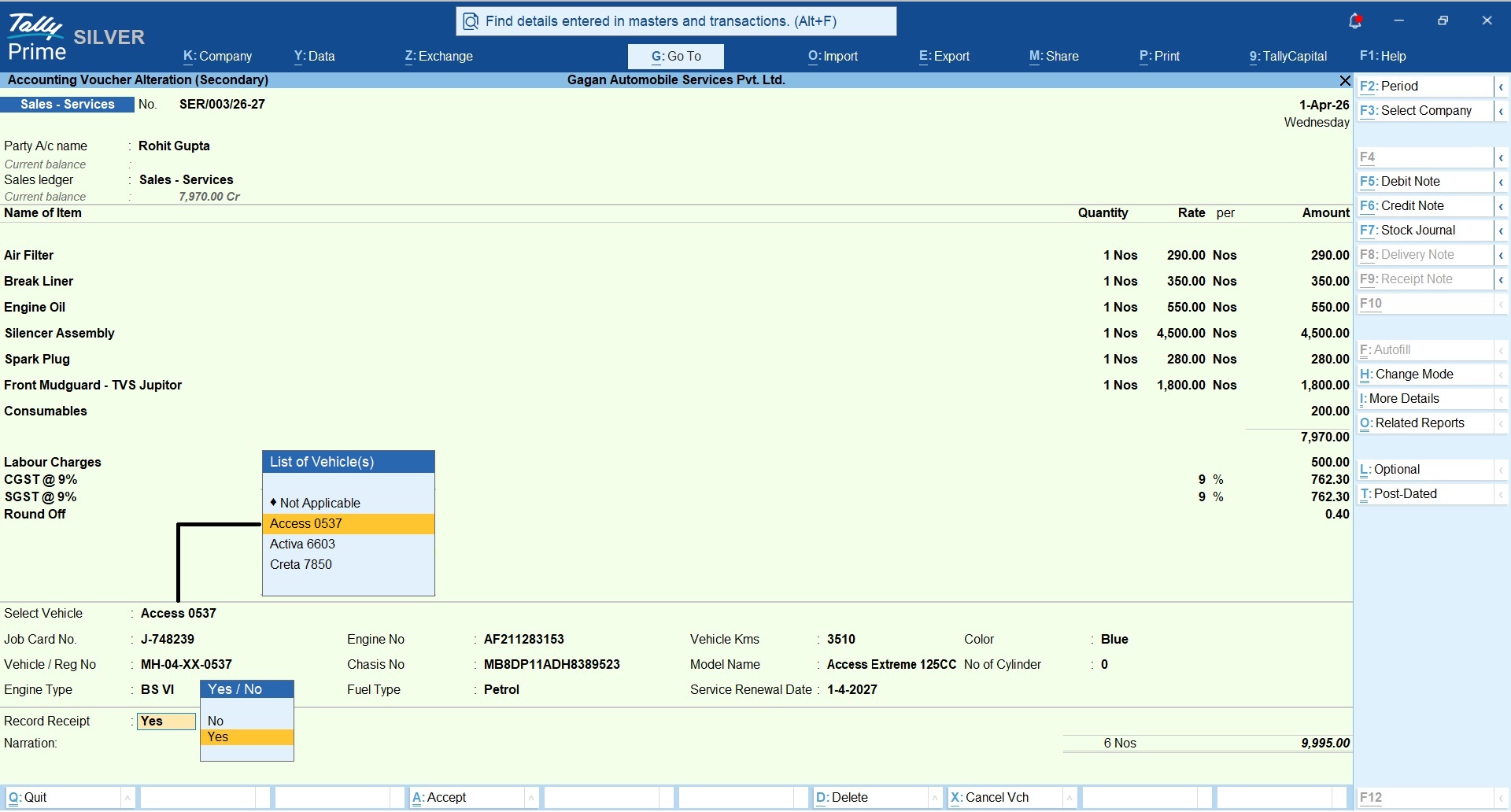
Bill to Customer
Refer below snapshot of Service Bill raised to the customer directly without involvement of insurance company.
Your Service Bill includes;
- Vehicle Parts Used
- Consumables
- Labour Charges
- GST
You can select the vehicle number from the list, so that all the vehicle information of the customer will be prefilled automatically from the customer master.
You can update following details as applicable;
- Service Job Card No.
- Vehicle KMs Driven before servicing
- Service renewal date
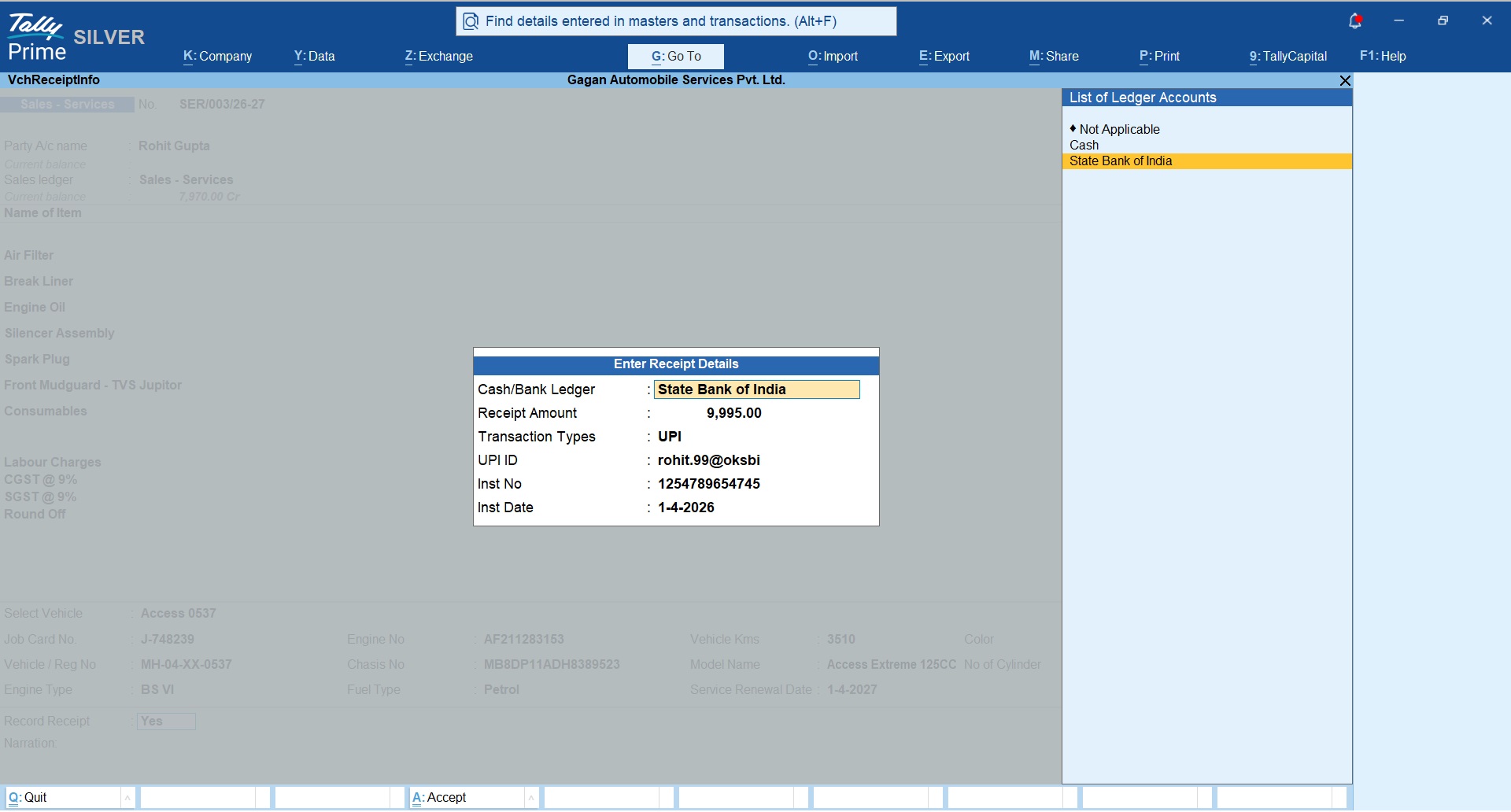
Auto Receipt Entry
New option has been added to record a receipt voucher within sales bill to auto create receipt voucher upon saving of the sales bill.
Bill to Insurance Company
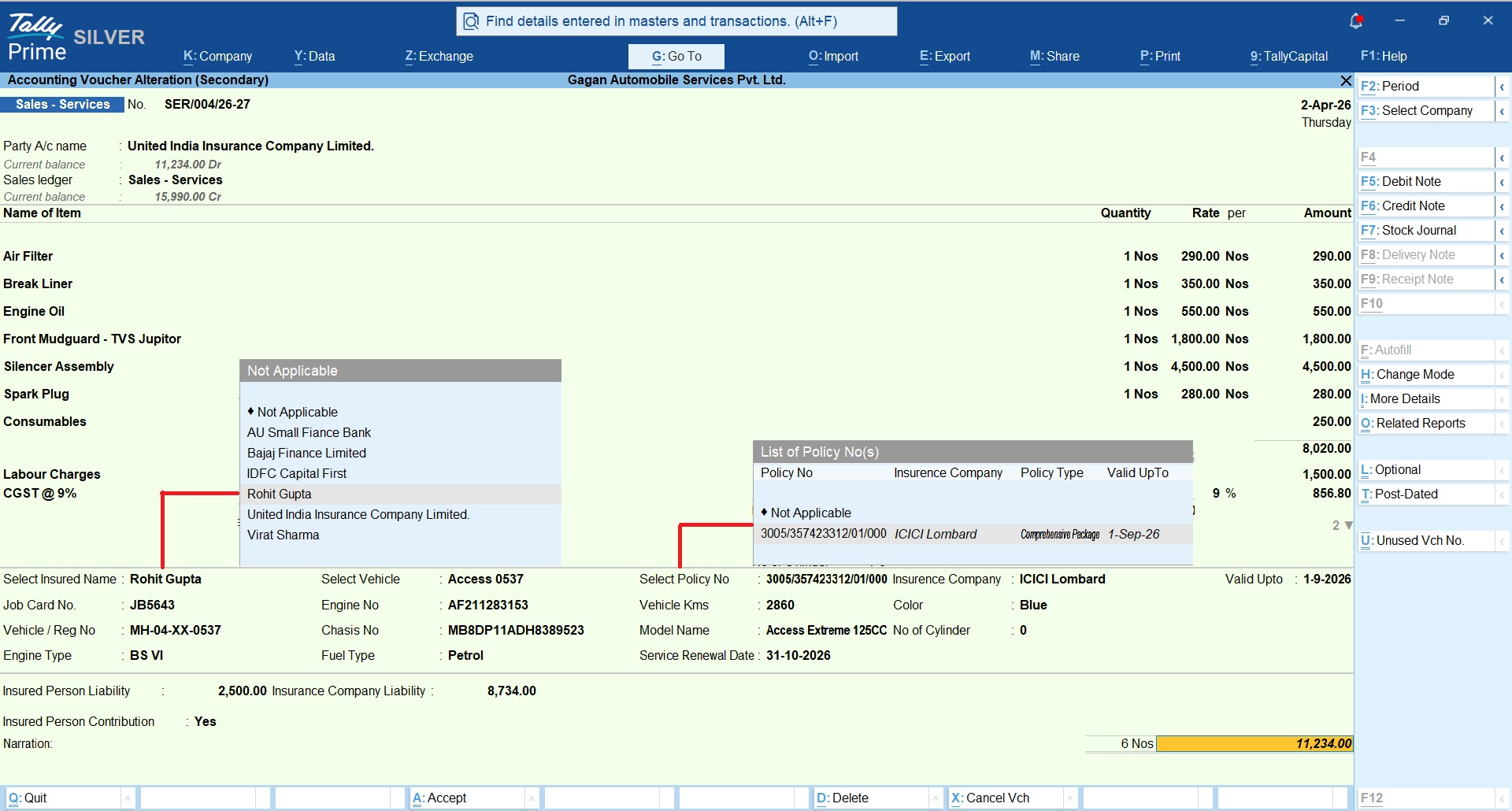
You can raise invoice to the Insurance company, when vehicle service is covered under the insurance claim. This will create following transaction types
- Bill to Insurance Company
- Receipt voucher for Insured Person’s Contribution
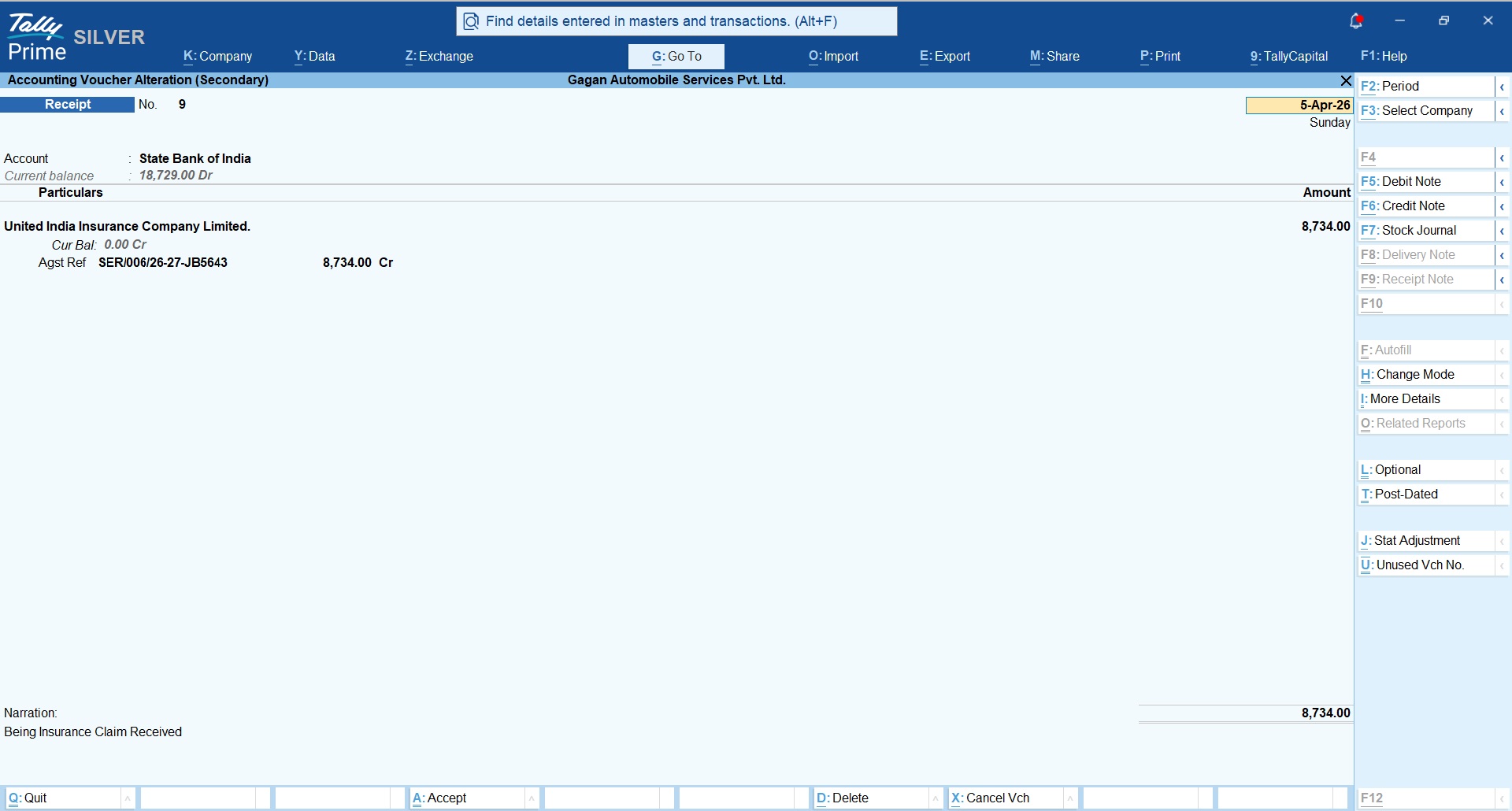
- Receipt voucher for Insurance Claim received
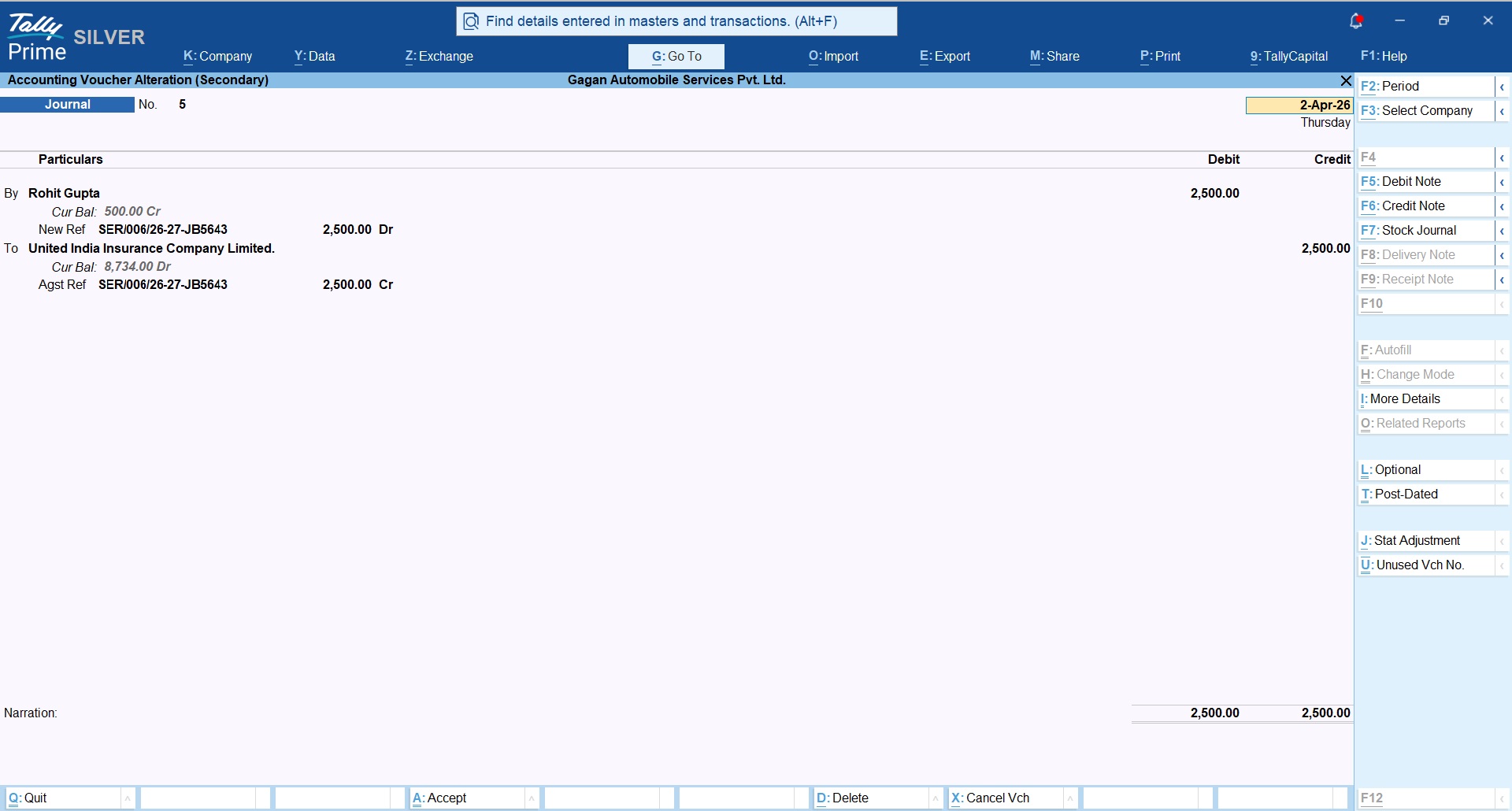
- Journal voucher for Insured Person Contribution Dr and Insurance Company Cr
In this case you can select following additional insurance related options;
- Insured Customer name
- Policy number
- Insured Person’s Liability to Pay
- Insurance Company’s Liability to Pay
- Insured person’s contribution.
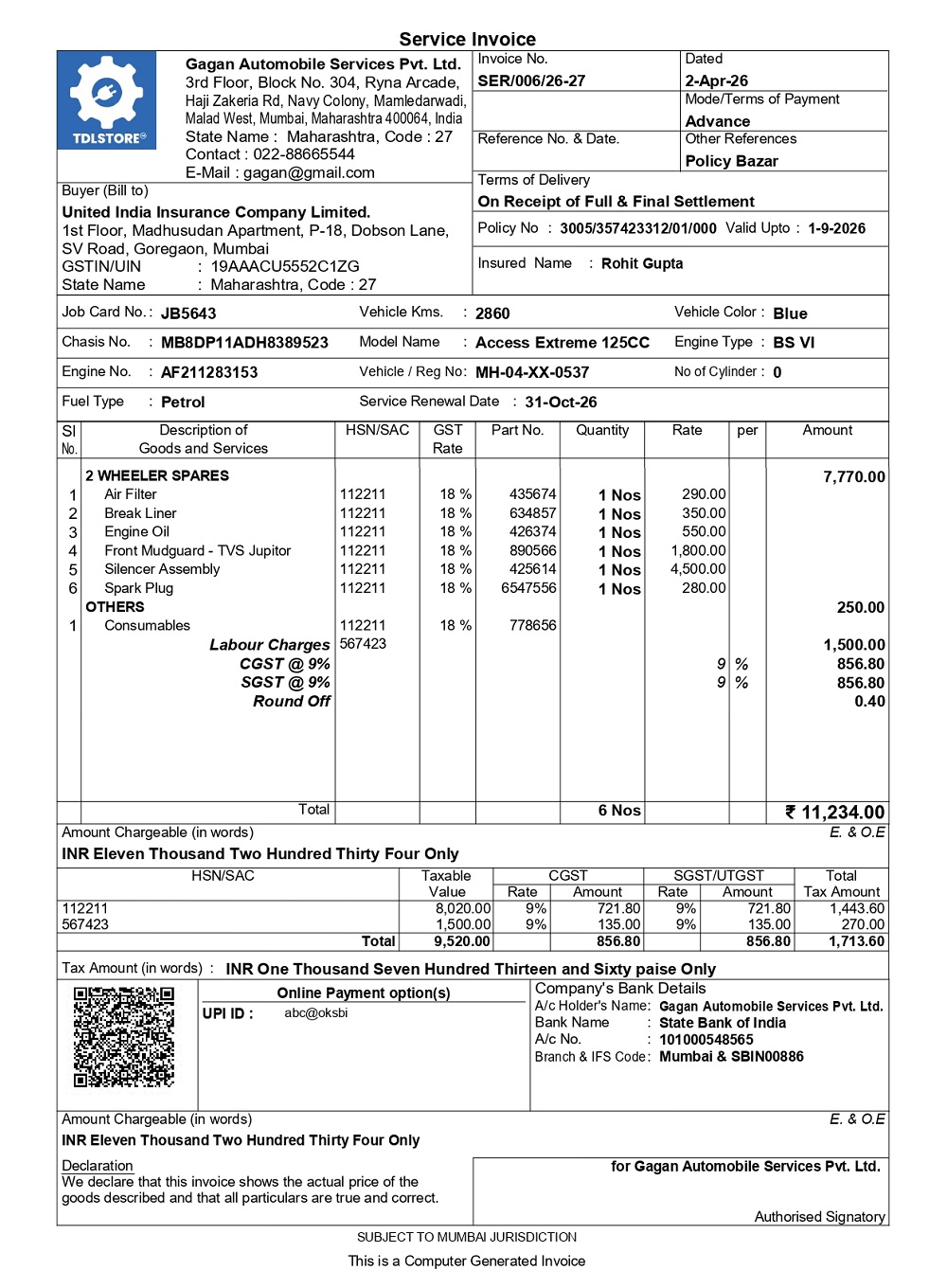
Automobile Service Bill Sample
Refer below smaple Service Invoice generated from TallyPrime.
 Additionally, you can record Insured person’s contribution to auto create receipt voucher.
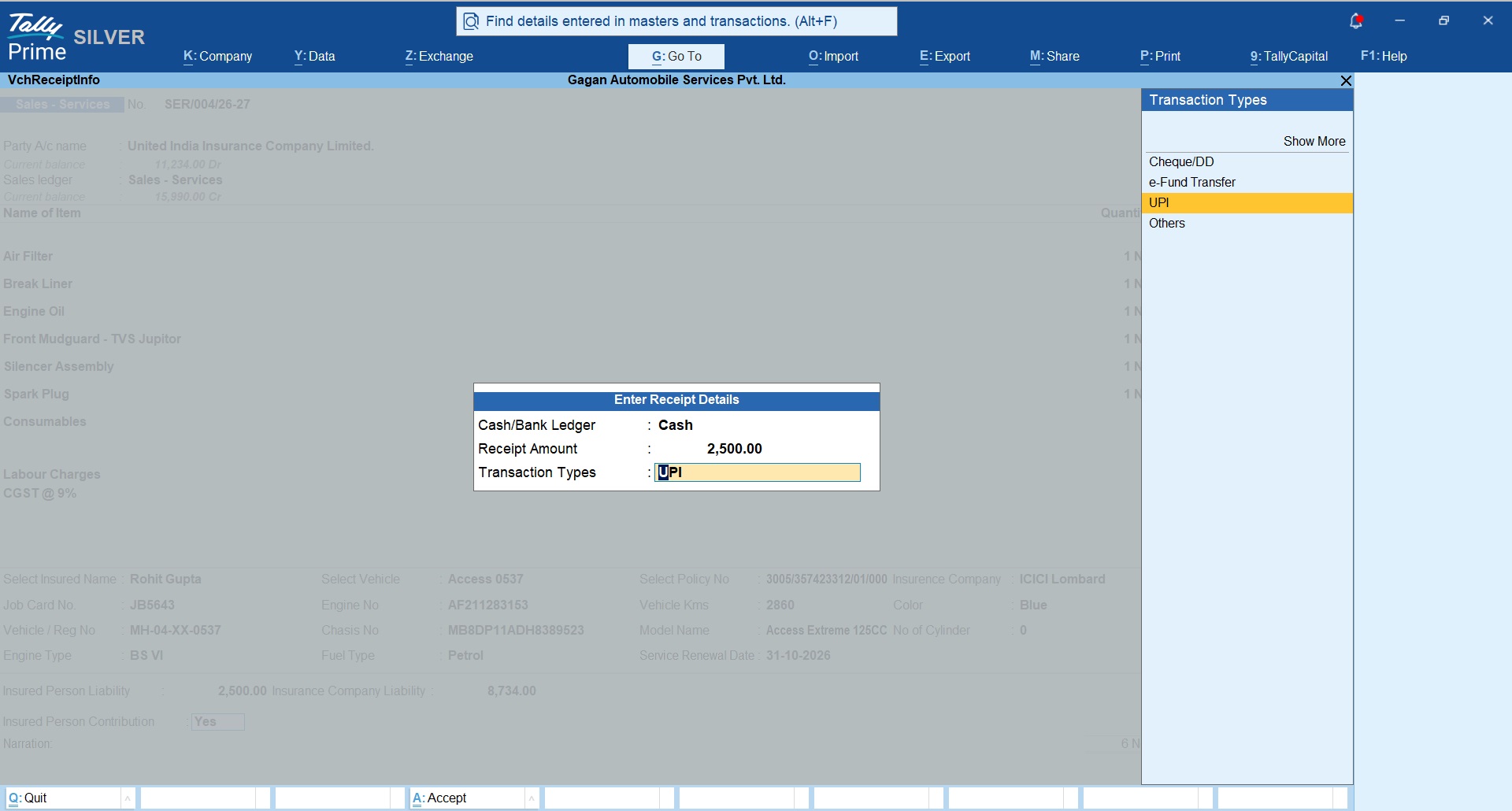
Receipt voucher towards the insured person contribution
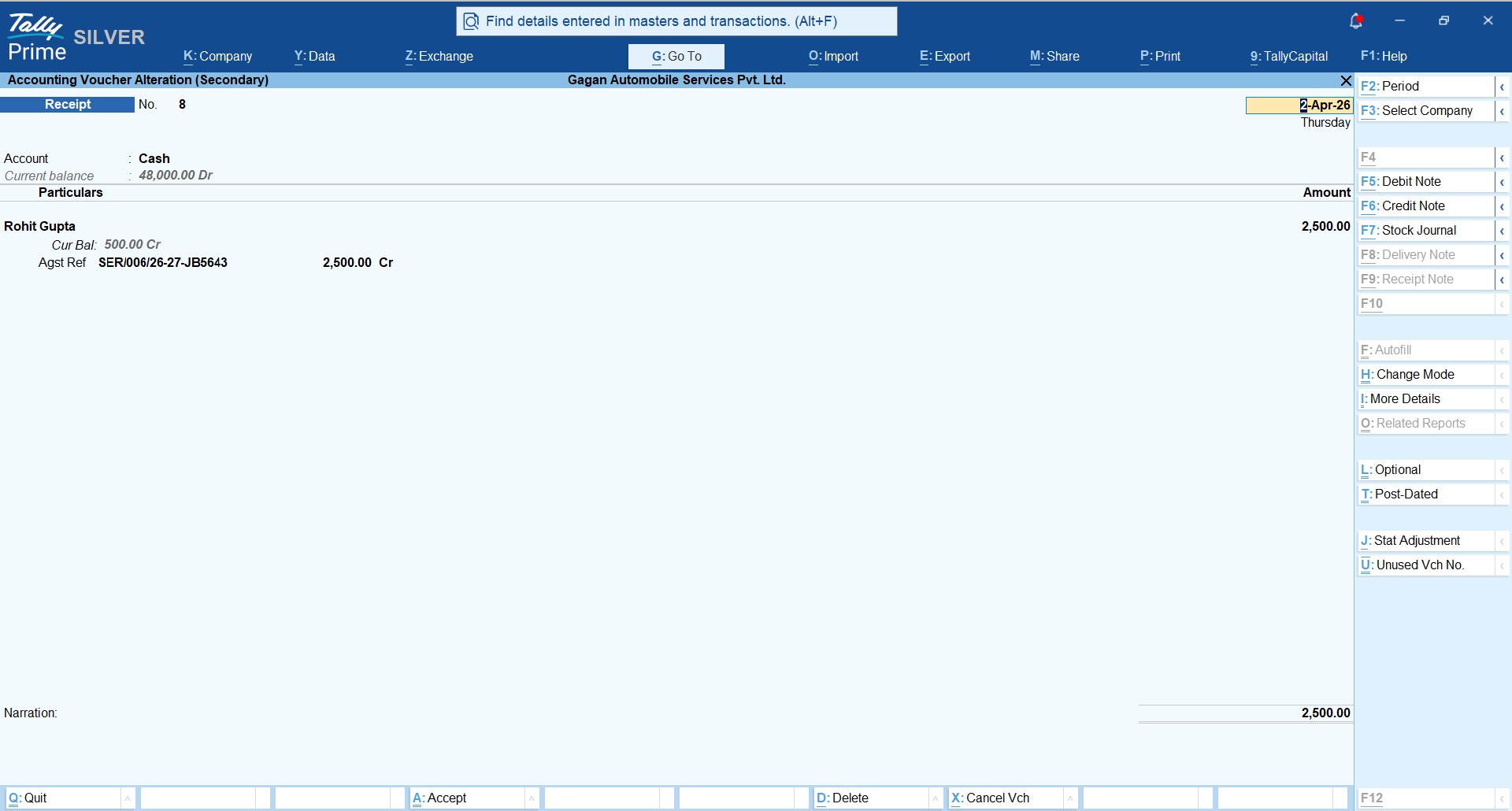
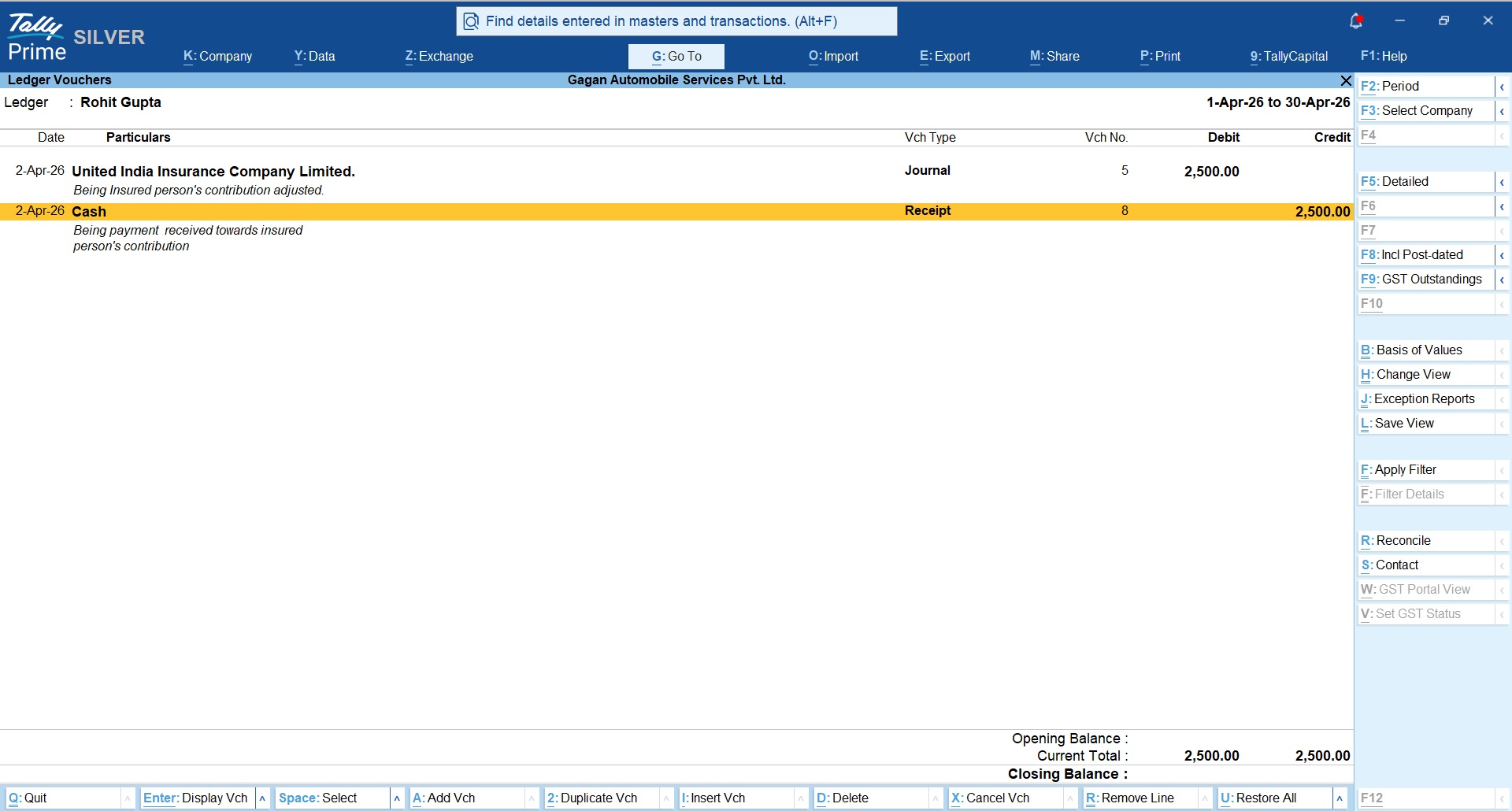
Journal voucher towards insured person’s contribution which will be less paid by the insurance company.
Receipt voucher towards Insurance company’s claim received
These entry effects will settles Insurance company account as well as insured person’s account towards the service bill generated;
Insurance Company’s Ledger view
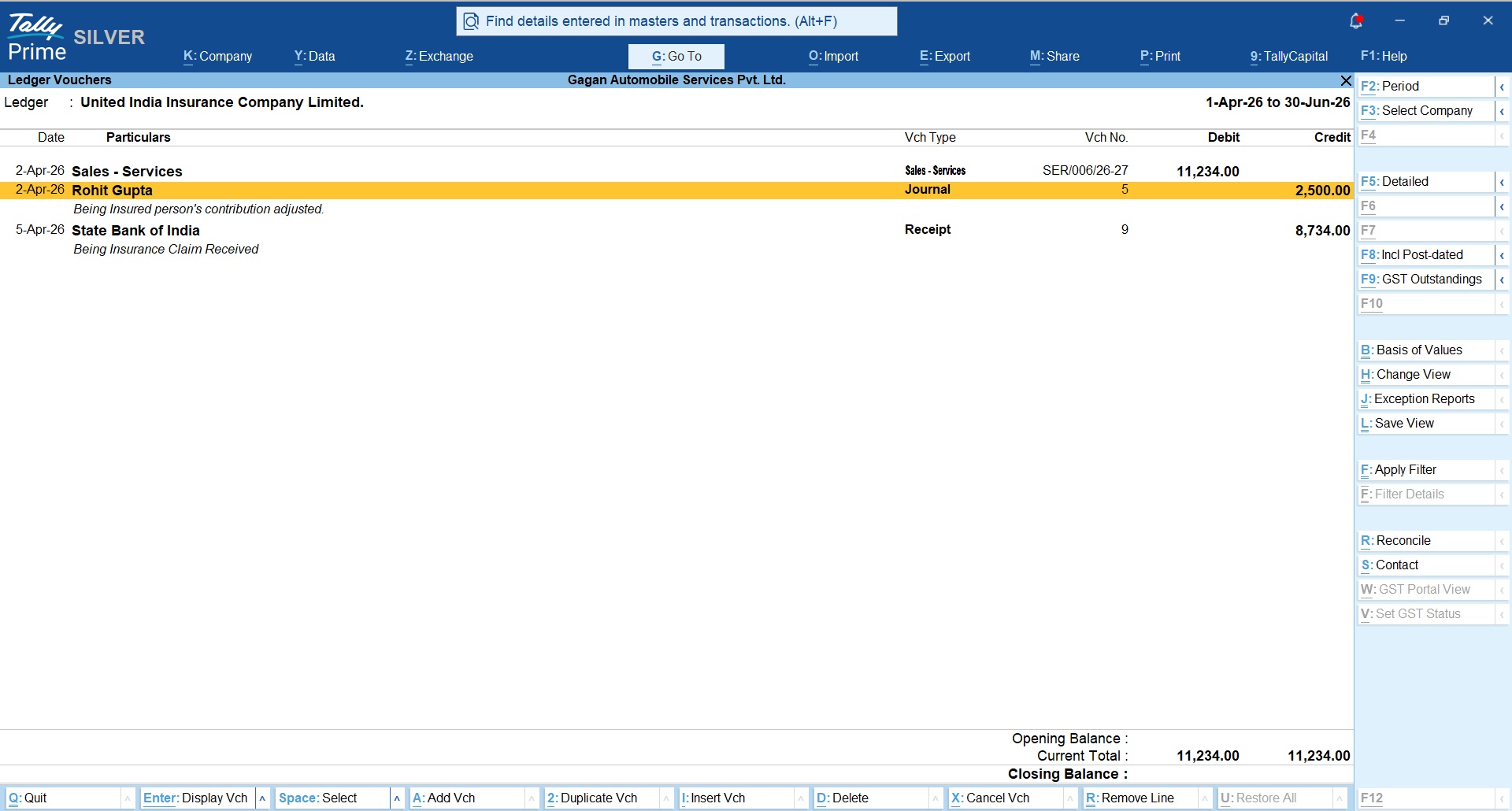
Insured person’s ledger view
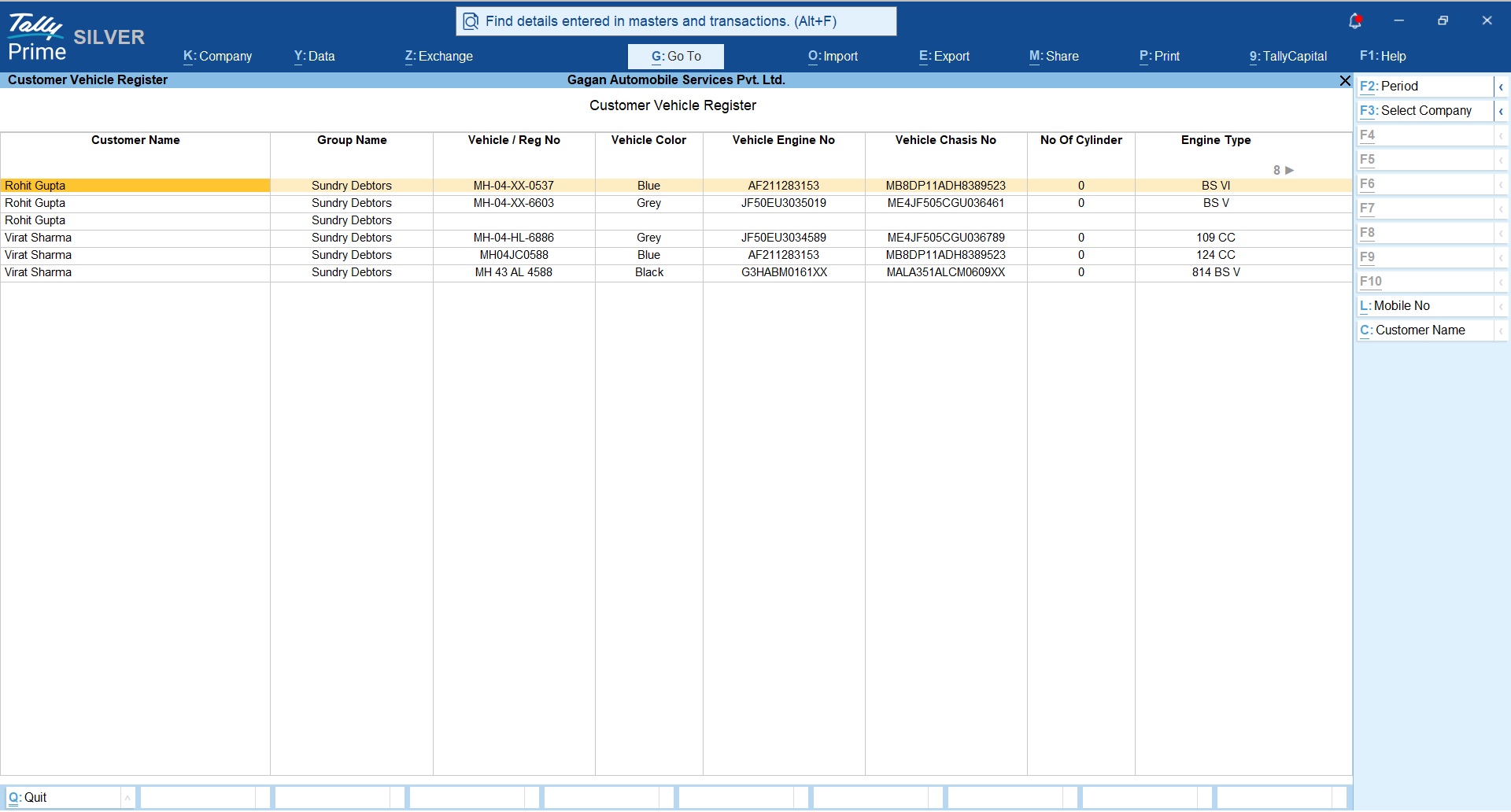
Customer Wise Vehicle Register
Based on the vehicle details entered in the custmer masters, you can generate customer wise vehicle register with all the filter buttons to easily find the vehicle and customer information.
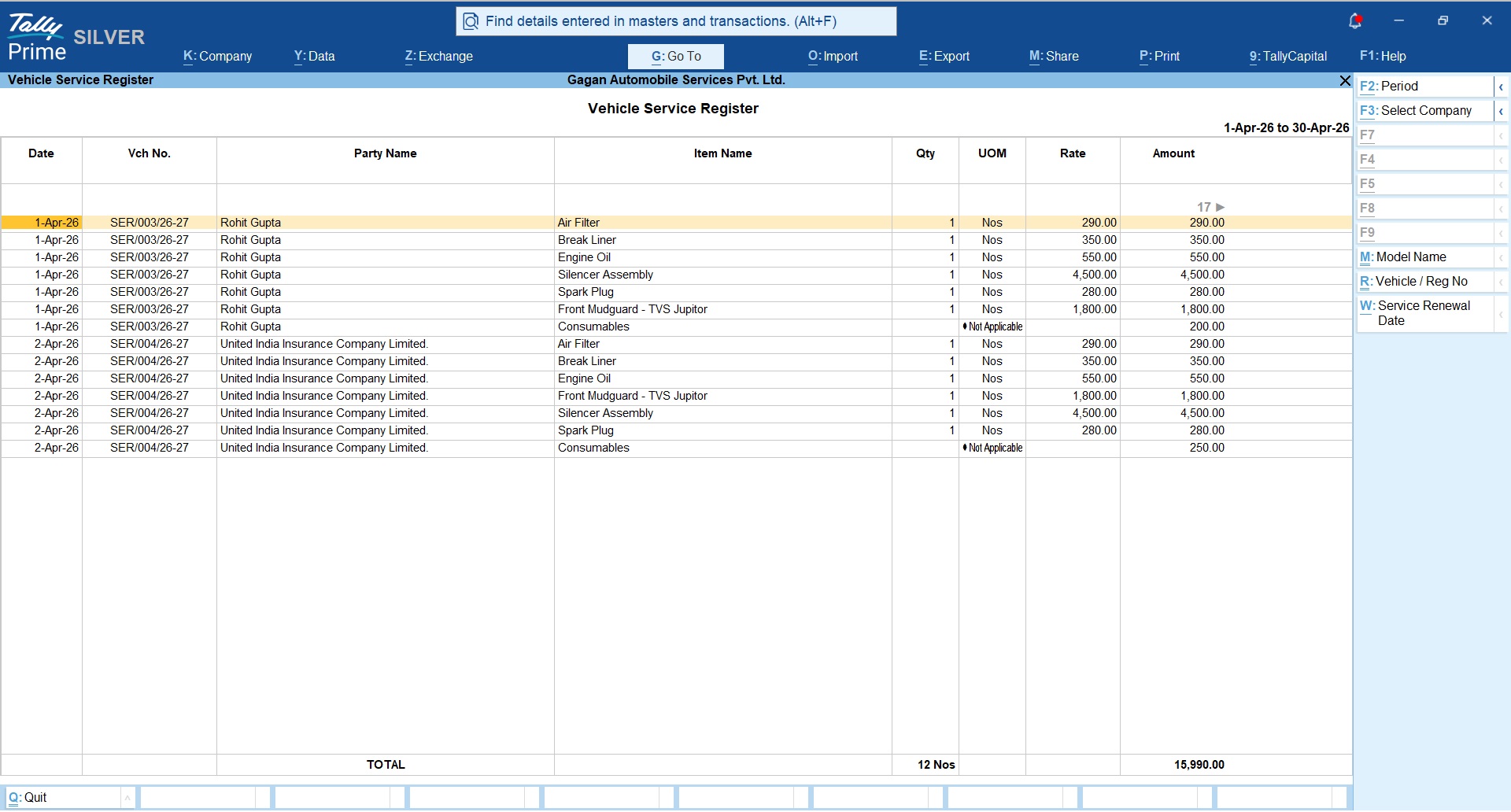
Vehicle Service Register with Service Renewal Dates
Vehicle service register will give you complete insight about the service bill created for the given date range with details of parts used, service renewal date, vehicle details, etc.
Download Free Trial Now
Buy Module Now
Original price was: Rs. 6,999.Rs. 4,999Current price is: Rs. 4,999. + GSTBuy Now




need tally service module