Join our WhatsApp Channel to get updates about our latest TDL ✨ Enhancements, 🚀 New TDL add-ons, 🛠️ Bug Fixes, 🔥 Offers and more.


Get 10% extra off on purchase of TDL's worth Rs. 4,500 and above | Coupon Code : "EXTRA10"


TDL for Payment Follow-up Manager
Original price was: Rs. 5,999.Rs. 3,999Current price is: Rs. 3,999. + GST
Excel to Tally Data Import Utility
Simplify your accounting workflow with our powerful Excel to Tally Data Import Utility designed for businesses, accountants, tax consultants, and Tally users. Easily convert and import Excel spreadsheet data directly into TallyPrime and Tally ERP9 without manual data entry.
🌟 Available in Web & Desktop Version!
Whether you want to import Sales, Purchase, Receipt, Payment, Journal, Ledger Masters, Item Masters, Bank Statements, GST Data, or Inventory Transactions, this utility helps you automate the entire process quickly and accurately.
(Free Trial)
Why Choose Our Excel to Tally Import Utility?
- Import Excel data into Tally in just a few clicks
- Supports both TallyPrime and Tally ERP9
- No technical knowledge required
- Reduce manual accounting errors
- Save hours of repetitive data entry work
- Bulk voucher import support
- GST-ready import templates
- Compatible with
.xlsxExcel files - Auto-create missing ledgers and masters
- Supports multi-GST, multi-currency, and inventory transactions
- Works for accountants, SMEs, and CA firms
Supported Voucher & Master Imports
Our Excel to Tally software supports importing:
Accounting Vouchers
- Sales Voucher Import
- Purchase Voucher Import
- Receipt Voucher Import
- Payment Voucher Import
- Journal Voucher Import
- Credit Note Import
- Debit Note Import
- Stock Journal Import
Master Data Import
- Ledger Master Import
- Stock Item Import
- Bill of Materials (BOM)
- Customer & Supplier Masters
Banking & GST Imports
- Bank Statement Import
- GST Purchase Data
- GSTR-2B Import
- Auto Bank Reconciliation
Advanced Features
- Single invoice with multiple GST rates
- B2B & B2C transaction support
- Multi-item invoice import
- Cost center allocation
- Godown-wise inventory entries
- Batch-wise stock handling
- E-Invoice & E-Way Bill data support
- Narration import for vouchers
- Import with or without inventory
How Excel to Tally Import Works
- Download ready-made Excel template
- Copy and paste your accounting data
- Upload Excel file and generate Tally XML
- Import XML into TallyPrime or Tally ERP9
The software validates your data and helps minimize import errors for smooth accounting operations.
Who Can Use This Software?
This Excel to Tally import utility is ideal for:
- Chartered Accountants (CAs)
- Tax Consultants
- GST Practitioners
- Small & Medium Businesses
- Ecommerce Sellers
- Data Entry Operators
- Accounting Outsourcing Firms
(Free Trial)
31
Items sold in last week
144
People watching this product now!
FAQ
Get answers to all your queries before you purchase our Tally add-ons.
Your TDL add-ons comes with Lifetime validity or Yearly Subscriptions?
All our TDL add-ons comes with truly Lifetime validity and updates
How do I purchase & get the add-ons?
It's very simple!
Simply add the required module to the cart > proceed for checkout > enter your complete billing information > place order > pay online!
On successful completion of payment, you will instantly get download link on the screen and well as in your email.
Can i get demo before purchase?
Yes, we have placed demo videos under each modules to see how exactly it works before you purchase.
We do not provide one on one demo for ready to use TDL add-ons.
Will it work on Tally.ERP9 or TallyPrime?
All our TDL add-ons are compatible with both Tally versions i.e. Tally.ERP9 and TallyPrime
How do I install TDL add-ons in my Tally?
It really very simple to configure TDL add-ons in Tally, please refer below quick video and i am sure you will be able to do it.
Will I get GST Invoice for my purchase?
Yes, you will get system generated GST invoice in your email ID immediately on successful purchase, if not found check Spam / Junk folder once.
What if your TDL add-on doesn't work in my Tally?
It works on all Tally but in case if our TDL add-on is conflict with your existing TDL's then you may either ask your existing TDL provider to correct it or simply place refund request with us by providing valid error screenshots.
Will it work on Tally multi user license?
Yes, our add-ons works on both Tally Single User and Multi User depending upon your Tally Serial number and the price will remain same for both.
Can I use add-ons on multiple Tally licenses?
If you have multiple Tally licenses, you will have to purchase it separately
Will it work on multiple companies in same Tally?
Yes, all our TDL add-ons works with any of your companies running on the same Tally license.
If you have separate Tally licenses, you will have to purchase it separately.
Will it impacts our Tally data?
No, these Tally add-ons are built securely on Tally definition language only, so it won't impact your Tally data.
However we always recommend users to take Tally backup before using any customization.
How will I get License Key for TCP activation?
License Key for your purchased TCP will be available immediately in the Email & Under My Account section on completion of your order & payment.
How can I use same TCP & License Key in multiple companies?
By default our TDL License key is permissible to use for one company only but if you have multiple companies running on the same Tally serial number then you may request for license extension request by reverting to the same purchase email.
You can even re-use or migrate the same license key by De-Activating the same key.
How much time it will take to receive the TDL after payment?
You will receive TDL instantly along with Activation License Key in your email ID as well as the same will be found under your Account section.
Related products

-40%
TDL for Auto TDS Journal Posting
Original price was: Rs. 4,999.Rs. 2,999Current price is: Rs. 2,999. + GST
-33%
TDL for Bulk Emails & Outstanding Reminders from Tally
Original price was: Rs. 5,999.Rs. 3,999Current price is: Rs. 3,999. + GST
-33%
TDL for Compulsory Narration in Tally Vouchers
Original price was: Rs. 1,499.Rs. 999Current price is: Rs. 999. + GST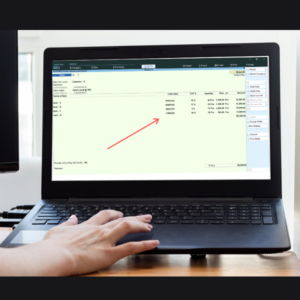
-50%
TDL for Display HSN Code & GST Rate in Vouchers & Reports
Original price was: Rs. 3,999.Rs. 1,999Current price is: Rs. 1,999. + GST
-33%
TDL for Display Last Purchase & Sales Rate of Items
Original price was: Rs. 2,999.Rs. 1,999Current price is: Rs. 1,999. + GST
-50%
TDL for Display Supplier Invoice No & Date
Original price was: Rs. 2,999.Rs. 1,499Current price is: Rs. 1,499. + GST
-25%
TDL for Document Management in Tally (Single Attachment)
Original price was: Rs. 1,999.Rs. 1,499Current price is: Rs. 1,499. + GST
-43%