Join our WhatsApp Channel to get updates about our latest TDL ✨ Enhancements, 🚀 New TDL add-ons, 🛠️ Bug Fixes, 🔥 Offers and more.


Get 10% extra off on purchase of TDL's worth Rs. 4,500 and above | Coupon Code : "EXTRA10"

Back to products

TDL for OTP Based Login in Tally
Original price was: Rs. 4,999.Rs. 2,999Current price is: Rs. 2,999. + GST
Amazon, Flipkart, eCommerce to Tally Data Import Utility
Simplify your eCommerce accounting with our powerful eCommerce to Tally data import utility. Easily import Amazon, Flipkart, Meesho, Shopify, and other marketplace sales, settlement, commission, GST, and return data directly into TallyPrime and Tally ERP with accuracy and speed.
Whether you are an online seller, accountant, CA firm, or eCommerce business owner, this utility helps automate your eCommerce accounting process and reduces manual data entry work.
(Free Trial)
Why Choose Our eCommerce to Tally Solution?
✅ Import Amazon Sales, Returns, Settlement reports into Tally
✅ Import Flipkart Sales, Returns, Settlement reports into Tally
✅ Supports B2B and B2C transaction types
✅ Automatic GST calculation and voucher creation
✅ Import sales, returns, refunds, commissions & payment gateway charges
✅ SKU-wise inventory accounting support
✅ Reduce accounting errors and save time
✅ Compatible with TallyPrime & Tally ERP 9
✅ Easy Excel/CSV based import process
✅ Fast and accurate reconciliation
Supported eCommerce Platforms
- Amazon to Tally
- Flipkart to Tally
- Shopify to Tally
- Meesho to Tally
- WooCommerce to Tally
- Myntra to Tally
- Ajio to Tally
- Custom Marketplace Reports to Tally
Key Features
Amazon to Tally Import
Automatically convert Amazon settlement reports, MTR reports, and transaction reports into Tally vouchers with proper GST and ledger mapping.
Flipkart to Tally Import
Import Flipkart sales, returns, commissions, shipping charges, and settlement data directly into Tally software.
eCommerce GST Accounting
Maintain GST-ready books with automated tax bifurcation for sales, returns, and marketplace charges.
Order & Settlement Reconciliation
Match settlement amounts with sales entries for better accounting accuracy and easier audits.
Bulk Data Import
Import thousands of transactions into Tally within minutes without manual voucher entry.
Benefits for Online Sellers
- Save hours of accounting work
- Eliminate manual data entry
- Improve accounting accuracy
- Simplify GST compliance
- Faster month-end reconciliation
- Better financial reporting
Who Can Use This?
- Amazon Sellers
- Flipkart Sellers
- D2C Brands
- CA Firms & Accountants
- eCommerce Agencies
- Multi-channel Online Businesses
Compatible With
- TallyPrime
- Tally.ERP 9
Start Automating Your eCommerce Accounting Today
Convert your marketplace reports into Tally-ready data with our easy-to-use Amazon to Tally, Flipkart to Tally, and complete eCommerce to Tally automation solution. Focus more on growing your business while your accounting gets handled automatically.
(Free Trial)
27
Items sold in last week
77
People watching this product now!
FAQ
Get answers to all your queries before you purchase our Tally add-ons.
Your TDL add-ons comes with Lifetime validity or Yearly Subscriptions?
All our TDL add-ons comes with truly Lifetime validity and updates
How do I purchase & get the add-ons?
It's very simple!
Simply add the required module to the cart > proceed for checkout > enter your complete billing information > place order > pay online!
On successful completion of payment, you will instantly get download link on the screen and well as in your email.
Can i get demo before purchase?
Yes, we have placed demo videos under each modules to see how exactly it works before you purchase.
We do not provide one on one demo for ready to use TDL add-ons.
Will it work on Tally.ERP9 or TallyPrime?
All our TDL add-ons are compatible with both Tally versions i.e. Tally.ERP9 and TallyPrime
How do I install TDL add-ons in my Tally?
It really very simple to configure TDL add-ons in Tally, please refer below quick video and i am sure you will be able to do it.
Will I get GST Invoice for my purchase?
Yes, you will get system generated GST invoice in your email ID immediately on successful purchase, if not found check Spam / Junk folder once.
What if your TDL add-on doesn't work in my Tally?
It works on all Tally but in case if our TDL add-on is conflict with your existing TDL's then you may either ask your existing TDL provider to correct it or simply place refund request with us by providing valid error screenshots.
Will it work on Tally multi user license?
Yes, our add-ons works on both Tally Single User and Multi User depending upon your Tally Serial number and the price will remain same for both.
Can I use add-ons on multiple Tally licenses?
If you have multiple Tally licenses, you will have to purchase it separately
Will it work on multiple companies in same Tally?
Yes, all our TDL add-ons works with any of your companies running on the same Tally license.
If you have separate Tally licenses, you will have to purchase it separately.
Will it impacts our Tally data?
No, these Tally add-ons are built securely on Tally definition language only, so it won't impact your Tally data.
However we always recommend users to take Tally backup before using any customization.
How will I get License Key for TCP activation?
License Key for your purchased TCP will be available immediately in the Email & Under My Account section on completion of your order & payment.
How can I use same TCP & License Key in multiple companies?
By default our TDL License key is permissible to use for one company only but if you have multiple companies running on the same Tally serial number then you may request for license extension request by reverting to the same purchase email.
You can even re-use or migrate the same license key by De-Activating the same key.
How much time it will take to receive the TDL after payment?
You will receive TDL instantly along with Activation License Key in your email ID as well as the same will be found under your Account section.
Related products

-33%
TDL for Bulk Emails & Outstanding Reminders from Tally
Original price was: Rs. 5,999.Rs. 3,999Current price is: Rs. 3,999. + GST
-33%
TDL for Compulsory Narration in Tally Vouchers
Original price was: Rs. 1,499.Rs. 999Current price is: Rs. 999. + GST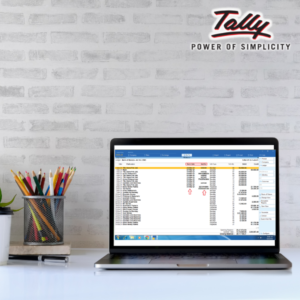
-33%
TDL for Display Bank Reco Date on Ledger and Voucher
Original price was: Rs. 1,499.Rs. 999Current price is: Rs. 999. + GST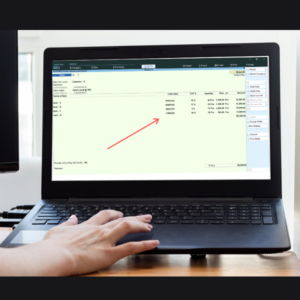
-50%
TDL for Display HSN Code & GST Rate in Vouchers & Reports
Original price was: Rs. 3,999.Rs. 1,999Current price is: Rs. 1,999. + GST
-40%
TDL for Manage & Assign Tasks | Task Manager in Tally
Original price was: Rs. 4,999.Rs. 2,999Current price is: Rs. 2,999. + GST
-25%
TDL for Multiple Line Description in Item Masters
Original price was: Rs. 1,999.Rs. 1,499Current price is: Rs. 1,499. + GST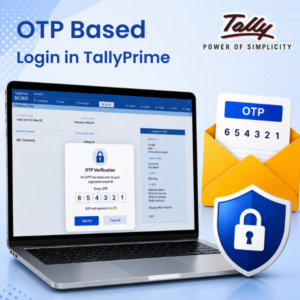
-40%
TDL for OTP Based Login in Tally
Original price was: Rs. 4,999.Rs. 2,999Current price is: Rs. 2,999. + GST
-50%