DocuForte® – A Centralized Document Management System for Chartered Accountants

New age Business requires new age Solutions
Introducing DocuForte®
A Next generation cloud based centralized Document Management System for Businesses and Chartered Accountants.
Organize Documents Smartly to Simplify Your Practice!
Chartered Accountancy is no longer limited to filing returns and preparing reports. Modern CA firms manage hundreds to thousands of clients, multiple statutory timelines, sensitive financial data, and increasing compliance pressure and they all comes with hurdles of managing documents.
Yet, many CA firms still depend on emails, shared drives, WhatsApp, and manual folders to manage & exchange critical documents.
DocuForte® helps CA firms move from fragmented document management to a structured, transparent & scalable digital practice.
As the CA firms expand, they face operational challenges such as:
- Client data spread across multiple emails, drives, and systems
- Difficulty managing multiple years of client records
- High dependency on specific staff members
- Risk of document loss during staff changes
- No single source of truth for client documents
- Compliance and audit stress during scrutiny
Growth without systems creates risk and inefficiency.
DocuForte®: The Digital Backbone of CA Operations
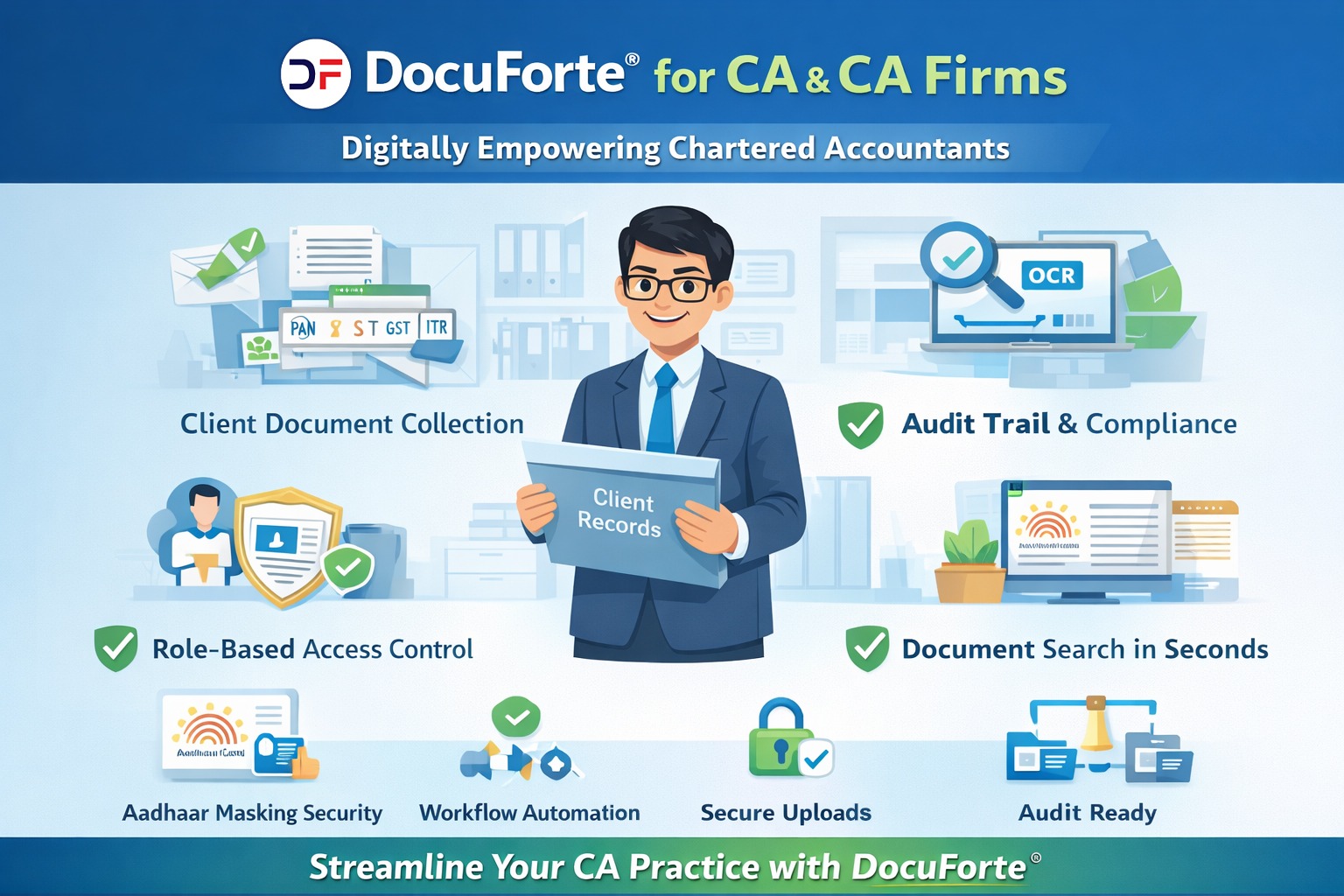
DocuForte® acts as a central document management system for CA firms, supporting day-to-day operations and long-term scalability.
🔹 Structured Client & Year-Wise Document Management
Each client in DocuForte® can be organized by:
- Financial Year
- Assessment Year
- Service Type (IT, GST, Audit, ROC)
This makes retrieval instant—even for 5–10 year old records.
🔹 Department-Wise Work Segregation
DocuForte® allows CA firms to create separate departments such as:
- Income Tax
- GST
- Statutory Audit
- Internal Audit
- ROC & Compliance
Each department accesses only relevant documents, ensuring data segregation and accountability.
🔹 Role-Based Access for Team Members
Access can be defined based on:
- Partner
- Article / Staff
- Audit Team
- Accounts Team
This prevents unauthorized access to sensitive client data and protects the firm legally.
🔹 Built-In Audit Trail for Regulatory Confidence
Every action inside DocuForte® is logged:
- Uploads
- Downloads
- Views
- Edits
This helps CA firms stay prepared for:
- Internal quality reviews
- Statutory audits
- Client disputes
- Data security compliance
🔹 Reduced Dependency on Individuals
With all documents centrally managed:
- Knowledge does not leave with staff
- New team members onboard faster
- Work continuity is maintained
This is critical for firm sustainability.
🔹 Faster Client Response & Professional Image
With instant access to records:
- Queries are resolved faster
- Past filings are retrieved in seconds
- Clients experience a professional, organized firm
This builds long-term client trust.
Document Management System – Designed for Indian CA Firms
DocuForte® understands Indian compliance realities:
- Handles Aadhaar masking
- Supports PAN & GST workflows
- Long-term archival for statutory requirements
- Designed for Indian audits & scrutiny
Who Should Use DocuForte®?
✔ Individual Chartered Accountants
✔ Mid-sized CA firms
✔ Large CA practices
✔ Audit & advisory firms
✔ GST & ROC consultants
Strong Systems Create Strong CA Firms
A CA firm’s reputation depends not only on expertise but also on:
- Data security
- Operational discipline
- Compliance readiness
How it Works?
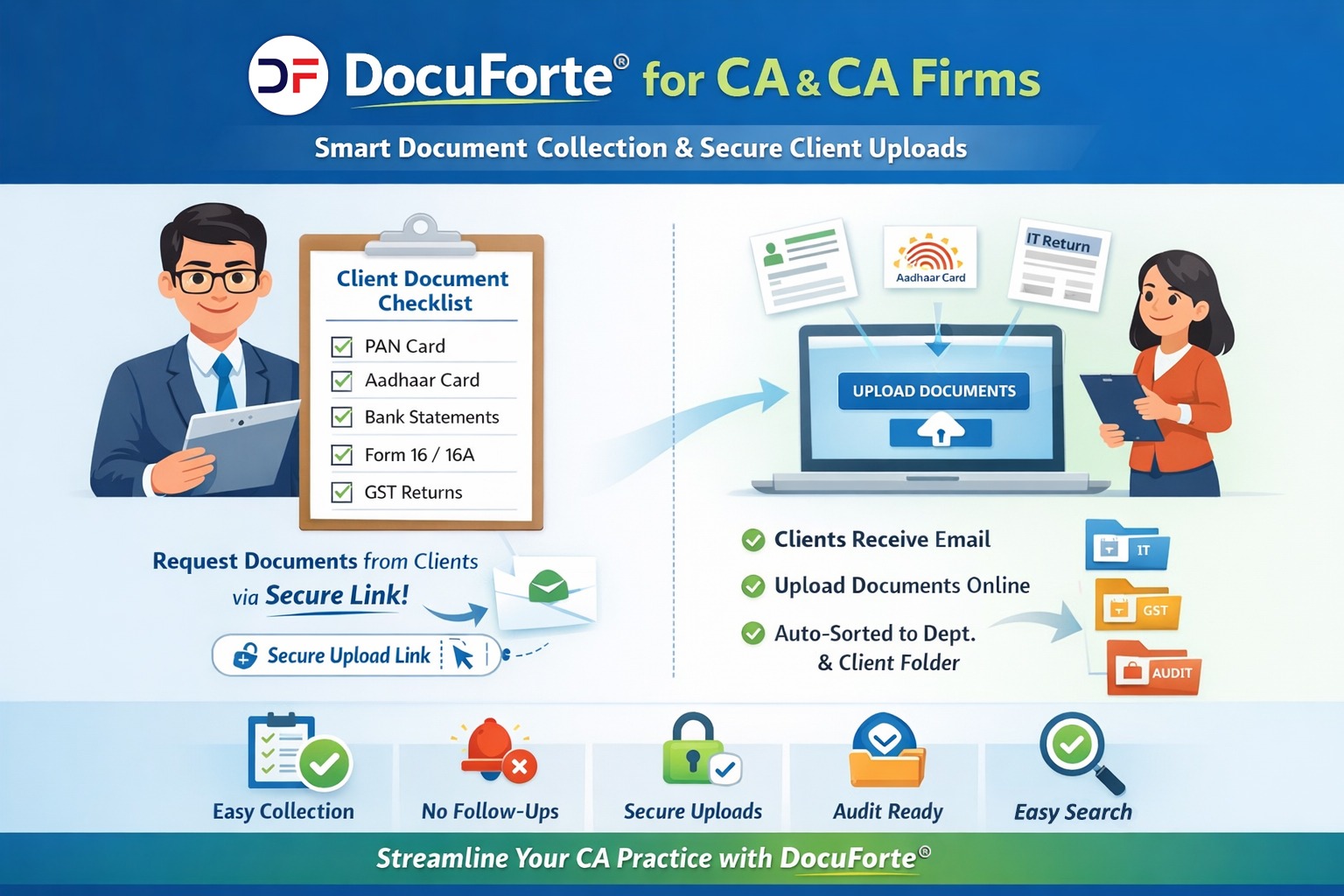
With DocuForte®, CA firms can collect documents from clients in a structured and automated way.
🔹Step 1: Create Document List
The CA or firm defines a document checklist, for example:
📄 Sample Document List (CA Use Case)
For Income Tax / Audit / GST:
- PAN Card
- Aadhaar Card (masked view supported)
- Bank Statements
- Form 16 / 16A
- GST Returns
- Purchase & Sales Registers
- Expense Bills
- TDS Certificates
- Balance Sheet & P&L
- Previous Year ITR
(This list can be customized per service or client)
🔹 Step 2: Upload Client Master Data
The CA firm uploads or selects:
- Client Name
- Email ID
- Department (IT / GST / Audit / ROC)
🔹 Step 3: Automated Email to Clients
DocuForte® automatically sends a secure email to each client containing:
- A unique upload link
- The predefined document list
- Clear instructions
No WhatsApp. No chasing. No confusion.
🔹 Step 4: Client Uploads Documents via Secure URL
Clients:
- Open the link (no login required, if configured)
- Upload documents against each listed item
- Upload from mobile or desktop
- Cannot see other clients’ data
🔹 Step 5: Automatic Filing Inside DocuForte®
Uploaded documents are:
- Automatically stored in the correct department
- Filed inside the client-specific folder
- Tagged with metadata (client, year, service type)
- Logged with date & time (audit trail)
Your team does zero manual sorting