
TDL for WooCommerce to TallyPrime Data Sync
Original price was: Rs. 9,999.Rs. 4,999Current price is: Rs. 4,999. + GST
Running a eCommerce Store build with WooCommerce and looking to Sync WooCommerce Orders with TallyPrime?
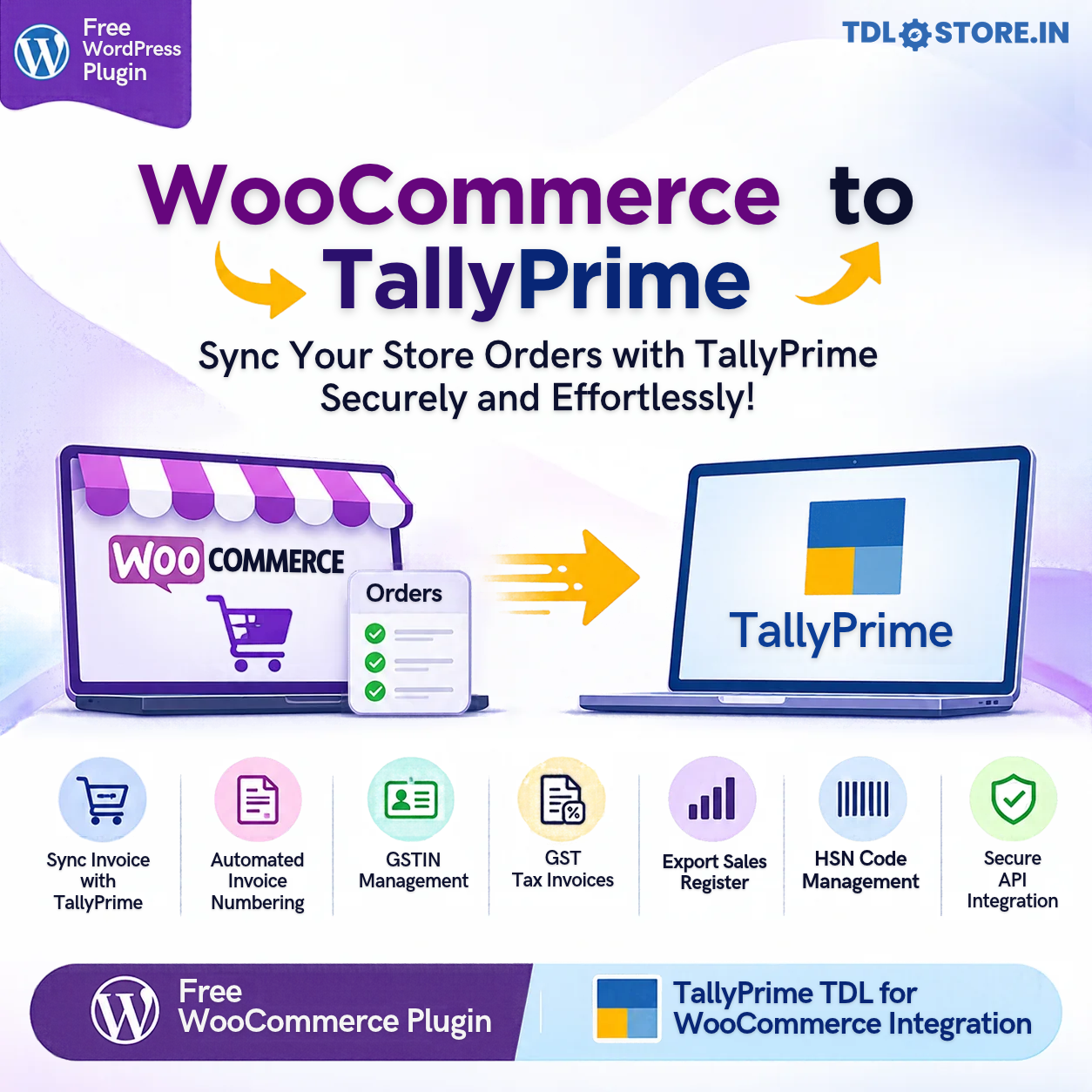
Explore our end to end WooCommerce to TallyPrime data sync solution that allows your eCommerce site to generate and sync GST compatible Tax Invoices and sync data with TallyPrime.
What you will get?
- TallyPrime TDL plugin with capabilities of
- Connecting TallyPrime data with secured API connection
- Sync On-demand Invoices with date range
- Sync Schedule based Invoices in
- Every xx minutes
- Every xx:xx hours of the day
- Auto creates Customer and Item masters
- Free WooCommerce Plugin with capabilities of
- Generating Invoice Numbers with prefix, suffix, restart numbering options
- Captures Company Name & GSTIN on checkout
- Field to Define HSN Code for products
- Generates professional Tax Invoice
- Option to Export columnar Sales Register
- Generates unique API access token to sync data with TallyPrime securely
Download 7 Days Free Trial Now
License Validity : 1 Year
| TDL Validity | Yearly |
|---|---|
| Supported Version | TallyPrime |
| Mode of Support | Anydesk, Email, Ultra Viewer, Zoom Meeting |
| Updates | Free |
| User Type | Multi User, Single User |
Get 10% Discount on TDL Purchase of Rs. 4,500 & Above.
Use Coupon Code: EXTRA10
Guide on how to Sync Data from WooCommerce to TallyPrime
Tally Snapshots
WooCommerce Plugin Setup
WooCommerce is an excellent eCommerce platform trusted by millions of sites globally, but it does not natively provide a complete GST billing solution for Indian businesses. Standard WooCommerce order numbers are not designed to function as configurable GST invoice numbers, and customer GSTIN collection, validation and professional GST tax invoice generation require additional functionality.
GST & Billing Sync by TDLStore.in bridges this gap by providing all the required options to turn your store GST & Billing compatible.
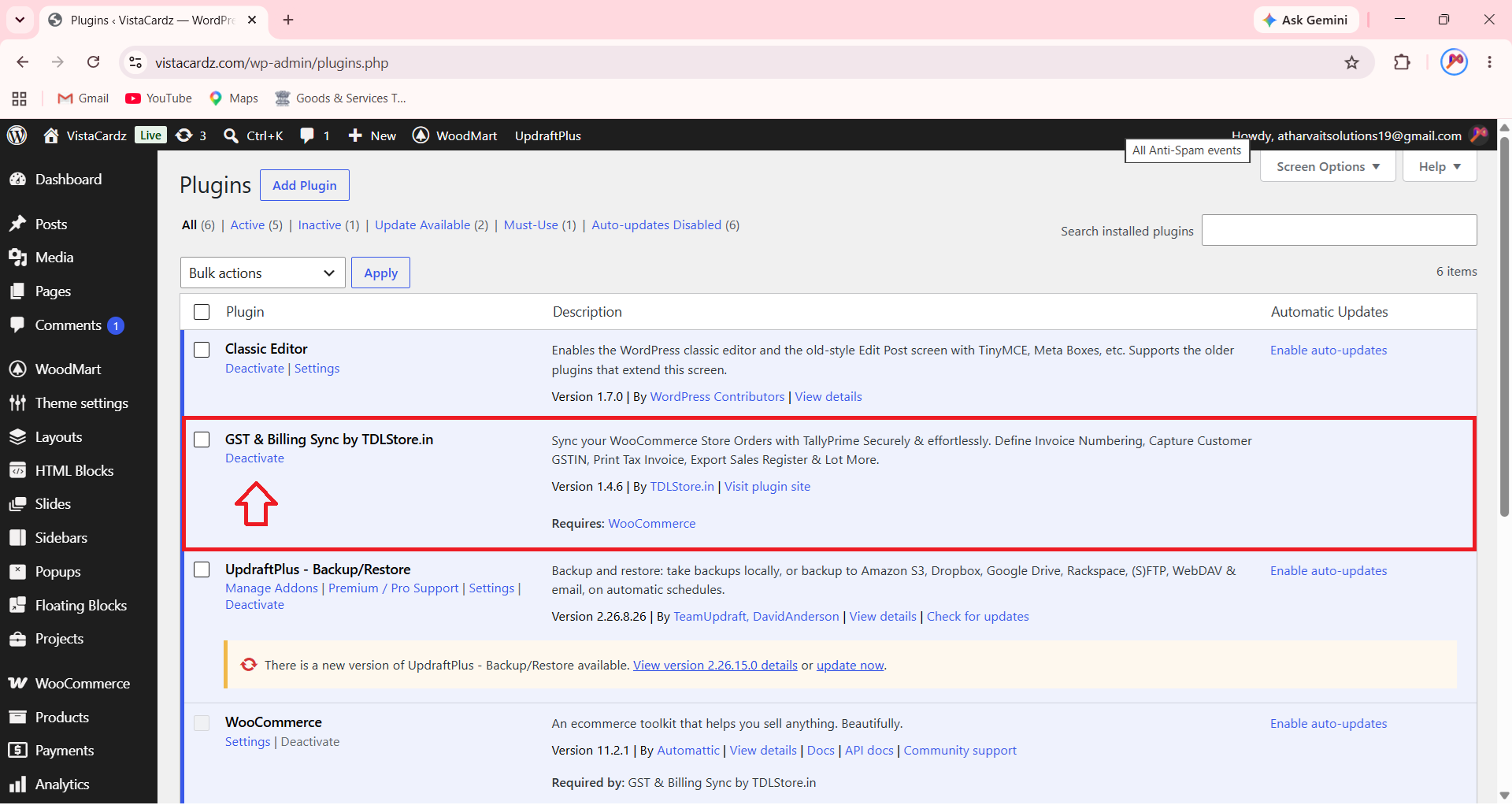
In your WordPress Dashboard, go to plugins to find & install our plugin “GST & Billing Sync by TDLStore.in” as shown in below snapshot;
Once you activate the plugin, you will find new menu under WooCommerce as “GST & Billing Sync” as shown in below snapshot;
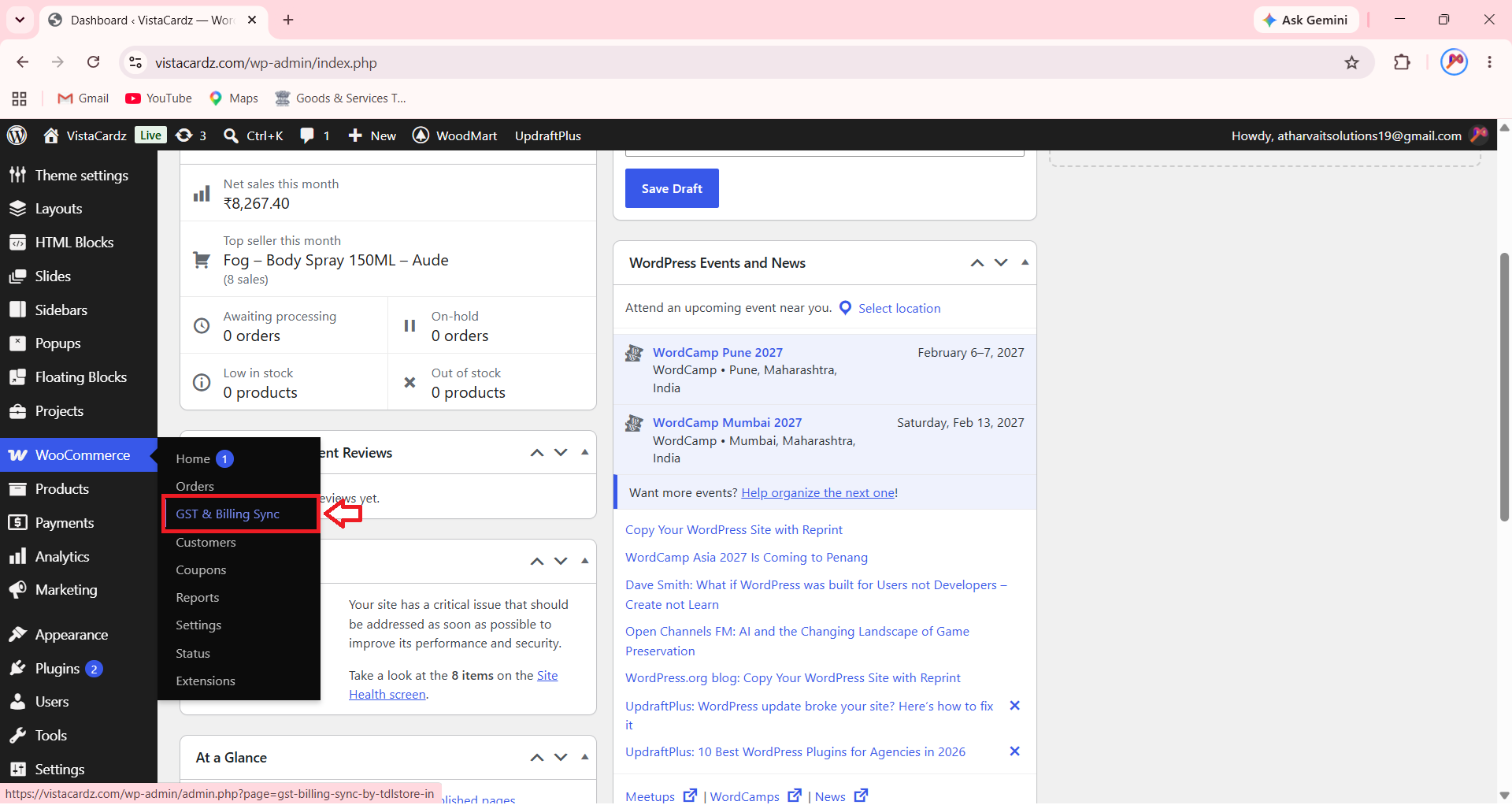
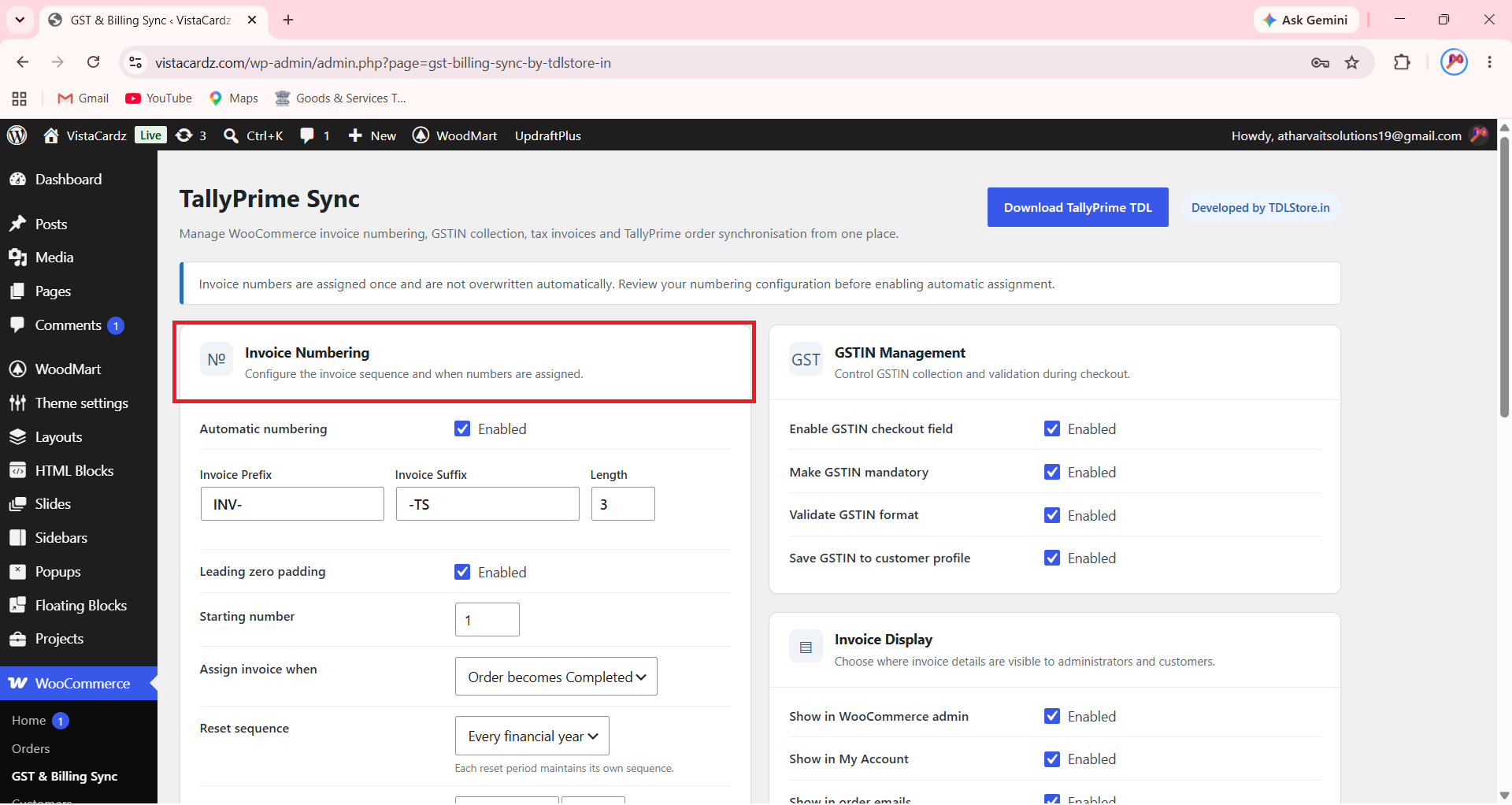
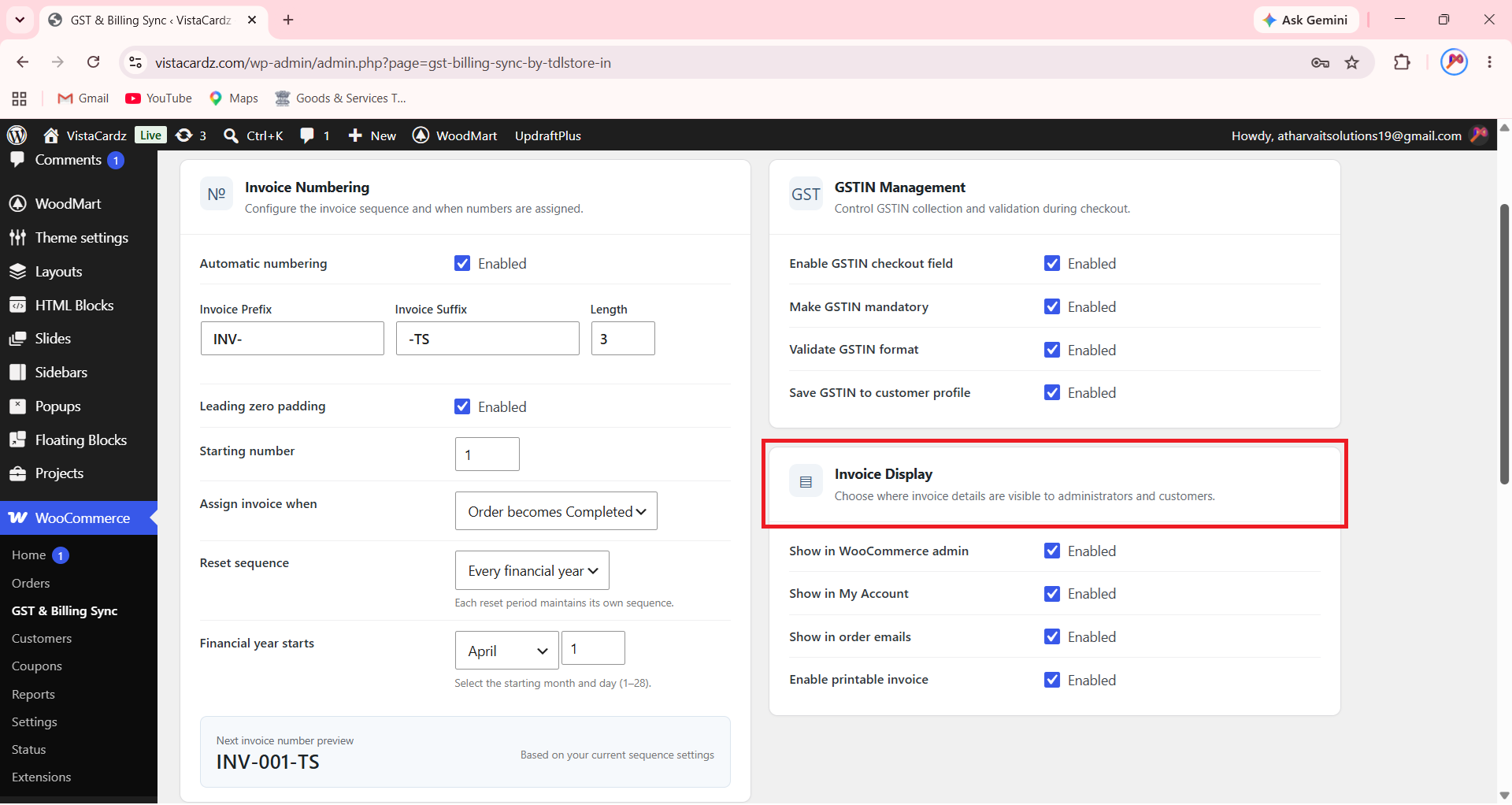
Under GST & Billing Sync plugin, you will find following sections;
Invoice Numbering
As you aware that, native WooCommerce plugin doesn’t support generation of Invoice Numbers when a customer completes transaction on your site. In this section you can configure and automate Invoice number generation for WooCommerce using following available options.
-
- Invoice Number Prefix, Suffix and Length of Number
- Leading zero padding to add zero’s before the number like 001, 01, 0001 and so on
- Starting Invoice Number
- Options to assign when Invoice number should be generated like
- When Order Status is Completed
- When Order Status is Processing
- Assign Manually
- Number reset sequence such as reset number on Every Financial Year or Every Calendar Year
- Define Month & Year when a Financial year will be start
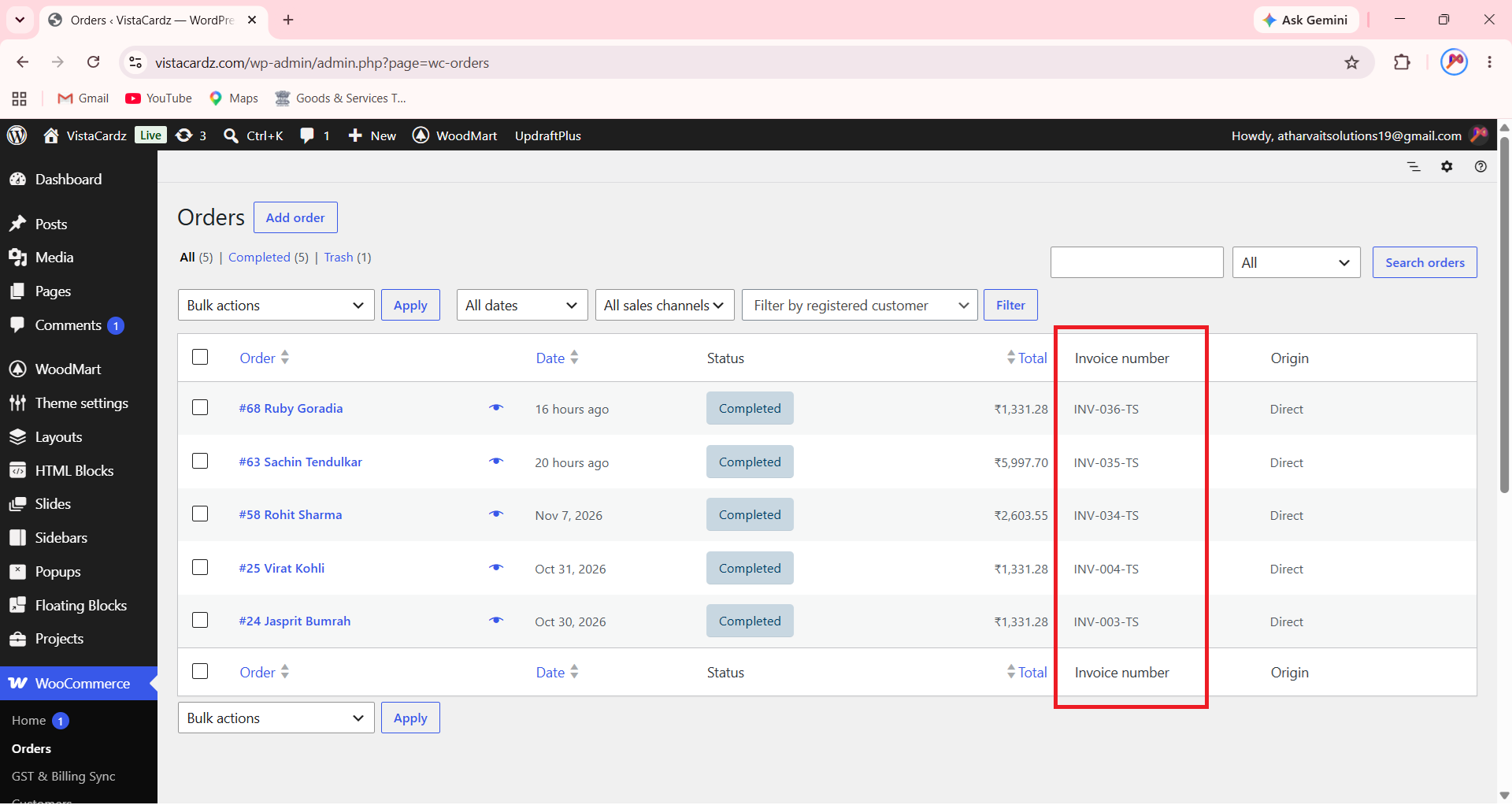
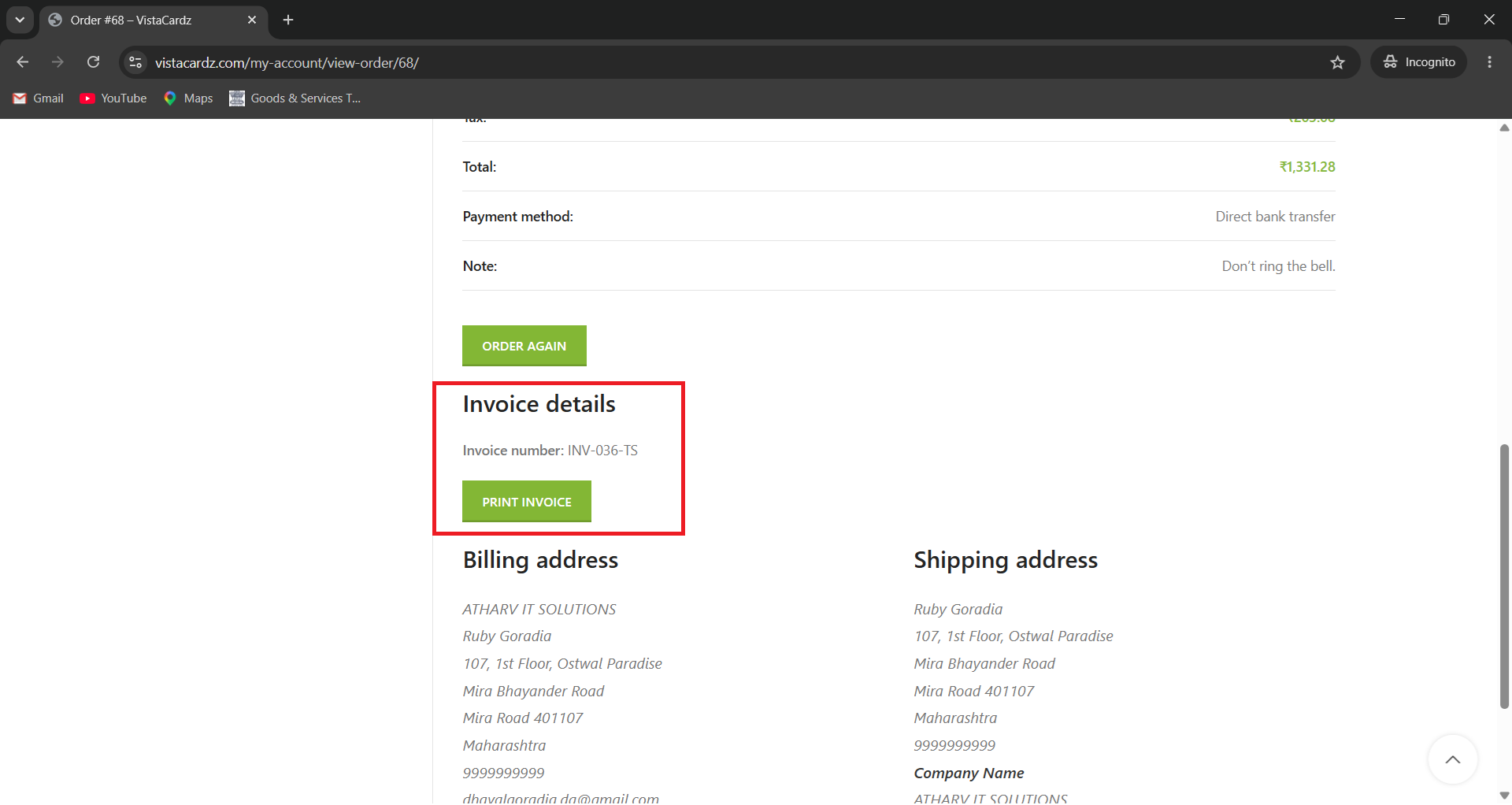
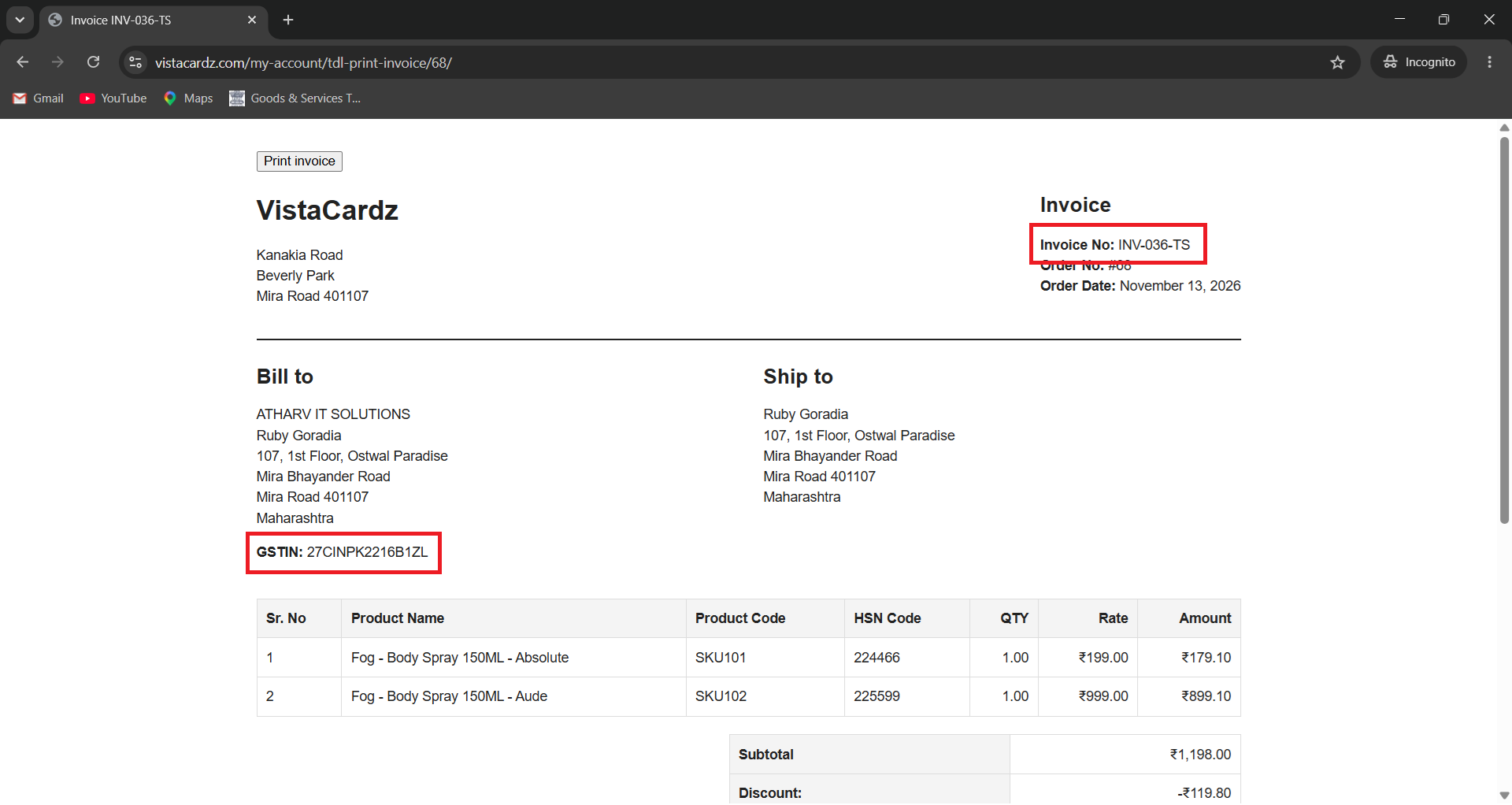
This is how Invoice numbers will be displayed inside Admin’s WooCommerce Orders section and in Customer’s My Account section and on Invoice.
Customer GSTIN Capture
As you aware that WooCommerce native plugin doesn’t supports capturing of customer GST number on Billing & Checkout page.
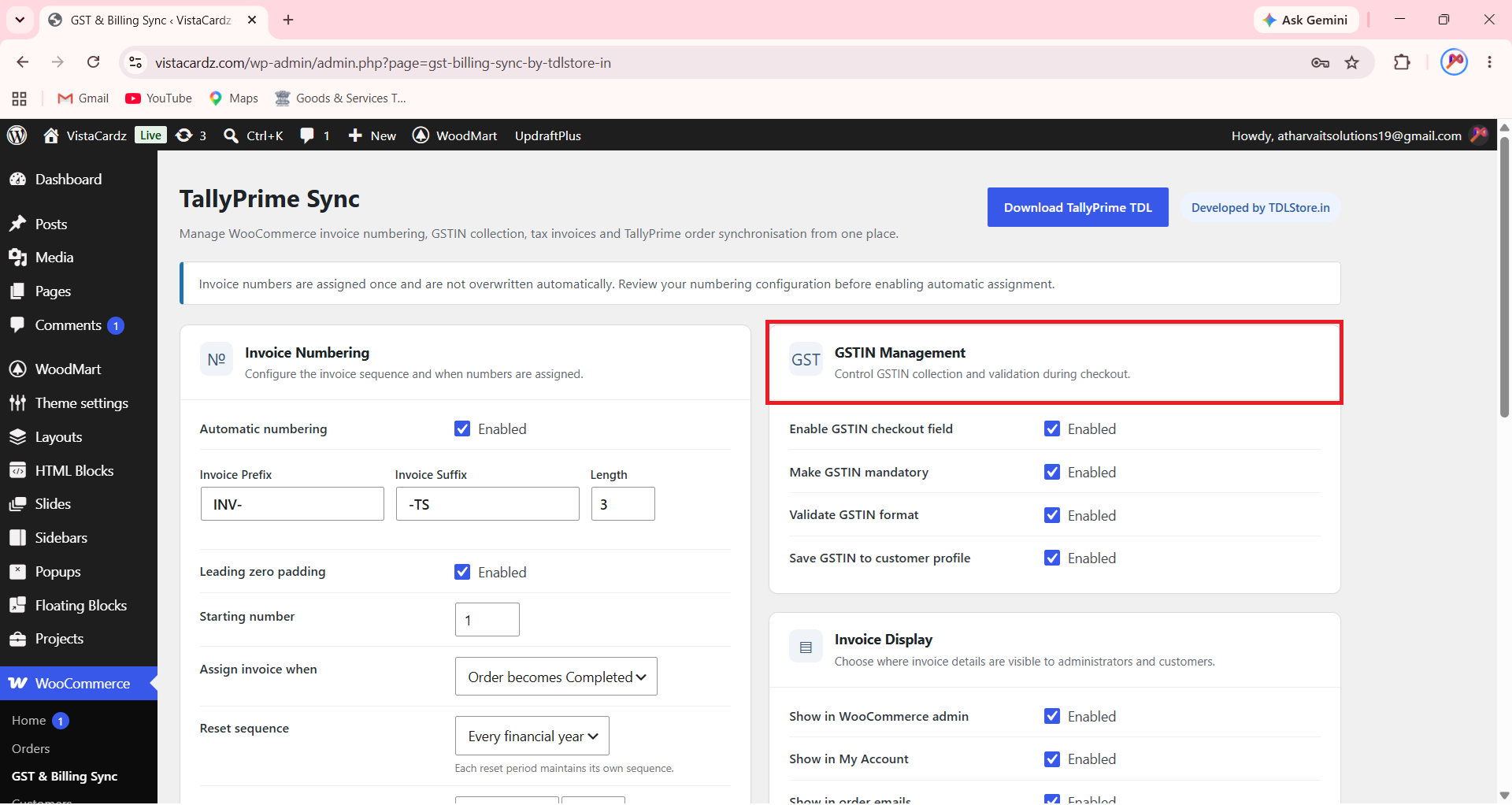
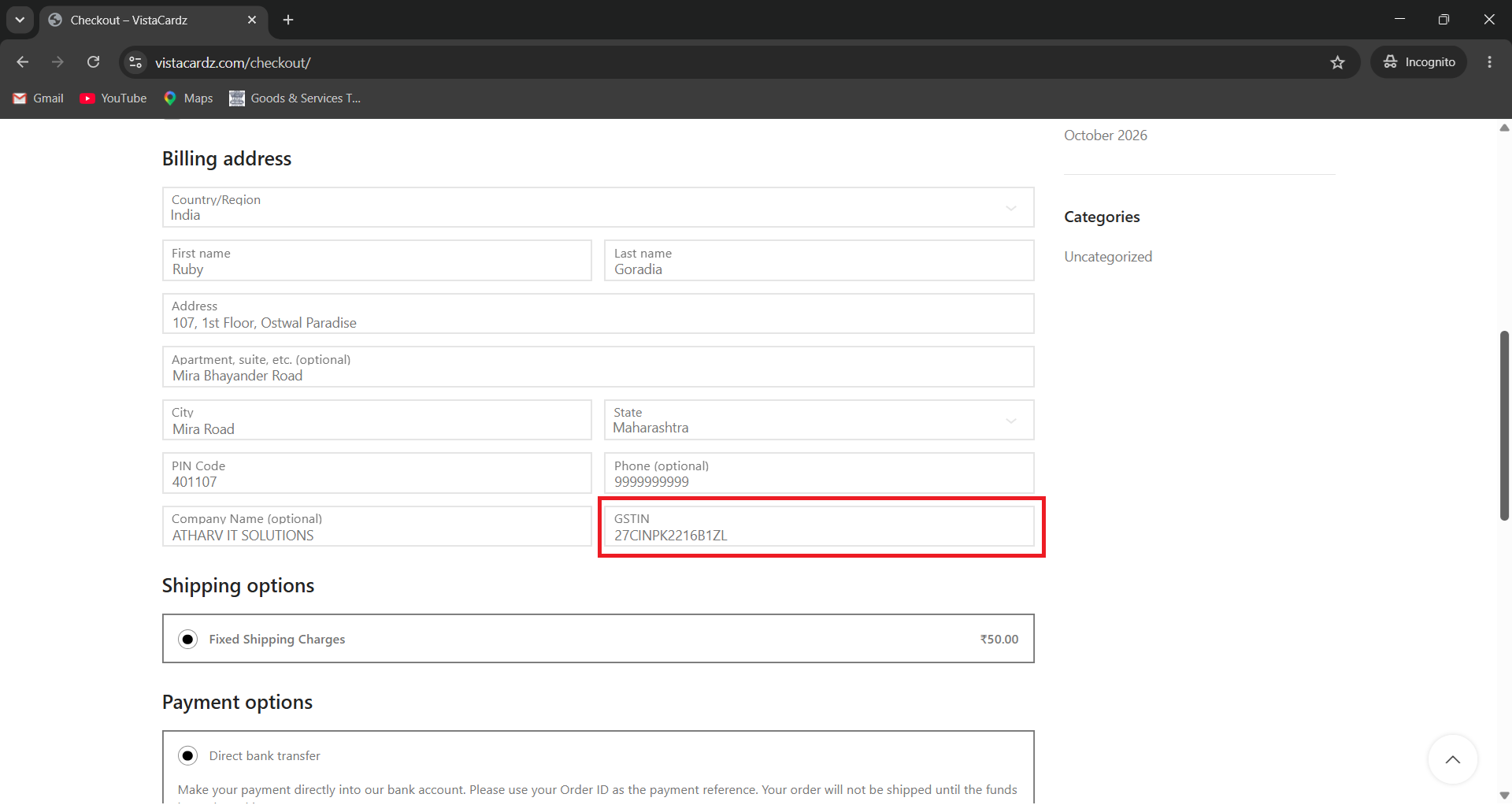
In this section you can enable the options to Capture and Display customer GST number;
- On Checkout page
- On Customer’s My Account page
- On Order Confirmation Email
- On Printable Invoice
WooCommerce to TallyPrime API Sync Settings
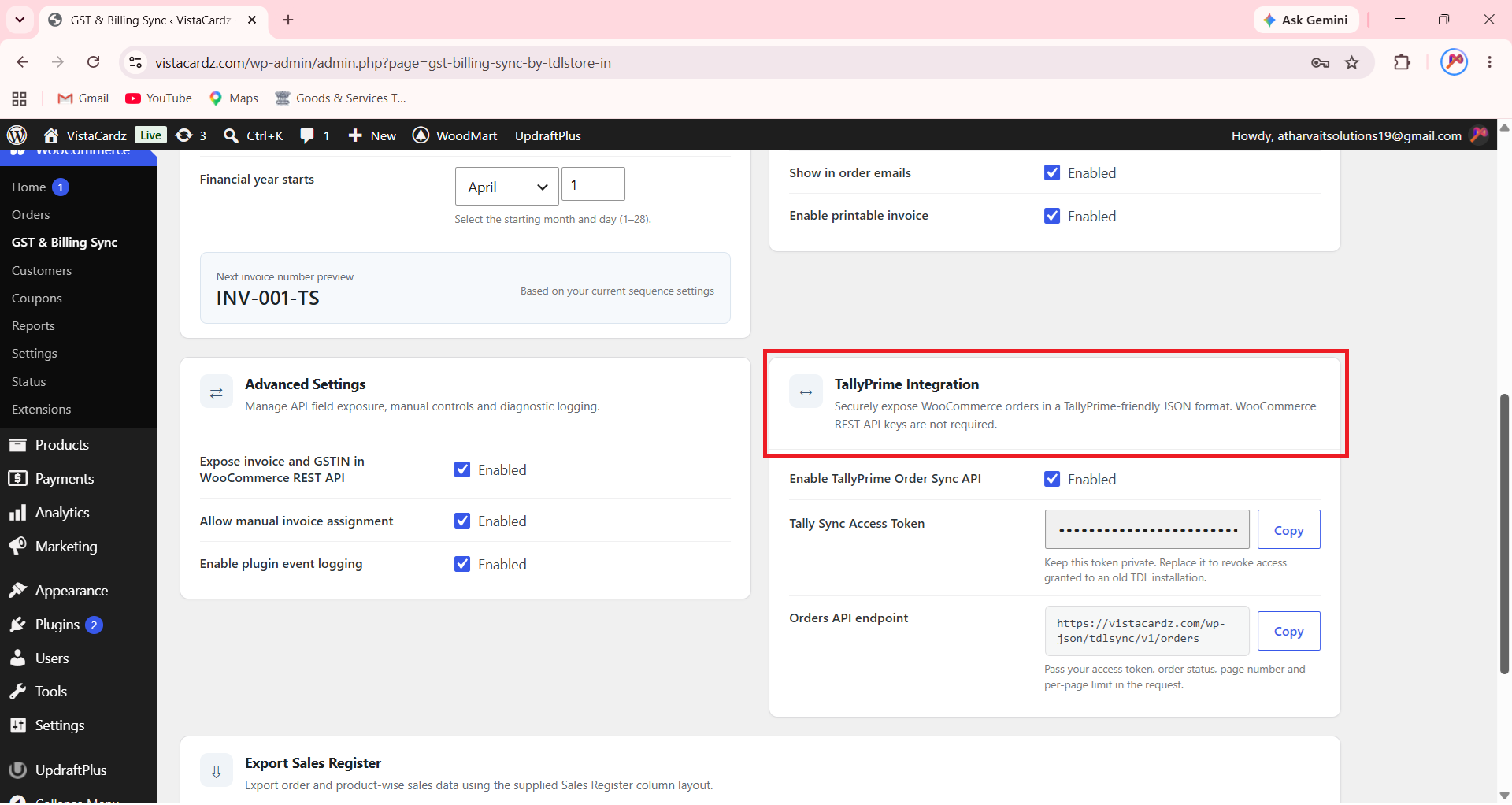
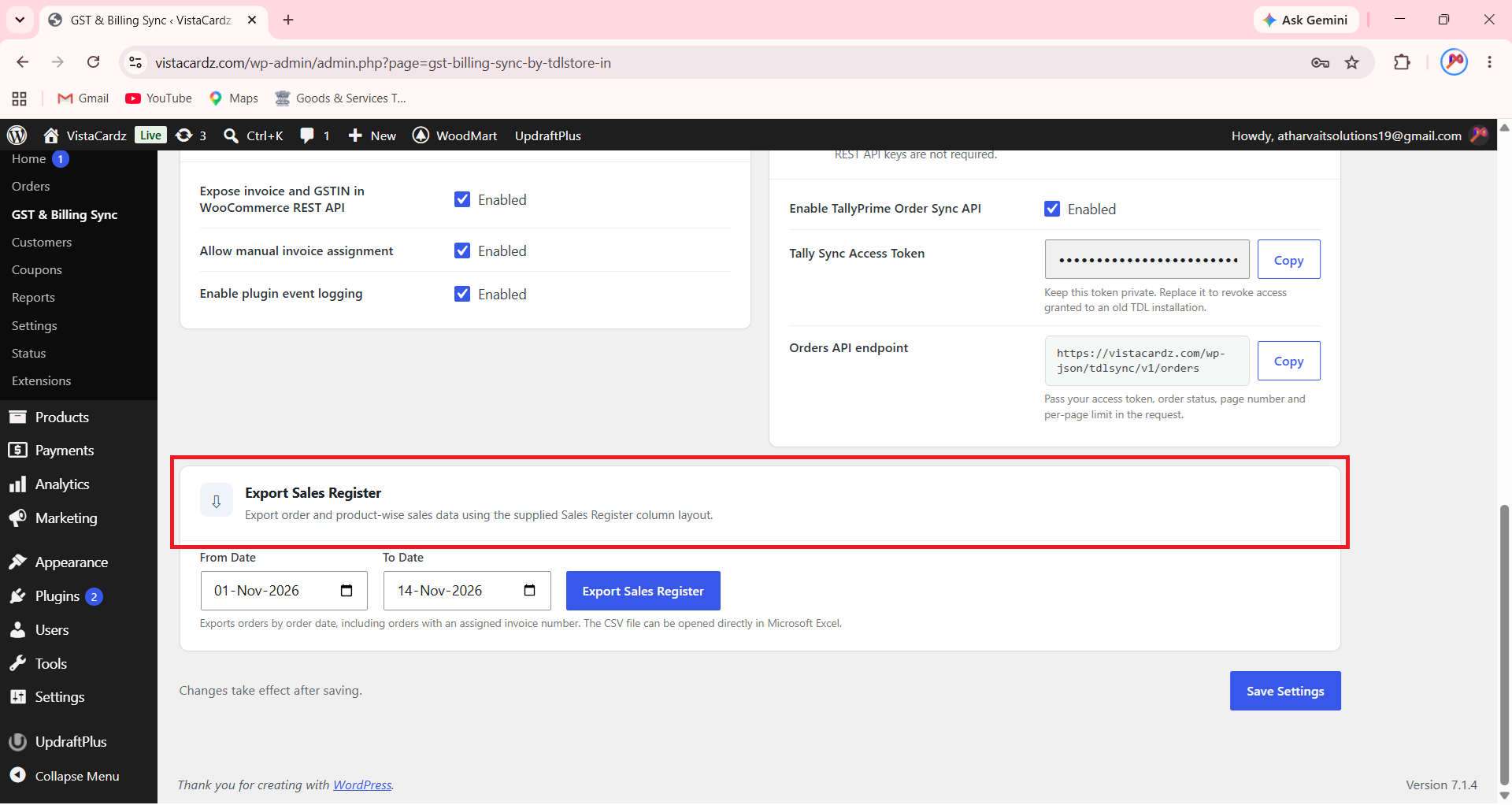
In this section you will get your store’s unique Tally Sync Access Token, that you can copy and paste in TallyPrime’s WooCommerce settings options to connect and sync Invoices securely from your eCommerce store to TallyPrime.
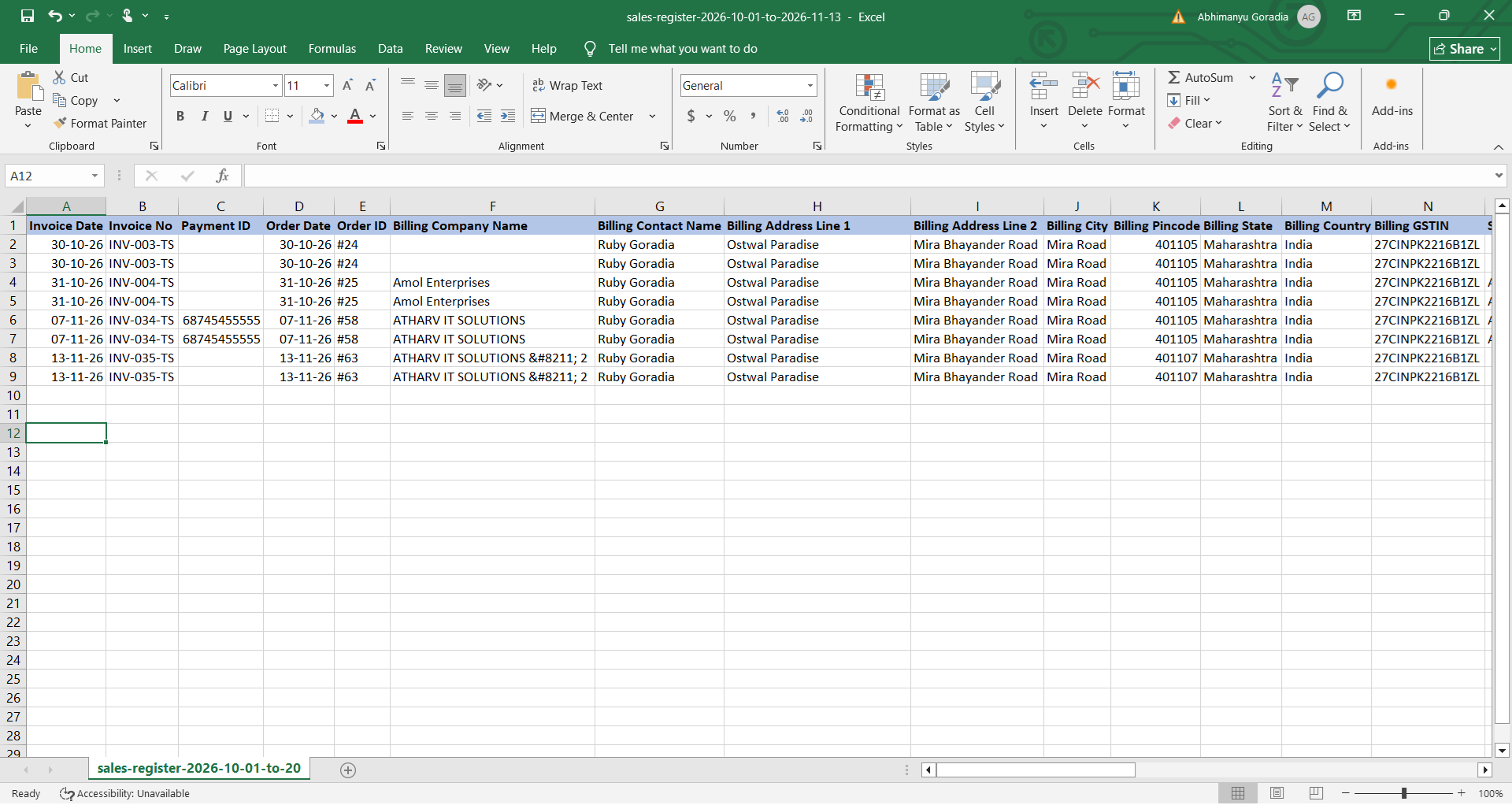
Export Sales Register
This is an additional feature available in our plugin that helps to export all Invoices data in Sales Register format in Excel.
Get answers to all your queries before you purchase our Tally add-ons.
Your TDL add-ons comes with Lifetime validity or Yearly Subscriptions?
All our TDL add-ons comes with truly Lifetime validity and updates
How do I purchase & get the add-ons?
It's very simple!
Simply add the required module to the cart > proceed for checkout > enter your complete billing information > place order > pay online!
On successful completion of payment, you will instantly get download link on the screen and well as in your email.
Can i get demo before purchase?
Yes, we have placed demo videos under each modules to see how exactly it works before you purchase.
We do not provide one on one demo for ready to use TDL add-ons.
Will it work on Tally.ERP9 or TallyPrime?
All our TDL add-ons are compatible with both Tally versions i.e. Tally.ERP9 and TallyPrime
How do I install TDL add-ons in my Tally?
It really very simple to configure TDL add-ons in Tally, please refer below quick video and i am sure you will be able to do it.
Will I get GST Invoice for my purchase?
Yes, you will get system generated GST invoice in your email ID immediately on successful purchase, if not found check Spam / Junk folder once.
What if your TDL add-on doesn't work in my Tally?
It works on all Tally but in case if our TDL add-on is conflict with your existing TDL's then you may either ask your existing TDL provider to correct it or simply place refund request with us by providing valid error screenshots.
Will it work on Tally multi user license?
Yes, our add-ons works on both Tally Single User and Multi User depending upon your Tally Serial number and the price will remain same for both.
Can I use add-ons on multiple Tally licenses?
If you have multiple Tally licenses, you will have to purchase it separately
Will it work on multiple companies in same Tally?
Yes, all our TDL add-ons works with any of your companies running on the same Tally license.
If you have separate Tally licenses, you will have to purchase it separately.
Will it impacts our Tally data?
No, these Tally add-ons are built securely on Tally definition language only, so it won't impact your Tally data.
However we always recommend users to take Tally backup before using any customization.
How will I get License Key for TCP activation?
License Key for your purchased TCP will be available immediately in the Email & Under My Account section on completion of your order & payment.
How can I use same TCP & License Key in multiple companies?
By default our TDL License key is permissible to use for one company only but if you have multiple companies running on the same Tally serial number then you may request for license extension request by reverting to the same purchase email.
You can even re-use or migrate the same license key by De-Activating the same key.
How much time it will take to receive the TDL after payment?
You will receive TDL instantly along with Activation License Key in your email ID as well as the same will be found under your Account section.