Access Tally Data Anytime Anywhere on Mobile 24 x 7


Create & Share Invoices on the go 24 x 7
View Customer Ledgers & Outstanding Reports on the go 24 x 7
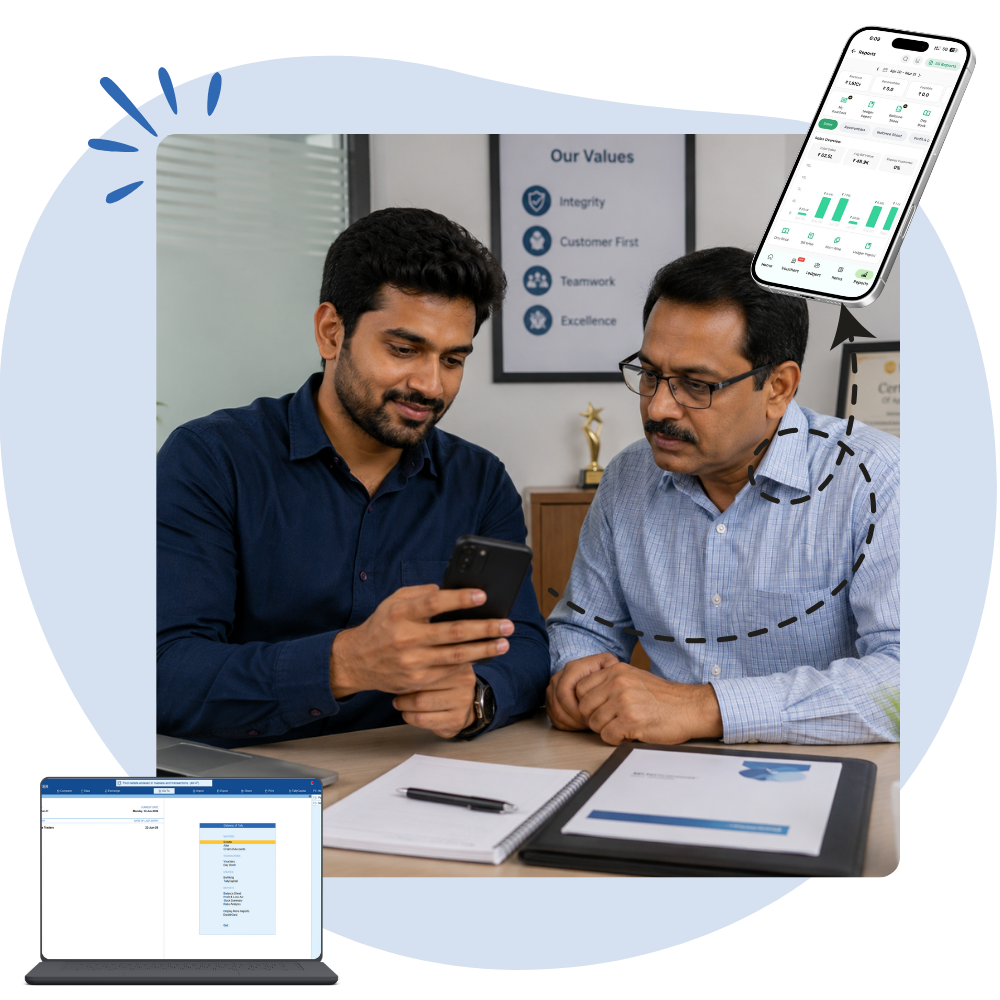

View Sales, Stocks, Profit & Loss on the go 24 x 7
Tally on Mobile: Access Your Business Anytime, Anywhere
Today’s businesses no longer operate only from the office. Business owners travel, sales teams meet customers, managers supervise multiple locations, and accountants often work remotely. As a result, one question has become increasingly common:
“Can I use TallyPrime on my mobile phone?”
Many users search for a TallyPrime Mobile App, expecting to manage their business directly from their smartphones. However, there is an important fact every Tally user should know.
Does TallyPrime Have an Official Mobile App?
No.
As of today, TallyPrime does not have an official mobile application that offers the complete desktop experience on Android or iPhone.
This isn’t because mobile technology is unavailable—it’s because TallyPrime is designed as a powerful desktop accounting solution capable of handling:
- Large accounting databases
- Complex GST calculations
- Inventory management
- Payroll
- Manufacturing
- Banking
- Multi-user operations
- Advanced reporting
These features require significant computing power and a desktop-oriented interface, making a full-featured mobile version impractical.
The Limitation Isn’t Mobile—It’s Where Your Data Is Stored
In a traditional setup:
- TallyPrime is installed on one office computer.
- Business data remains inside that computer.
- Access is available only when you’re physically present in the office.
This creates several challenges:
- Unable to check reports while travelling
- No access during meetings
- Sales team cannot verify customer balances
- Managers depend on office staff for information
- Business decisions get delayed
The good news is that there’s a smarter solution.
The Smart Solution: Tally on Cloud
Instead of installing TallyPrime on your phone, you can host your existing TallyPrime installation on a secure cloud server.
This is commonly known as Tally on Cloud.
Your office computer is replaced by a secure cloud server that runs TallyPrime 24×7. You can then connect from:
- Android phones
- iPhones
- Tablets
- Windows laptops
- MacBooks
- Desktop computers
Your data remains secure while becoming available from virtually anywhere with an internet connection.
Benefits of Tally on Mobile Using Tally on Cloud
1. Access Your Business 24×7
Whether you’re:
- travelling,
- attending meetings,
- working from home,
- visiting customers,
your business data is always available.
No need to call your accountant just to know:
- Today’s sales
- Outstanding payments
- Stock availability
- Bank balance
- Profit figures
Everything is accessible instantly.
2. Better Decision Making
Modern businesses require quick decisions.
With Tally on Cloud you can instantly review:
- Sales reports
- Cash flow
- Outstanding receivables
- Outstanding payables
- Stock levels
- Customer performance
- Profitability reports
Instead of waiting until you return to the office, you can make informed decisions in real time.
3. Perfect for Business Owners
Business owners don’t sit in front of a computer all day.
Whether you’re:
- attending exhibitions,
- visiting factories,
- meeting suppliers,
- travelling internationally,
you can stay connected to your business.
Need to approve a purchase?
Check outstanding payments?
Verify inventory?
Everything is available from your mobile device.
4. Empower Your Sales Team
Sales representatives frequently need information while meeting customers.
Using Tally on Cloud they can instantly access:
- Customer outstanding
- Credit limit
- Previous invoices
- Order history
- Available stock
- Product pricing
This improves customer service and reduces delays.
5. Managers Stay Connected
Branch managers and department heads can monitor business performance without depending on office staff.
They can quickly review:
- Daily sales
- Branch performance
- Employee collections
- Inventory movement
- Financial summaries
This leads to faster reporting and better operational control.
6. Work From Anywhere
Your office is no longer limited to one physical location.
Access TallyPrime from:
- Home
- Hotel
- Airport
- Customer office
- Factory
- Warehouse
- Coffee shop
As long as internet connectivity is available, your business travels with you.
7. Real-Time Reports
There’s no need to wait for reports to be emailed.
View live information including:
- Balance Sheet
- Profit & Loss
- Trial Balance
- Cash Flow
- Ledger Reports
- Day Book
- Outstanding Reports
- GST Reports
- Stock Reports
The data reflects the latest transactions, enabling timely and informed decisions.
8. Secure Data Access
Professional Tally on Cloud solutions provide:
- Encrypted connections
- Dedicated cloud servers
- Automatic backups
- Restricted user access
- Secure login
- High uptime
- Disaster recovery
This means your data remains protected while being available whenever you need it.
9. No Expensive Office Infrastructure
Instead of maintaining:
- Local servers
- UPS systems
- Hardware maintenance
- Networking equipment
your business operates from professionally managed cloud infrastructure.
This reduces IT costs while increasing reliability.
Who Should Use Tally on Cloud?
Tally on Cloud is ideal for:
- Business Owners
- Directors
- CEOs
- Accountants
- Sales Teams
- Finance Managers
- Branch Managers
- Warehouse Managers
- Retail Chains
- Distributors
- Manufacturers
- Service Businesses
Common Use Cases
During Customer Meetings
Check outstanding balances before confirming new orders.
While Travelling
Review sales performance without calling the office.
Working From Home
Continue accounting operations securely.
Multi-Branch Businesses
Monitor all branches from one location.
Remote Teams
Allow employees to work from different cities using the same Tally data.
Frequently Asked Questions
Can I install TallyPrime directly on Android?
No. TallyPrime does not have an official Android application.
Can I use TallyPrime on iPhone?
Not as a native mobile app. However, Tally on Cloud allows you to securely access your TallyPrime environment from an iPhone.
Is Tally on Cloud secure?
Yes. Reputable cloud hosting solutions use encrypted connections, user authentication, automatic backups, and enterprise-grade infrastructure to protect your data.
Can multiple users work simultaneously?
Yes. Multi-user access is one of the key advantages of Tally on Cloud, allowing authorized users to work together from different locations.
Why Businesses Are Moving to Tally on Cloud
Business today demands speed, flexibility, and continuous access to information. While TallyPrime remains a powerful desktop accounting solution, combining it with cloud hosting removes the limitations of office-bound access.
Whether you’re a business owner checking reports on the move, a salesperson visiting clients, or a manager supervising multiple branches, Tally on Cloud gives you secure, 24×7 access to your business data from virtually anywhere.
Instead of asking, “Does Tally have a mobile app?” the better question is:
“How can I access my complete TallyPrime business from my mobile?”
The answer is simple: Tally on Cloud.